suiss/uim · React Native Component
Separator
A thin horizontal or vertical line that separates content.
Separator is an open-source mobile component from suiss/uim for React Native and Expo, with SwiftUI and Jetpack Compose versions built from the same design tokens. The @esuiss/uim CLI copies its source into your project, so you own the code.
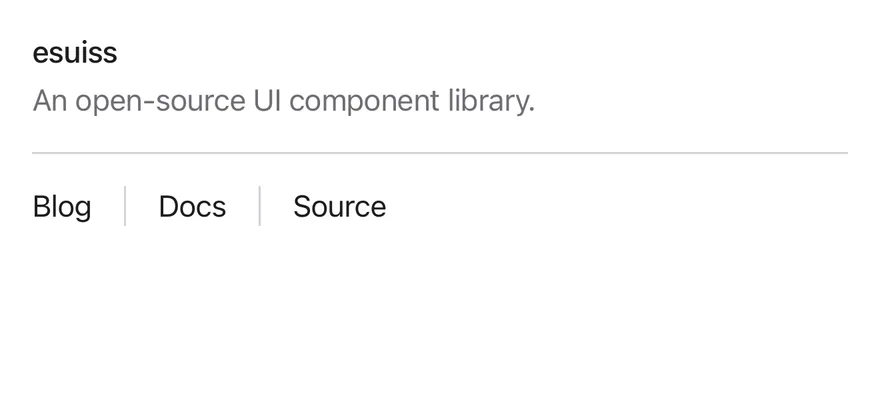
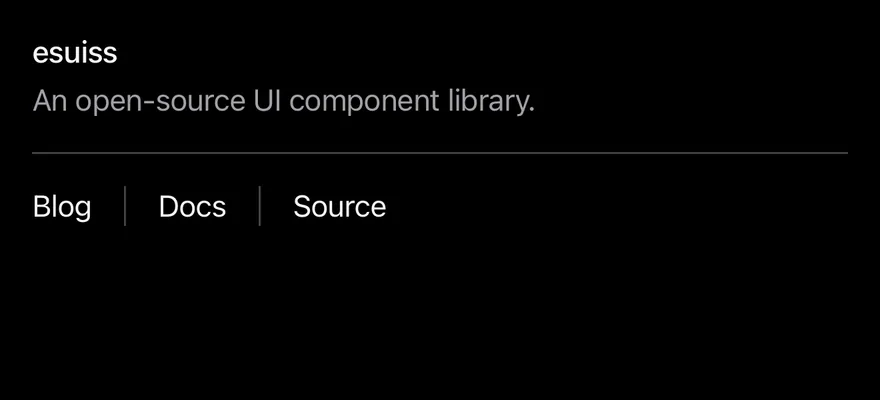
import { View } from "react-native"
import { Separator } from "@/components/ui/separator"
import { Text } from "@/components/ui/text"

export function SeparatorExample() {
  return (
    <View>
      <View className="gap-1">
        <Text className="text-sm font-medium">esuiss</Text>
        <Text variant="muted">An open-source UI component library.</Text>
      </View>
      <Separator className="my-4" />
      <View className="h-5 flex-row items-center gap-4">
        <Text className="text-sm">Blog</Text>
        <Separator orientation="vertical" />
        <Text className="text-sm">Docs</Text>
        <Separator orientation="vertical" />
        <Text className="text-sm">Source</Text>
      </View>
    </View>
  )
}import EsuissUI
import SwiftUI
struct SeparatorExample: View {
var body: some View {
VStack(alignment: .leading, spacing: 0) {
VStack(alignment: .leading, spacing: 4) {
Text("esuiss")
.textStyle(.sm, weight: .medium)
.foregroundStyle(Color.label)
Text("An open-source UI component library.")
.textVariant(.muted)
}
Separator()
.padding(.vertical, 16)
HStack(spacing: 16) {
SeparatorText("Blog")
Separator(.vertical)
SeparatorText("Docs")
Separator(.vertical)
SeparatorText("Source")
}
.frame(height: 20)
}
.frame(maxWidth: .infinity, alignment: .leading)
}
}
struct SeparatorText: View {
let title: LocalizedStringKey
init(_ title: LocalizedStringKey) {
self.title = title
}
var body: some View {
Text(title)
.textStyle(.sm)
.foregroundStyle(Color.label)
}
}import androidx.compose.foundation.gestures.Orientation
import androidx.compose.foundation.layout.Arrangement
import androidx.compose.foundation.layout.Column
import androidx.compose.foundation.layout.Row
import androidx.compose.foundation.layout.fillMaxWidth
import androidx.compose.foundation.layout.height
import androidx.compose.foundation.layout.padding
import androidx.compose.runtime.Composable
import androidx.compose.ui.Alignment
import androidx.compose.ui.Modifier
import androidx.compose.ui.text.font.FontWeight
import androidx.compose.ui.unit.dp
import com.esuiss.ui.components.Separator
import com.esuiss.ui.components.Text
import com.esuiss.ui.components.TextVariant
import com.esuiss.ui.theme.Typography
@Composable
fun SeparatorVerticalRow(labels: List<String>, height: Int) {
Row(
modifier = Modifier.height(height.dp),
horizontalArrangement = Arrangement.spacedBy(16.dp),
verticalAlignment = Alignment.CenterVertically,
) {
labels.forEachIndexed { index, label ->
if (index > 0) Separator(orientation = Orientation.Vertical)
Text(label, style = Typography.sm)
}
}
}
@Composable
fun SeparatorDefault() {
Column(Modifier.fillMaxWidth()) {
Column(verticalArrangement = Arrangement.spacedBy(4.dp)) {
Text("esuiss", style = Typography.sm.copy(fontWeight = FontWeight.Medium))
Text("An open-source UI component library.", variant = TextVariant.Muted)
}
Separator(Modifier.padding(vertical = 16.dp))
SeparatorVerticalRow(listOf("Blog", "Docs", "Source"), 20)
}
}Separator is a View drawn as a one-pixel line. Horizontal separators fill the width of their container; vertical separators stretch to the height of a row.
Installation
$ pnpm dlx @esuiss/uim@latest add separator$ pnpm dlx @esuiss/uim@latest add separator --platform swift$ pnpm dlx @esuiss/uim@latest add separator --platform kotlinManual
- Install the dependencies:
npx expo install cn-
Add the pieces it builds on: the primitives
components/primitives/separator.tsx,components/primitives/use-render.tsx. -
Copy the source into
components/ui/separator.tsx:
import { cn } from "cn"
import { Separator as SeparatorPrimitive } from "@/components/primitives/separator"
import { resolveClassName } from "@/components/primitives/use-render"

function Separator({
  className,
  ...props
}: React.ComponentProps<typeof SeparatorPrimitive>) {
  return (
    <SeparatorPrimitive
      className={(state) =>
        cn(
          "shrink-0 bg-separator",
          state.orientation === "horizontal"
            ? "h-px w-full"
: "w-px self-stretch",- Update the import paths to match your project.
- Install the dependencies:
npx expo install cn-
Add the pieces it builds on: the primitives
components/primitives/separator.tsx,components/primitives/use-render.tsx. -
Copy the source into
components/ui/separator.tsx:
import { cn } from "cn"
import { Separator as SeparatorPrimitive } from "@/components/primitives/separator"
import { resolveClassName } from "@/components/primitives/use-render"

function Separator({
  className,
  ...props
}: React.ComponentProps<typeof SeparatorPrimitive>) {
  return (
    <SeparatorPrimitive
      className={(state) =>
        cn(
          "shrink-0 bg-separator",
          state.orientation === "horizontal"
            ? "h-px w-full"
: "w-px self-stretch",- Update the import paths to match your project.
-
Add the pieces it builds on: the primitives
components/primitives/separator.tsx,components/primitives/use-render.tsx. -
Copy the source into
components/ui/separator.tsx:
import { StyleSheet } from "react-native"
import { Separator as SeparatorPrimitive } from "@/components/primitives/separator"
import { useTheme } from "@/components/ui/theme"

const styles = StyleSheet.create({
  root: { flexShrink: 0 },
  horizontal: { height: 1, width: "100%" },
  vertical: { width: 1, alignSelf: "stretch" },
})

function Separator({
  style,
  ...props
}: React.ComponentProps<typeof SeparatorPrimitive>) {
  const { colors } = useTheme()
return (- Update the import paths to match your project.
-
Target iOS 17 or later.
-
Copy the theme files every view uses:
import SwiftUI
import UIKit

struct RGBA: Sendable {
  let red: CGFloat
  let green: CGFloat
  let blue: CGFloat
  let alpha: CGFloat

  init(_ hex: UInt32, _ alpha: CGFloat = 1) {
    red = CGFloat((hex >> 16) & 0xFF) / 255
    green = CGFloat((hex >> 8) & 0xFF) / 255
    blue = CGFloat(hex & 0xFF) / 255
    self.alpha = alpha
}import SwiftUI
extension Color {
public static let surface = Color.adaptive(light: .init(0xFFFFFF), dark: .init(0x000000))
public static let surfaceSecondary = Color.adaptive(light: .init(0xF5F5F7), dark: .init(0x161617))
public static let surfaceTertiary = Color.adaptive(light: .init(0xE8E8ED), dark: .init(0x2C2C2E))
public static let surfaceRaised = Color.adaptive(light: .init(0xFFFFFF), dark: .init(0x1D1D1F))
public static let label = Color.adaptive(light: .init(0x1D1D1F), dark: .init(0xF5F5F7))
public static let labelSecondary = Color.adaptive(light: .init(0x6E6E73), dark: .init(0xA1A1A6))
public static let labelTertiary = Color.adaptive(light: .init(0x86868B), dark: .init(0x86868B))
public static let labelQuaternary = Color.adaptive(light: .init(0xD2D2D7), dark: .init(0x424245))
public static let control = Color.adaptive(light: .init(0x000000, 0.04), dark: .init(0xFFFFFF, 0.1))
public static let controlPressed = Color.adaptive(light: .init(0x000000, 0.12), dark: .init(0xFFFFFF, 0.22))
public static let controlSelected = Color.adaptive(light: .init(0x1D1D1F), dark: .init(0xF5F5F7))
public static let controlDisabled = Color.adaptive(light: .init(0x000000, 0.03), dark: .init(0xFFFFFF, 0.05))
public static let onControlSelected = Color.adaptive(light: .init(0xFFFFFF), dark: .init(0x000000))- Copy the source:
import SwiftUI

public struct Separator: View {
  let orientation: Axis

  public init(_ orientation: Axis = .horizontal) {
    self.orientation = orientation
  }

  public var body: some View {
    Rectangle()
      .fill(Color.separator)
      .frame(width: orientation == .vertical ? 1 : nil, height: orientation == .horizontal ? 1 : nil)
      .frame(maxWidth: orientation == .horizontal ? .infinity : nil, maxHeight: orientation == .vertical ? .infinity : nil)
      .accessibilityHidden(true)
}- Add the files to your app target.
- Set
minSdkto 24 or higher and add the dependencies:
implementation(platform("androidx.compose:compose-bom:2026.09.00"))
implementation("androidx.compose.foundation:foundation")
implementation("androidx.compose.ui:ui")- Copy the theme files every view uses:
package com.esuiss.ui.theme

import androidx.compose.foundation.isSystemInDarkTheme
import androidx.compose.runtime.Composable
import androidx.compose.runtime.CompositionLocalProvider
import androidx.compose.runtime.Immutable
import androidx.compose.runtime.staticCompositionLocalOf
import androidx.compose.ui.Modifier
import androidx.compose.ui.draw.dropShadow
import androidx.compose.ui.graphics.Color
import androidx.compose.ui.graphics.Shape
import androidx.compose.ui.graphics.shadow.Shadow as DropShadow
import androidx.compose.ui.text.TextStyle
import androidx.compose.ui.text.style.LineHeightStyle
import androidx.compose.ui.unit.Dp
import androidx.compose.ui.unit.DpOffsetpackage com.esuiss.ui.theme
import androidx.compose.runtime.Immutable
import androidx.compose.ui.graphics.Color
import androidx.compose.ui.unit.dp
@Immutable
data class Colors(
val surface: Color,
val surfaceSecondary: Color,
val surfaceTertiary: Color,
val surfaceRaised: Color,
val label: Color,
val labelSecondary: Color,
val labelTertiary: Color,
val labelQuaternary: Color,- Copy the source:
package com.esuiss.ui.components

import androidx.compose.foundation.background
import androidx.compose.foundation.gestures.Orientation
import androidx.compose.foundation.layout.Box
import androidx.compose.foundation.layout.fillMaxHeight
import androidx.compose.foundation.layout.fillMaxWidth
import androidx.compose.foundation.layout.height
import androidx.compose.foundation.layout.width
import androidx.compose.runtime.Composable
import androidx.compose.ui.Modifier
import androidx.compose.ui.unit.dp
import com.esuiss.ui.theme.EsuissTheme

@Composable
fun Separator(- Update the
com.esuiss.uipackage names to match your project.
Usage
import { Separator } from "@/components/ui/separator"<View>
<View className="gap-1">
<Text className="text-sm font-medium">esuiss</Text>
<Text variant="muted">An open-source UI component library.</Text>
</View>
<Separator className="my-4" />
<View className="h-5 flex-row items-center gap-4">
<Text className="text-sm">Blog</Text>
<Separator orientation="vertical" />
<Text className="text-sm">Docs</Text>
<Separator orientation="vertical" />
<Text className="text-sm">Source</Text>
</View>
</View>Use the default horizontal orientation between stacked blocks, and orientation="vertical" between items in a row. Add spacing with className, such as my-4.
Examples
Horizontal
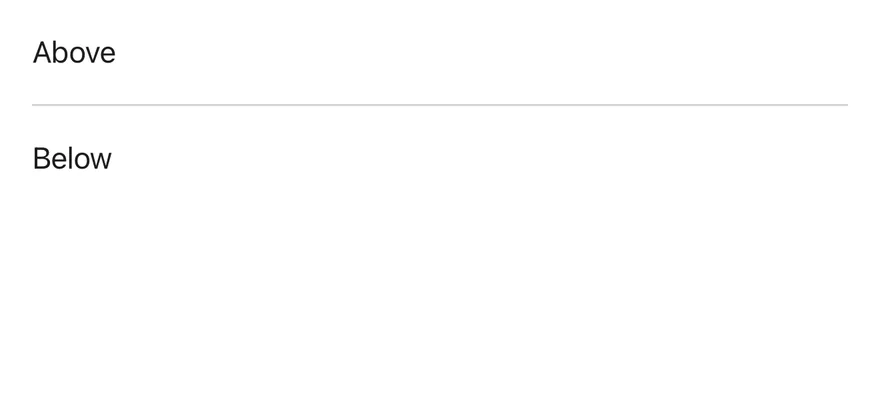
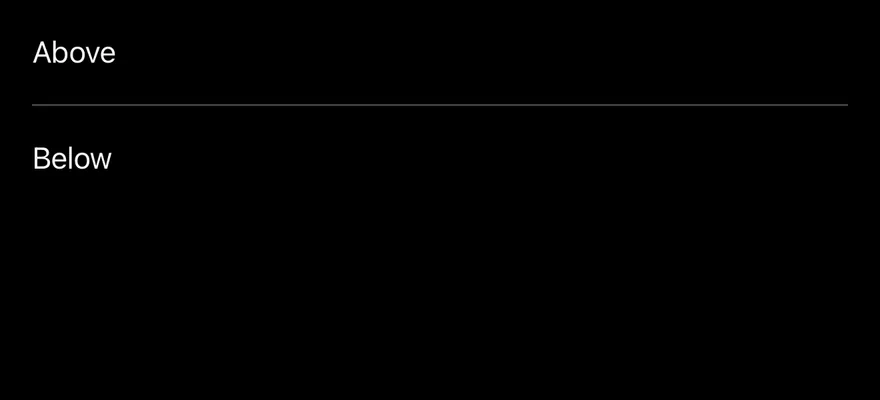
A horizontal separator between two lines of text.
import { View } from "react-native"
import { Separator } from "@/components/ui/separator"
import { Text } from "@/components/ui/text"

export function SeparatorHorizontalExample() {
  return (
    <View className="gap-4">
      <Text className="text-sm">Above</Text>
      <Separator />
      <Text className="text-sm">Below</Text>
    </View>
  )
}import EsuissUI
import SwiftUI
struct SeparatorHorizontalExample: View {
var body: some View {
VStack(alignment: .leading, spacing: 16) {
SeparatorText("Above")
Separator()
SeparatorText("Below")
}
.frame(maxWidth: .infinity, alignment: .leading)
}
}
struct SeparatorText: View {
let title: LocalizedStringKey
init(_ title: LocalizedStringKey) {
self.title = title
}
var body: some View {
Text(title)
.textStyle(.sm)
.foregroundStyle(Color.label)
}
}import androidx.compose.foundation.layout.Arrangement
import androidx.compose.foundation.layout.Column
import androidx.compose.foundation.layout.fillMaxWidth
import androidx.compose.runtime.Composable
import androidx.compose.ui.Modifier
import androidx.compose.ui.unit.dp
import com.esuiss.ui.components.Separator
import com.esuiss.ui.components.Text
import com.esuiss.ui.theme.Typography
@Composable
fun SeparatorHorizontal() {
Column(Modifier.fillMaxWidth(), verticalArrangement = Arrangement.spacedBy(16.dp)) {
Text("Above", style = Typography.sm)
Separator()
Text("Below", style = Typography.sm)
}
}Vertical
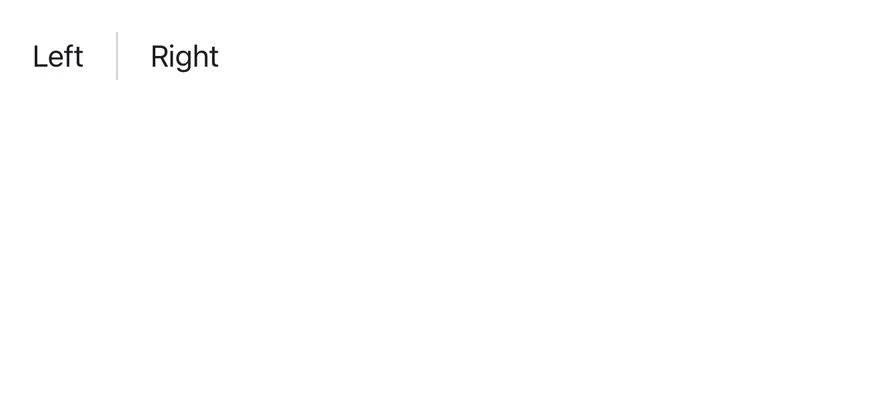
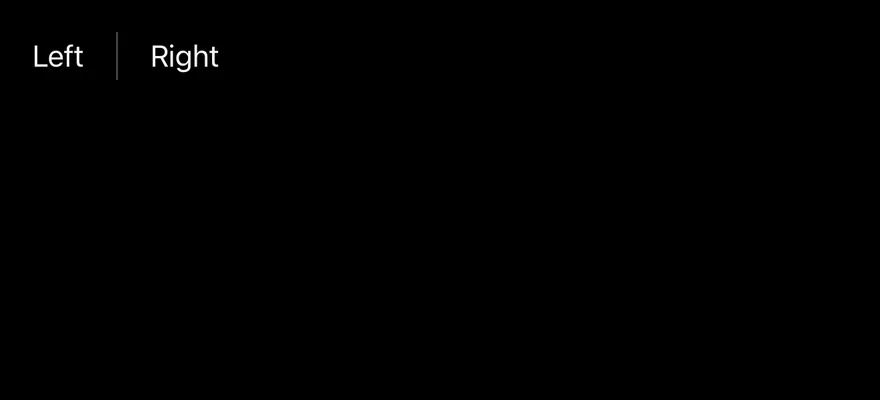
A vertical separator between two items in a row.
import { View } from "react-native"
import { Separator } from "@/components/ui/separator"
import { Text } from "@/components/ui/text"

export function SeparatorVerticalExample() {
  return (
    <View className="h-6 flex-row items-center gap-4">
      <Text className="text-sm">Left</Text>
      <Separator orientation="vertical" />
      <Text className="text-sm">Right</Text>
    </View>
  )
}import EsuissUI
import SwiftUI
struct SeparatorVerticalExample: View {
var body: some View {
HStack(spacing: 16) {
SeparatorText("Left")
Separator(.vertical)
SeparatorText("Right")
}
.frame(height: 24)
}
}
struct SeparatorText: View {
let title: LocalizedStringKey
init(_ title: LocalizedStringKey) {
self.title = title
}
var body: some View {
Text(title)
.textStyle(.sm)
.foregroundStyle(Color.label)
}
}import androidx.compose.foundation.gestures.Orientation
import androidx.compose.foundation.layout.Arrangement
import androidx.compose.foundation.layout.Row
import androidx.compose.foundation.layout.height
import androidx.compose.runtime.Composable
import androidx.compose.ui.Alignment
import androidx.compose.ui.Modifier
import androidx.compose.ui.unit.dp
import com.esuiss.ui.components.Separator
import com.esuiss.ui.components.Text
import com.esuiss.ui.theme.Typography
@Composable
fun SeparatorVerticalExample() {
SeparatorVerticalRow(listOf("Left", "Right"), 24)
}
@Composable
fun SeparatorVerticalRow(labels: List<String>, height: Int) {
Row(
modifier = Modifier.height(height.dp),
horizontalArrangement = Arrangement.spacedBy(16.dp),
verticalAlignment = Alignment.CenterVertically,
) {
labels.forEachIndexed { index, label ->
if (index > 0) Separator(orientation = Orientation.Vertical)
Text(label, style = Typography.sm)
}
}
}API Reference
Separator
React.ComponentProps<typeof SeparatorPrimitive>Accessibility
- The separator is decorative and hidden from VoiceOver and TalkBack.
Notes
- Uses the
bg-separatortoken. - Light and dark colors follow the system appearance.