suiss/uim · React Native Component
Haptics
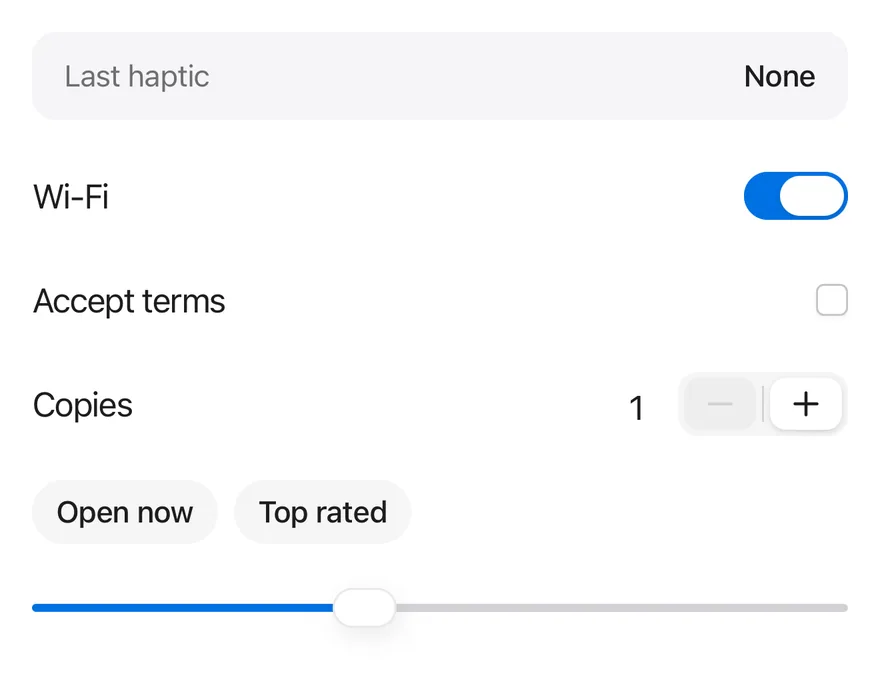
A provider that connects components to your haptics library, with a hook to trigger feedback.
Haptics is an open-source mobile component from suiss/uim for React Native and Expo, with SwiftUI and Jetpack Compose versions built from the same design tokens. The @esuiss/uim CLI copies its source into your project, so you own the code.
import * as React from "react"
import { View } from "react-native"
import { Stepper, StepperDecrement, StepperGroup, StepperIncrement, StepperInput, StepperSeparator } from "@/components/interactions/stepper"
import { Checkbox } from "@/components/ui/checkbox"
import { Chip } from "@/components/ui/chip"
import { type HapticsAdapter, HapticsProvider } from "@/components/ui/haptics"
import { Slider } from "@/components/ui/slider"
import { Switch } from "@/components/ui/switch"
import { Text } from "@/components/ui/text"

function useLoggingAdapter() {
  const [log, setLog] = React.useState({ last: "None", count: 0 })
  const adapter = React.useMemo<HapticsAdapter>(() => {
    const record = (event: string) =>
      setLog((current) => ({ last: event, count: current.count + 1 }))
    return {
      impact: (style) => record(`impact ${style}`),
      selection: () => record("selection"),
      notification: (type) => record(`notification ${type}`),
    }
  }, [])
  return { adapter, log }
}

function HapticLog({ last, count }: { last: string; count: number }) {
  return (
    <View className="flex-row items-center justify-between rounded-xl bg-surface-secondary px-4 py-3">
      <Text className="text-sm text-label-secondary">Last haptic</Text>
      <Text
        role="status"
        accessibilityLiveRegion="polite"
        className="text-sm font-medium"
      >
        {count > 0 ? `${last} (${count})` : last}
      </Text>
    </View>
  )
}

function Row({
  label,
  children,
}: {
  label: string
  children: React.ReactNode
}) {
  return (
    <View className="min-h-11 flex-row items-center justify-between gap-4">
      <Text>{label}</Text>
      {children}
    </View>
  )
}

function Controls() {
  const [wifi, setWifi] = React.useState(true)
  const [terms, setTerms] = React.useState(false)
  const [volume, setVolume] = React.useState(40)
  const [copies, setCopies] = React.useState(1)

  return (
    <View className="w-full gap-2">
      <Row label="Wi-Fi">
        <Switch
          accessibilityLabel="Wi-Fi"
          checked={wifi}
          onCheckedChange={setWifi}
        />
      </Row>
      <Row label="Accept terms">
        <Checkbox
          accessibilityLabel="Accept terms"
          checked={terms}
          onCheckedChange={setTerms}
        />
      </Row>
      <Row label="Copies">
        <Stepper value={copies} onValueChange={setCopies} min={1} max={9}>
          <StepperInput accessibilityLabel="Copies" />
          <StepperGroup>
            <StepperDecrement />
            <StepperSeparator />
            <StepperIncrement />
          </StepperGroup>
        </Stepper>
      </Row>
      <View className="flex-row gap-2 py-2">
        <Chip>Open now</Chip>
        <Chip>Top rated</Chip>
      </View>
      <Slider
        value={volume}
        step={10}
        onValueChange={(next) => setVolume(next)}
        accessibilityLabel="Volume"
      />
    </View>
  )
}

function ControlsDemo({ enabled = true }: { enabled?: boolean }) {
  const { adapter, log } = useLoggingAdapter()
  return (
    <HapticsProvider adapter={adapter} enabled={enabled}>
      <View className="w-full gap-4">
        <HapticLog {...log} />
        <Controls />
      </View>
    </HapticsProvider>
  )
}

export function HapticsExample() {
  return (
    <ControlsDemo />
  )
}import EsuissUI
import SwiftUI
struct HapticsRow<Content: View>: View {
let label: LocalizedStringKey
@ViewBuilder let content: () -> Content
var body: some View {
HStack(spacing: 16) {
Text(label)
.textStyle(.base)
.foregroundStyle(Color.label)
Spacer(minLength: 0)
content()
}
.frame(minHeight: 44)
}
}
struct HapticsControls: View {
@State private var wifi = true
@State private var terms = false
@State private var volume = 40.0
@State private var copies = 1
@State private var openNow = false
@State private var topRated = false
var body: some View {
VStack(alignment: .leading, spacing: 8) {
HapticsRow(label: "Wi-Fi") {
Toggle(isOn: $wifi) { EmptyView() }
.toggleStyle(.switch(size: .default))
.accessibilityLabel(Text("Wi-Fi"))
}
HapticsRow(label: "Accept terms") {
Toggle(isOn: $terms) { EmptyView() }
.toggleStyle(.checkbox)
.accessibilityLabel(Text("Accept terms"))
}
HapticsRow(label: "Copies") {
ValueStepper(value: $copies, in: 1...9) {
StepperInput()
.accessibilityLabel(Text("Copies"))
StepperGroup {
StepperDecrement()
StepperSeparator()
StepperIncrement()
}
}
}
HStack(spacing: 8) {
Chip("Open now", isSelected: $openNow)
Chip("Top rated", isSelected: $topRated)
}
.padding(.vertical, 8)
ValueSlider(value: $volume, in: 0...100, step: 10)
.accessibilityLabel(Text("Volume"))
}
.frame(maxWidth: .infinity, alignment: .leading)
}
}import androidx.compose.foundation.background
import androidx.compose.foundation.layout.Arrangement
import androidx.compose.foundation.layout.Column
import androidx.compose.foundation.layout.Row
import androidx.compose.foundation.layout.fillMaxWidth
import androidx.compose.foundation.layout.heightIn
import androidx.compose.foundation.layout.padding
import androidx.compose.foundation.shape.RoundedCornerShape
import androidx.compose.runtime.Composable
import androidx.compose.runtime.CompositionLocalProvider
import androidx.compose.runtime.getValue
import androidx.compose.runtime.mutableDoubleStateOf
import androidx.compose.runtime.mutableFloatStateOf
import androidx.compose.runtime.mutableIntStateOf
import androidx.compose.runtime.mutableStateOf
import androidx.compose.runtime.remember
import androidx.compose.runtime.saveable.rememberSaveable
import androidx.compose.runtime.setValue
import androidx.compose.ui.Alignment
import androidx.compose.ui.Modifier
import androidx.compose.ui.hapticfeedback.HapticFeedback
import androidx.compose.ui.hapticfeedback.HapticFeedbackType
import androidx.compose.ui.platform.LocalHapticFeedback
import androidx.compose.ui.semantics.LiveRegionMode
import androidx.compose.ui.semantics.contentDescription
import androidx.compose.ui.semantics.liveRegion
import androidx.compose.ui.semantics.semantics
import androidx.compose.ui.text.font.FontWeight
import androidx.compose.ui.unit.dp
import com.esuiss.ui.components.Checkbox
import com.esuiss.ui.components.Chip
import com.esuiss.ui.components.ProvideHaptics
import com.esuiss.ui.components.Slider
import com.esuiss.ui.components.Switch
import com.esuiss.ui.components.Text
import com.esuiss.ui.interactions.Stepper
import com.esuiss.ui.interactions.StepperDecrement
import com.esuiss.ui.interactions.StepperGroup
import com.esuiss.ui.interactions.StepperIncrement
import com.esuiss.ui.interactions.StepperInput
import com.esuiss.ui.interactions.StepperSeparator
import com.esuiss.ui.theme.EsuissTheme
import com.esuiss.ui.theme.Radius
import com.esuiss.ui.theme.Typography
@Composable
fun HapticsExample() {
HapticsControlsDemo(enabled = true)
}
class HapticsLog(private val system: HapticFeedback) : HapticFeedback {
var last by mutableStateOf("None")
var count by mutableIntStateOf(0)
override fun performHapticFeedback(hapticFeedbackType: HapticFeedbackType) {
last = hapticFeedbackType.toString()
count += 1
system.performHapticFeedback(hapticFeedbackType)
}
}
@Composable
fun HapticsLogging(content: @Composable (HapticsLog) -> Unit) {
val system = LocalHapticFeedback.current
val log = remember(system) { HapticsLog(system) }
CompositionLocalProvider(LocalHapticFeedback provides log) {
content(log)
}
}
@Composable
fun HapticsLogRow(log: HapticsLog) {
val colors = EsuissTheme.colors
Row(
modifier = Modifier
.fillMaxWidth()
.background(colors.surfaceSecondary, RoundedCornerShape(Radius.xl))
.padding(horizontal = 16.dp, vertical = 12.dp),
horizontalArrangement = Arrangement.SpaceBetween,
verticalAlignment = Alignment.CenterVertically,
) {
Text("Last haptic", style = Typography.sm.copy(color = colors.labelSecondary))
Text(
if (log.count > 0) "${log.last} (${log.count})" else log.last,
modifier = Modifier.semantics { liveRegion = LiveRegionMode.Polite },
style = Typography.sm.copy(fontWeight = FontWeight.Medium),
)
}
}
@Composable
fun HapticsRow(label: String, content: @Composable () -> Unit) {
Row(
modifier = Modifier.fillMaxWidth().heightIn(min = 44.dp),
horizontalArrangement = Arrangement.spacedBy(16.dp),
verticalAlignment = Alignment.CenterVertically,
) {
Text(label, modifier = Modifier.weight(1f))
content()
}
}
@Composable
fun HapticsControls() {
var wifi by rememberSaveable { mutableStateOf(true) }
var terms by rememberSaveable { mutableStateOf(false) }
var volume by rememberSaveable { mutableFloatStateOf(40f) }
var copies by rememberSaveable { mutableDoubleStateOf(1.0) }
var openNow by rememberSaveable { mutableStateOf(false) }
var topRated by rememberSaveable { mutableStateOf(false) }
Column(Modifier.fillMaxWidth(), verticalArrangement = Arrangement.spacedBy(8.dp)) {
HapticsRow("Wi-Fi") {
Switch(wifi, { wifi = it }, Modifier.semantics { contentDescription = "Wi-Fi" })
}
HapticsRow("Accept terms") {
Checkbox(terms, { terms = it }, Modifier.semantics { contentDescription = "Accept terms" })
}
HapticsRow("Copies") {
Stepper(copies, { copies = it }, min = 1.0, max = 9.0) {
StepperInput(contentDescription = "Copies")
StepperGroup {
StepperDecrement()
StepperSeparator()
StepperIncrement()
}
}
}
Row(Modifier.padding(vertical = 8.dp), horizontalArrangement = Arrangement.spacedBy(8.dp)) {
Chip("Open now", openNow, { openNow = it })
Chip("Top rated", topRated, { topRated = it })
}
Slider(volume, { volume = it }, step = 10f, contentDescription = "Volume")
}
}
@Composable
fun HapticsControlsDemo(enabled: Boolean) {
HapticsLogging { log ->
ProvideHaptics(enabled = enabled) {
Column(Modifier.fillMaxWidth(), verticalArrangement = Arrangement.spacedBy(16.dp)) {
HapticsLogRow(log)
HapticsControls()
}
}
}
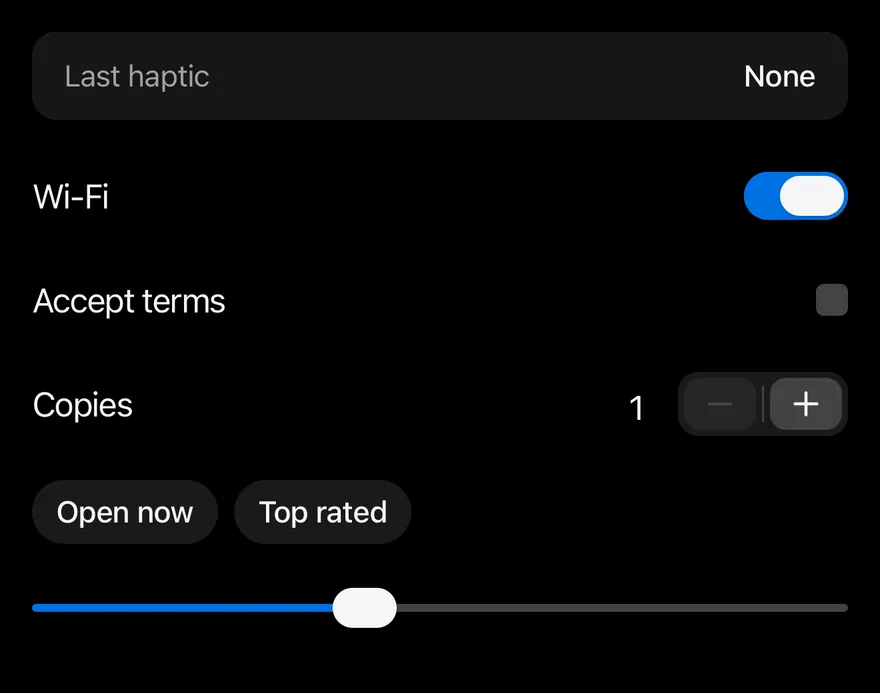
}Components such as Amount Input, Chart and Context Menu play haptic feedback through useHaptics(). By default nothing happens: HapticsProvider lets you plug in an adapter that calls the haptics library of your choice, so the components stay free of a native dependency.
The adapter has three methods: impact(style) with light, medium, heavy, soft or rigid; selection(); and notification(type) with success, warning or error.
Installation
$ pnpm dlx @esuiss/uim@latest add haptics$ pnpm dlx @esuiss/uim@latest add haptics --platform swift$ pnpm dlx @esuiss/uim@latest add haptics --platform kotlinManual
-
Add the pieces it builds on: the primitives
components/primitives/haptics.tsx. -
Copy the source into
components/ui/haptics.tsx:
import * as React from "react"
import {
  type HapticsAdapter,
  HapticsContext,
  type HapticsContextValue,
  type HapticsImpactStyle,
  type HapticsNotificationType,
  NOOP_HAPTICS_ADAPTER,
  useHaptics,
} from "@/components/primitives/haptics"

function HapticsProvider({
  adapter,
  enabled = true,
  children,
}: {- Update the import paths to match your project.
-
Add the pieces it builds on: the primitives
components/primitives/haptics.tsx. -
Copy the source into
components/ui/haptics.tsx:
import * as React from "react"
import {
  type HapticsAdapter,
  HapticsContext,
  type HapticsContextValue,
  type HapticsImpactStyle,
  type HapticsNotificationType,
  NOOP_HAPTICS_ADAPTER,
  useHaptics,
} from "@/components/primitives/haptics"

function HapticsProvider({
  adapter,
  enabled = true,
  children,
}: {- Update the import paths to match your project.
-
Add the pieces it builds on: the primitives
components/primitives/haptics.tsx. -
Copy the source into
components/ui/haptics.tsx:
import * as React from "react"
import {
  type HapticsAdapter,
  HapticsContext,
  type HapticsContextValue,
  type HapticsImpactStyle,
  type HapticsNotificationType,
  NOOP_HAPTICS_ADAPTER,
  useHaptics,
} from "@/components/primitives/haptics"

function HapticsProvider({
  adapter,
  enabled = true,
  children,
}: {- Update the import paths to match your project.
-
Target iOS 17 or later.
-
Copy the theme files every view uses:
import SwiftUI
import UIKit

struct RGBA: Sendable {
  let red: CGFloat
  let green: CGFloat
  let blue: CGFloat
  let alpha: CGFloat

  init(_ hex: UInt32, _ alpha: CGFloat = 1) {
    red = CGFloat((hex >> 16) & 0xFF) / 255
    green = CGFloat((hex >> 8) & 0xFF) / 255
    blue = CGFloat(hex & 0xFF) / 255
    self.alpha = alpha
}import SwiftUI
extension Color {
public static let surface = Color.adaptive(light: .init(0xFFFFFF), dark: .init(0x000000))
public static let surfaceSecondary = Color.adaptive(light: .init(0xF5F5F7), dark: .init(0x161617))
public static let surfaceTertiary = Color.adaptive(light: .init(0xE8E8ED), dark: .init(0x2C2C2E))
public static let surfaceRaised = Color.adaptive(light: .init(0xFFFFFF), dark: .init(0x1D1D1F))
public static let label = Color.adaptive(light: .init(0x1D1D1F), dark: .init(0xF5F5F7))
public static let labelSecondary = Color.adaptive(light: .init(0x6E6E73), dark: .init(0xA1A1A6))
public static let labelTertiary = Color.adaptive(light: .init(0x86868B), dark: .init(0x86868B))
public static let labelQuaternary = Color.adaptive(light: .init(0xD2D2D7), dark: .init(0x424245))
public static let control = Color.adaptive(light: .init(0x000000, 0.04), dark: .init(0xFFFFFF, 0.1))
public static let controlPressed = Color.adaptive(light: .init(0x000000, 0.12), dark: .init(0xFFFFFF, 0.22))
public static let controlSelected = Color.adaptive(light: .init(0x1D1D1F), dark: .init(0xF5F5F7))
public static let controlDisabled = Color.adaptive(light: .init(0x000000, 0.03), dark: .init(0xFFFFFF, 0.05))
public static let onControlSelected = Color.adaptive(light: .init(0xFFFFFF), dark: .init(0x000000))- Copy the source:
import SwiftUI

extension EnvironmentValues {
  @Entry public var hapticsEnabled = true
}

extension View {
  public func haptics(_ enabled: Bool) -> some View {
    environment(\.hapticsEnabled, enabled)
  }

  func hapticFeedback<Trigger: Equatable>(_ feedback: SensoryFeedback, trigger: Trigger) -> some View {
    modifier(HapticFeedbackModifier(feedback: feedback, trigger: trigger) { _, _ in true })
  }

func hapticFeedback<Trigger: Equatable>(- Add the files to your app target.
- Set
minSdkto 24 or higher and add the dependencies:
implementation(platform("androidx.compose:compose-bom:2026.09.00"))
implementation("androidx.compose.foundation:foundation")
implementation("androidx.compose.ui:ui")- Copy the theme files every view uses:
package com.esuiss.ui.theme

import androidx.compose.foundation.isSystemInDarkTheme
import androidx.compose.runtime.Composable
import androidx.compose.runtime.CompositionLocalProvider
import androidx.compose.runtime.Immutable
import androidx.compose.runtime.staticCompositionLocalOf
import androidx.compose.ui.Modifier
import androidx.compose.ui.draw.dropShadow
import androidx.compose.ui.graphics.Color
import androidx.compose.ui.graphics.Shape
import androidx.compose.ui.graphics.shadow.Shadow as DropShadow
import androidx.compose.ui.text.TextStyle
import androidx.compose.ui.text.style.LineHeightStyle
import androidx.compose.ui.unit.Dp
import androidx.compose.ui.unit.DpOffsetpackage com.esuiss.ui.theme
import androidx.compose.runtime.Immutable
import androidx.compose.ui.graphics.Color
import androidx.compose.ui.unit.dp
@Immutable
data class Colors(
val surface: Color,
val surfaceSecondary: Color,
val surfaceTertiary: Color,
val surfaceRaised: Color,
val label: Color,
val labelSecondary: Color,
val labelTertiary: Color,
val labelQuaternary: Color,- Copy the source:
package com.esuiss.ui.components

import androidx.compose.runtime.Composable
import androidx.compose.runtime.CompositionLocalProvider
import androidx.compose.runtime.remember
import androidx.compose.runtime.staticCompositionLocalOf
import androidx.compose.ui.hapticfeedback.HapticFeedback
import androidx.compose.ui.hapticfeedback.HapticFeedbackType
import androidx.compose.ui.platform.LocalHapticFeedback

val LocalHapticsEnabled = staticCompositionLocalOf { true }

@Composable
fun ProvideHaptics(enabled: Boolean, content: @Composable () -> Unit) {
    CompositionLocalProvider(LocalHapticsEnabled provides enabled, content = content)
}- Update the
com.esuiss.uipackage names to match your project.
Usage
import { HapticsProvider } from "@/components/ui/haptics"<ControlsDemo />Wrap your app in HapticsProvider and pass an adapter object that implements impact, selection and notification. Set enabled={false} to turn all feedback off, for example from a user setting.
Call useHaptics() in your own components to get the same methods. Without a provider, or when disabled, they do nothing.
Examples
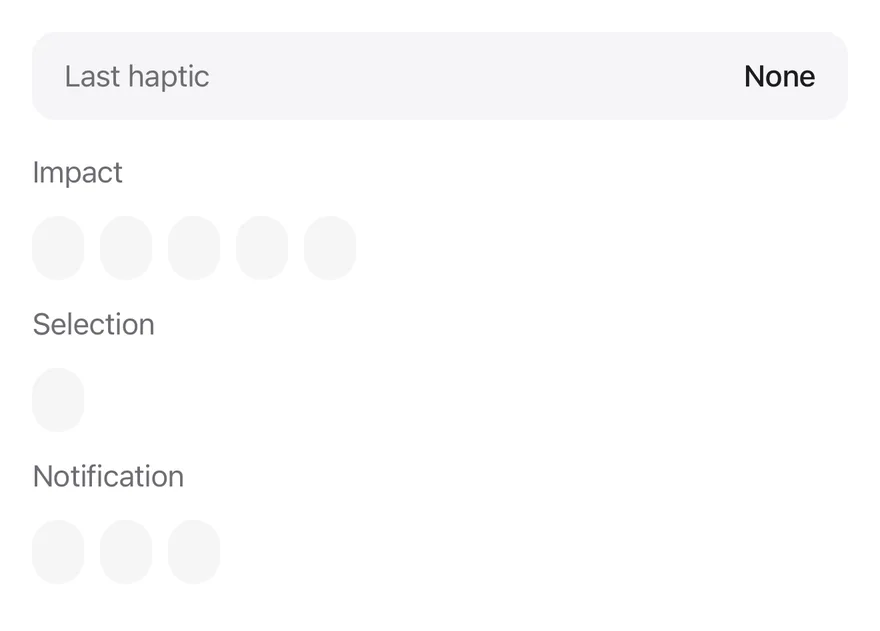
Feedback
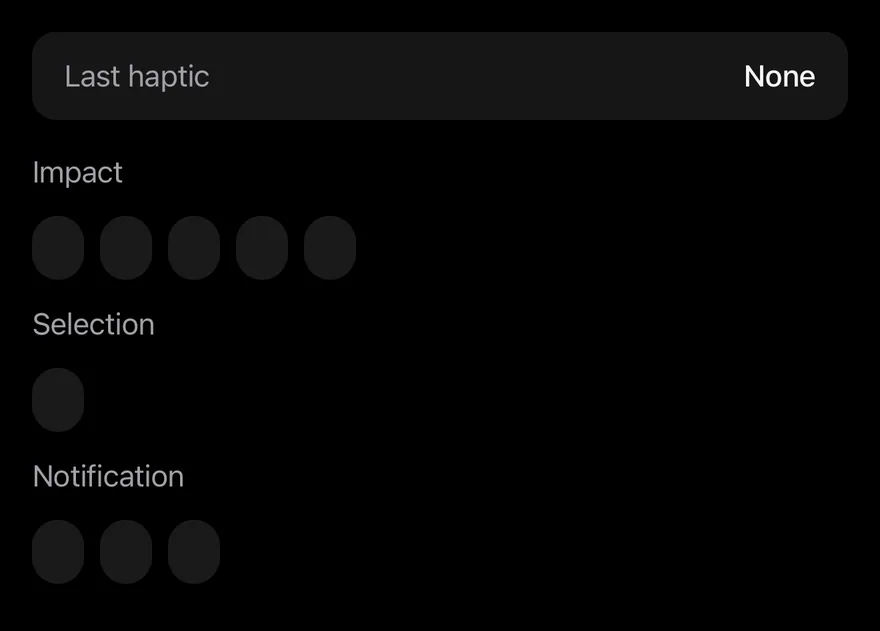
Buttons for each impact, selection and notification type.
import * as React from "react"
import { View } from "react-native"
import { Button } from "@/components/ui/button"
import { type HapticsAdapter, HapticsProvider, useHaptics } from "@/components/ui/haptics"
import { Text } from "@/components/ui/text"

function useLoggingAdapter() {
  const [log, setLog] = React.useState({ last: "None", count: 0 })
  const adapter = React.useMemo<HapticsAdapter>(() => {
    const record = (event: string) =>
      setLog((current) => ({ last: event, count: current.count + 1 }))
    return {
      impact: (style) => record(`impact ${style}`),
      selection: () => record("selection"),
      notification: (type) => record(`notification ${type}`),
    }
  }, [])
  return { adapter, log }
}

function HapticLog({ last, count }: { last: string; count: number }) {
  return (
    <View className="flex-row items-center justify-between rounded-xl bg-surface-secondary px-4 py-3">
      <Text className="text-sm text-label-secondary">Last haptic</Text>
      <Text
        role="status"
        accessibilityLiveRegion="polite"
        className="text-sm font-medium"
      >
        {count > 0 ? `${last} (${count})` : last}
      </Text>
    </View>
  )
}

function FeedbackButtons() {
  const haptics = useHaptics()
  return (
    <View className="w-full gap-3">
      <Text variant="muted">Impact</Text>
      <View className="flex-row flex-wrap gap-2">
        {(["light", "medium", "heavy", "soft", "rigid"] as const).map(
          (style) => (
            <Button
              key={style}
              size="sm"
              variant="secondary"
              onPress={() => haptics.impact(style)}
            >
              {style}
            </Button>
          )
        )}
      </View>
      <Text variant="muted">Selection</Text>
      <View className="flex-row flex-wrap gap-2">
        <Button
          size="sm"
          variant="secondary"
          onPress={() => haptics.selection()}
        >
          selection
        </Button>
      </View>
      <Text variant="muted">Notification</Text>
      <View className="flex-row flex-wrap gap-2">
        {(["success", "warning", "error"] as const).map((type) => (
          <Button
            key={type}
            size="sm"
            variant="secondary"
            onPress={() => haptics.notification(type)}
          >
            {type}
          </Button>
        ))}
      </View>
    </View>
  )
}

function FeedbackDemo() {
  const { adapter, log } = useLoggingAdapter()
  return (
    <HapticsProvider adapter={adapter}>
      <View className="w-full gap-4">
        <HapticLog {...log} />
        <FeedbackButtons />
      </View>
    </HapticsProvider>
  )
}

export function HapticsFeedbackExample() {
  return (
    <FeedbackDemo />
  )
}import EsuissUI
import SwiftUI
struct HapticsLog: View {
let last: String
let count: Int
var body: some View {
HStack {
Text("Last haptic")
.textStyle(.sm)
.foregroundStyle(Color.labelSecondary)
Spacer(minLength: 16)
Text(verbatim: count > 0 ? "\(last) (\(count))" : last)
.textStyle(.sm, weight: .medium)
.foregroundStyle(Color.label)
.accessibilityAddTraits(.updatesFrequently)
}
.padding(.horizontal, 16)
.padding(.vertical, 12)
.background(Color.surfaceSecondary, in: RoundedRectangle(cornerRadius: Radius.xl, style: .continuous))
}
}
struct HapticsFeedbackDemo: View {
struct Entry: Identifiable {
let id: String
let feedback: SensoryFeedback
}
private static let impacts = [
Entry(id: "light", feedback: .impact(weight: .light)),
Entry(id: "medium", feedback: .impact(weight: .medium)),
Entry(id: "heavy", feedback: .impact(weight: .heavy)),
Entry(id: "soft", feedback: .impact(flexibility: .soft)),
Entry(id: "rigid", feedback: .impact(flexibility: .rigid)),
]
private static let notifications = [
Entry(id: "success", feedback: .success),
Entry(id: "warning", feedback: .warning),
Entry(id: "error", feedback: .error),
]
@State private var last = "None"
@State private var count = 0
var body: some View {
VStack(alignment: .leading, spacing: 16) {
HapticsLog(last: last, count: count)
VStack(alignment: .leading, spacing: 12) {
Text("Impact").textVariant(.muted)
FlowRow(spacing: 8) {
ForEach(Self.impacts) { entry in
HapticsFeedbackButton(title: entry.id, feedback: entry.feedback) { record("impact \(entry.id)") }
}
}
Text("Selection").textVariant(.muted)
FlowRow(spacing: 8) {
HapticsFeedbackButton(title: "selection", feedback: .selection) { record("selection") }
}
Text("Notification").textVariant(.muted)
FlowRow(spacing: 8) {
ForEach(Self.notifications) { entry in
HapticsFeedbackButton(title: entry.id, feedback: entry.feedback) { record("notification \(entry.id)") }
}
}
}
}
}
func record(_ event: String) {
last = event
count += 1
}
}
struct HapticsFeedbackButton: View {
let title: String
let feedback: SensoryFeedback
let action: () -> Void
@State private var trigger = 0
var body: some View {
Button(title) {
trigger += 1
action()
}
.buttonStyle(.variant(.secondary, size: .sm))
.sensoryFeedback(feedback, trigger: trigger)
}
}
let impacts = [
Entry(id: "light", feedback: .impact(weight: .light)),
Entry(id: "medium", feedback: .impact(weight: .medium)),
Entry(id: "heavy", feedback: .impact(weight: .heavy)),
Entry(id: "soft", feedback: .impact(flexibility: .soft)),
Entry(id: "rigid", feedback: .impact(flexibility: .rigid)),
]
let notifications = [
Entry(id: "success", feedback: .success),
Entry(id: "warning", feedback: .warning),
Entry(id: "error", feedback: .error),
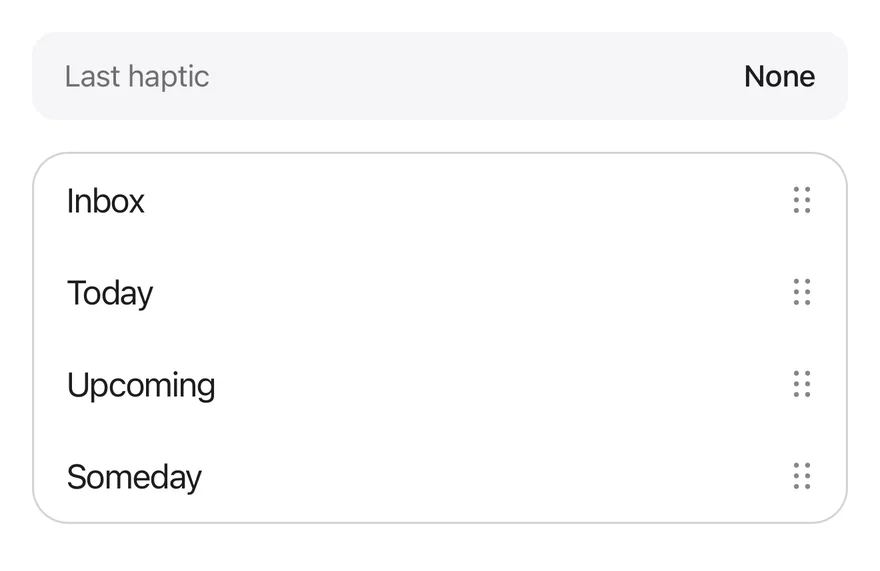
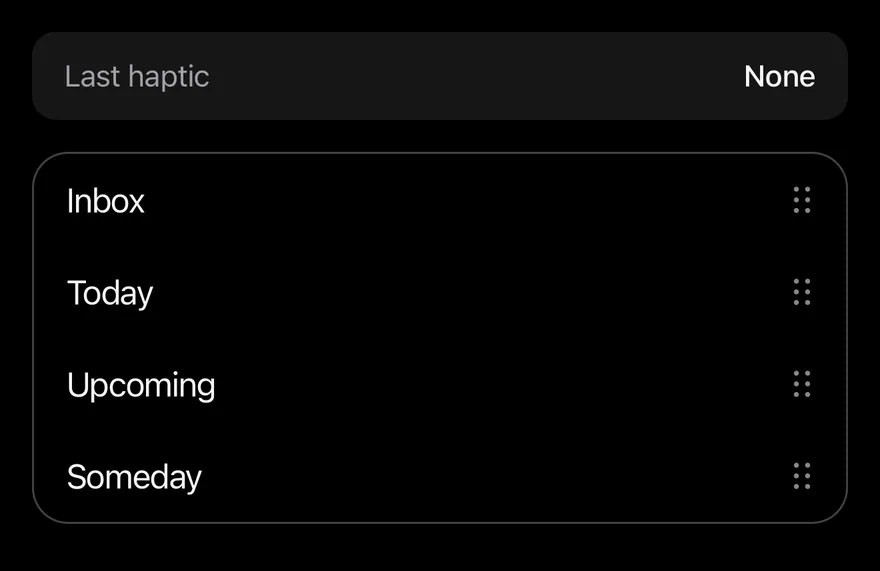
]Reorder
Feedback while dragging items in a reorder list.
import * as React from "react"
import { View } from "react-native"
import { ReorderList, ReorderListHandle, ReorderListItem } from "@/components/interactions/reorder-list"
import { type HapticsAdapter, HapticsProvider } from "@/components/ui/haptics"
import { Text } from "@/components/ui/text"

function useLoggingAdapter() {
  const [log, setLog] = React.useState({ last: "None", count: 0 })
  const adapter = React.useMemo<HapticsAdapter>(() => {
    const record = (event: string) =>
      setLog((current) => ({ last: event, count: current.count + 1 }))
    return {
      impact: (style) => record(`impact ${style}`),
      selection: () => record("selection"),
      notification: (type) => record(`notification ${type}`),
    }
  }, [])
  return { adapter, log }
}

function HapticLog({ last, count }: { last: string; count: number }) {
  return (
    <View className="flex-row items-center justify-between rounded-xl bg-surface-secondary px-4 py-3">
      <Text className="text-sm text-label-secondary">Last haptic</Text>
      <Text
        role="status"
        accessibilityLiveRegion="polite"
        className="text-sm font-medium"
      >
        {count > 0 ? `${last} (${count})` : last}
      </Text>
    </View>
  )
}

const tasks = ["Inbox", "Today", "Upcoming", "Someday"]

function ReorderDemo() {
  const { adapter, log } = useLoggingAdapter()
  const [value, setValue] = React.useState(tasks)
  return (
    <HapticsProvider adapter={adapter}>
      <View className="w-full gap-4">
        <HapticLog {...log} />
        <ReorderList
          value={value}
          onValueChange={setValue}
          className="overflow-hidden rounded-2xl border border-separator"
        >
          {value.map((task) => (
            <ReorderListItem key={task} value={task} className="ps-4">
              <View className="min-w-0 grow py-3">
                <Text numberOfLines={1}>{task}</Text>
              </View>
              <ReorderListHandle accessibilityLabel={`Reorder ${task}`} />
            </ReorderListItem>
          ))}
        </ReorderList>
      </View>
    </HapticsProvider>
  )
}

export function HapticsReorderExample() {
  return (
    <ReorderDemo />
  )
}import EsuissUI
import SwiftUI
struct HapticsReorderDemo: View {
@State private var tasks = ["Inbox", "Today", "Upcoming", "Someday"]
var body: some View {
ReorderList($tasks) { task in
Text(verbatim: task)
.textStyle(.base)
.foregroundStyle(Color.label)
.lineLimit(1)
.padding(.vertical, 12)
}
.clipShape(RoundedRectangle(cornerRadius: Radius.xl2, style: .continuous))
.overlay {
RoundedRectangle(cornerRadius: Radius.xl2, style: .continuous)
.strokeBorder(Color.separator)
}
}
}import androidx.compose.foundation.background
import androidx.compose.foundation.border
import androidx.compose.foundation.layout.Arrangement
import androidx.compose.foundation.layout.Column
import androidx.compose.foundation.layout.Row
import androidx.compose.foundation.layout.fillMaxWidth
import androidx.compose.foundation.layout.padding
import androidx.compose.foundation.shape.RoundedCornerShape
import androidx.compose.runtime.Composable
import androidx.compose.runtime.CompositionLocalProvider
import androidx.compose.runtime.getValue
import androidx.compose.runtime.mutableIntStateOf
import androidx.compose.runtime.mutableStateOf
import androidx.compose.runtime.remember
import androidx.compose.runtime.saveable.rememberSaveable
import androidx.compose.runtime.setValue
import androidx.compose.ui.Alignment
import androidx.compose.ui.Modifier
import androidx.compose.ui.draw.clip
import androidx.compose.ui.hapticfeedback.HapticFeedback
import androidx.compose.ui.hapticfeedback.HapticFeedbackType
import androidx.compose.ui.platform.LocalHapticFeedback
import androidx.compose.ui.semantics.LiveRegionMode
import androidx.compose.ui.semantics.contentDescription
import androidx.compose.ui.semantics.liveRegion
import androidx.compose.ui.semantics.semantics
import androidx.compose.ui.text.font.FontWeight
import androidx.compose.ui.text.style.TextOverflow
import androidx.compose.ui.unit.dp
import com.esuiss.ui.components.Text
import com.esuiss.ui.interactions.ReorderList
import com.esuiss.ui.interactions.ReorderListHandle
import com.esuiss.ui.interactions.ReorderListItem
import com.esuiss.ui.theme.EsuissTheme
import com.esuiss.ui.theme.Radius
import com.esuiss.ui.theme.Typography
class HapticsLog(private val system: HapticFeedback) : HapticFeedback {
var last by mutableStateOf("None")
var count by mutableIntStateOf(0)
override fun performHapticFeedback(hapticFeedbackType: HapticFeedbackType) {
last = hapticFeedbackType.toString()
count += 1
system.performHapticFeedback(hapticFeedbackType)
}
}
@Composable
fun HapticsLogging(content: @Composable (HapticsLog) -> Unit) {
val system = LocalHapticFeedback.current
val log = remember(system) { HapticsLog(system) }
CompositionLocalProvider(LocalHapticFeedback provides log) {
content(log)
}
}
@Composable
fun HapticsLogRow(log: HapticsLog) {
val colors = EsuissTheme.colors
Row(
modifier = Modifier
.fillMaxWidth()
.background(colors.surfaceSecondary, RoundedCornerShape(Radius.xl))
.padding(horizontal = 16.dp, vertical = 12.dp),
horizontalArrangement = Arrangement.SpaceBetween,
verticalAlignment = Alignment.CenterVertically,
) {
Text("Last haptic", style = Typography.sm.copy(color = colors.labelSecondary))
Text(
if (log.count > 0) "${log.last} (${log.count})" else log.last,
modifier = Modifier.semantics { liveRegion = LiveRegionMode.Polite },
style = Typography.sm.copy(fontWeight = FontWeight.Medium),
)
}
}
val HapticsTasks = listOf("Inbox", "Today", "Upcoming", "Someday")
@Composable
fun HapticsReorderDemo() {
var value by rememberSaveable { mutableStateOf(HapticsTasks) }
val shape = RoundedCornerShape(Radius.xl2)
HapticsLogging { log ->
Column(Modifier.fillMaxWidth(), verticalArrangement = Arrangement.spacedBy(16.dp)) {
HapticsLogRow(log)
ReorderList(
value,
{ value = it },
modifier = Modifier
.fillMaxWidth()
.clip(shape)
.border(1.dp, EsuissTheme.colors.separator, shape),
) { task ->
ReorderListItem {
Text(
task,
modifier = Modifier.weight(1f).padding(vertical = 12.dp),
maxLines = 1,
overflow = TextOverflow.Ellipsis,
)
ReorderListHandle(contentDescription = "Reorder $task")
}
}
}
}
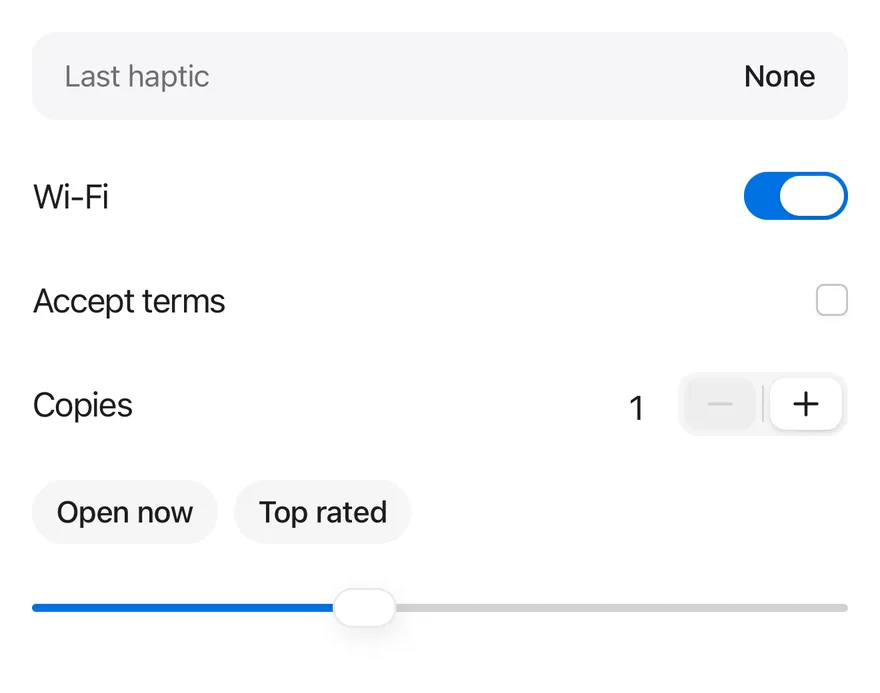
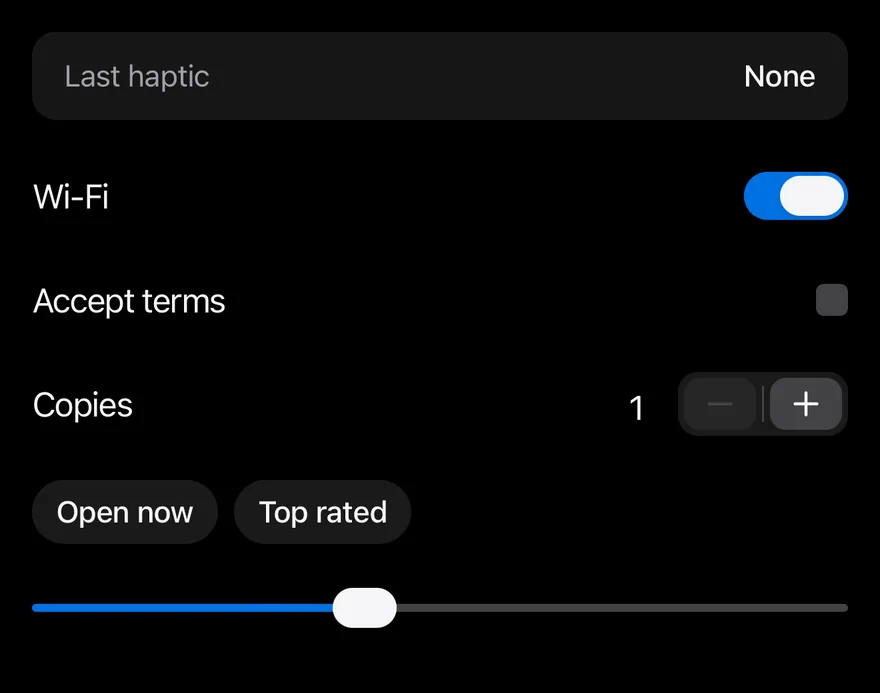
}Disabled
The same controls with haptics turned off.
import * as React from "react"
import { View } from "react-native"
import { Stepper, StepperDecrement, StepperGroup, StepperIncrement, StepperInput, StepperSeparator } from "@/components/interactions/stepper"
import { Checkbox } from "@/components/ui/checkbox"
import { Chip } from "@/components/ui/chip"
import { type HapticsAdapter, HapticsProvider } from "@/components/ui/haptics"
import { Slider } from "@/components/ui/slider"
import { Switch } from "@/components/ui/switch"
import { Text } from "@/components/ui/text"

function useLoggingAdapter() {
  const [log, setLog] = React.useState({ last: "None", count: 0 })
  const adapter = React.useMemo<HapticsAdapter>(() => {
    const record = (event: string) =>
      setLog((current) => ({ last: event, count: current.count + 1 }))
    return {
      impact: (style) => record(`impact ${style}`),
      selection: () => record("selection"),
      notification: (type) => record(`notification ${type}`),
    }
  }, [])
  return { adapter, log }
}

function HapticLog({ last, count }: { last: string; count: number }) {
  return (
    <View className="flex-row items-center justify-between rounded-xl bg-surface-secondary px-4 py-3">
      <Text className="text-sm text-label-secondary">Last haptic</Text>
      <Text
        role="status"
        accessibilityLiveRegion="polite"
        className="text-sm font-medium"
      >
        {count > 0 ? `${last} (${count})` : last}
      </Text>
    </View>
  )
}

function Row({
  label,
  children,
}: {
  label: string
  children: React.ReactNode
}) {
  return (
    <View className="min-h-11 flex-row items-center justify-between gap-4">
      <Text>{label}</Text>
      {children}
    </View>
  )
}

function Controls() {
  const [wifi, setWifi] = React.useState(true)
  const [terms, setTerms] = React.useState(false)
  const [volume, setVolume] = React.useState(40)
  const [copies, setCopies] = React.useState(1)

  return (
    <View className="w-full gap-2">
      <Row label="Wi-Fi">
        <Switch
          accessibilityLabel="Wi-Fi"
          checked={wifi}
          onCheckedChange={setWifi}
        />
      </Row>
      <Row label="Accept terms">
        <Checkbox
          accessibilityLabel="Accept terms"
          checked={terms}
          onCheckedChange={setTerms}
        />
      </Row>
      <Row label="Copies">
        <Stepper value={copies} onValueChange={setCopies} min={1} max={9}>
          <StepperInput accessibilityLabel="Copies" />
          <StepperGroup>
            <StepperDecrement />
            <StepperSeparator />
            <StepperIncrement />
          </StepperGroup>
        </Stepper>
      </Row>
      <View className="flex-row gap-2 py-2">
        <Chip>Open now</Chip>
        <Chip>Top rated</Chip>
      </View>
      <Slider
        value={volume}
        step={10}
        onValueChange={(next) => setVolume(next)}
        accessibilityLabel="Volume"
      />
    </View>
  )
}

function ControlsDemo({ enabled = true }: { enabled?: boolean }) {
  const { adapter, log } = useLoggingAdapter()
  return (
    <HapticsProvider adapter={adapter} enabled={enabled}>
      <View className="w-full gap-4">
        <HapticLog {...log} />
        <Controls />
      </View>
    </HapticsProvider>
  )
}

export function HapticsDisabledExample() {
  return (
    <ControlsDemo enabled={false} />
  )
}import EsuissUI
import SwiftUI
struct HapticsDisabledExample: View {
var body: some View {
HapticsControls()
.haptics(false)
}
}
struct HapticsRow<Content: View>: View {
let label: LocalizedStringKey
@ViewBuilder let content: () -> Content
var body: some View {
HStack(spacing: 16) {
Text(label)
.textStyle(.base)
.foregroundStyle(Color.label)
Spacer(minLength: 0)
content()
}
.frame(minHeight: 44)
}
}
struct HapticsControls: View {
@State private var wifi = true
@State private var terms = false
@State private var volume = 40.0
@State private var copies = 1
@State private var openNow = false
@State private var topRated = false
var body: some View {
VStack(alignment: .leading, spacing: 8) {
HapticsRow(label: "Wi-Fi") {
Toggle(isOn: $wifi) { EmptyView() }
.toggleStyle(.switch(size: .default))
.accessibilityLabel(Text("Wi-Fi"))
}
HapticsRow(label: "Accept terms") {
Toggle(isOn: $terms) { EmptyView() }
.toggleStyle(.checkbox)
.accessibilityLabel(Text("Accept terms"))
}
HapticsRow(label: "Copies") {
ValueStepper(value: $copies, in: 1...9) {
StepperInput()
.accessibilityLabel(Text("Copies"))
StepperGroup {
StepperDecrement()
StepperSeparator()
StepperIncrement()
}
}
}
HStack(spacing: 8) {
Chip("Open now", isSelected: $openNow)
Chip("Top rated", isSelected: $topRated)
}
.padding(.vertical, 8)
ValueSlider(value: $volume, in: 0...100, step: 10)
.accessibilityLabel(Text("Volume"))
}
.frame(maxWidth: .infinity, alignment: .leading)
}
}import androidx.compose.foundation.background
import androidx.compose.foundation.layout.Arrangement
import androidx.compose.foundation.layout.Column
import androidx.compose.foundation.layout.Row
import androidx.compose.foundation.layout.fillMaxWidth
import androidx.compose.foundation.layout.heightIn
import androidx.compose.foundation.layout.padding
import androidx.compose.foundation.shape.RoundedCornerShape
import androidx.compose.runtime.Composable
import androidx.compose.runtime.CompositionLocalProvider
import androidx.compose.runtime.getValue
import androidx.compose.runtime.mutableDoubleStateOf
import androidx.compose.runtime.mutableFloatStateOf
import androidx.compose.runtime.mutableIntStateOf
import androidx.compose.runtime.mutableStateOf
import androidx.compose.runtime.remember
import androidx.compose.runtime.saveable.rememberSaveable
import androidx.compose.runtime.setValue
import androidx.compose.ui.Alignment
import androidx.compose.ui.Modifier
import androidx.compose.ui.hapticfeedback.HapticFeedback
import androidx.compose.ui.hapticfeedback.HapticFeedbackType
import androidx.compose.ui.platform.LocalHapticFeedback
import androidx.compose.ui.semantics.LiveRegionMode
import androidx.compose.ui.semantics.contentDescription
import androidx.compose.ui.semantics.liveRegion
import androidx.compose.ui.semantics.semantics
import androidx.compose.ui.text.font.FontWeight
import androidx.compose.ui.unit.dp
import com.esuiss.ui.components.Checkbox
import com.esuiss.ui.components.Chip
import com.esuiss.ui.components.ProvideHaptics
import com.esuiss.ui.components.Slider
import com.esuiss.ui.components.Switch
import com.esuiss.ui.components.Text
import com.esuiss.ui.interactions.Stepper
import com.esuiss.ui.interactions.StepperDecrement
import com.esuiss.ui.interactions.StepperGroup
import com.esuiss.ui.interactions.StepperIncrement
import com.esuiss.ui.interactions.StepperInput
import com.esuiss.ui.interactions.StepperSeparator
import com.esuiss.ui.theme.EsuissTheme
import com.esuiss.ui.theme.Radius
import com.esuiss.ui.theme.Typography
@Composable
fun HapticsDisabledExample() {
HapticsControlsDemo(enabled = false)
}
class HapticsLog(private val system: HapticFeedback) : HapticFeedback {
var last by mutableStateOf("None")
var count by mutableIntStateOf(0)
override fun performHapticFeedback(hapticFeedbackType: HapticFeedbackType) {
last = hapticFeedbackType.toString()
count += 1
system.performHapticFeedback(hapticFeedbackType)
}
}
@Composable
fun HapticsLogging(content: @Composable (HapticsLog) -> Unit) {
val system = LocalHapticFeedback.current
val log = remember(system) { HapticsLog(system) }
CompositionLocalProvider(LocalHapticFeedback provides log) {
content(log)
}
}
@Composable
fun HapticsLogRow(log: HapticsLog) {
val colors = EsuissTheme.colors
Row(
modifier = Modifier
.fillMaxWidth()
.background(colors.surfaceSecondary, RoundedCornerShape(Radius.xl))
.padding(horizontal = 16.dp, vertical = 12.dp),
horizontalArrangement = Arrangement.SpaceBetween,
verticalAlignment = Alignment.CenterVertically,
) {
Text("Last haptic", style = Typography.sm.copy(color = colors.labelSecondary))
Text(
if (log.count > 0) "${log.last} (${log.count})" else log.last,
modifier = Modifier.semantics { liveRegion = LiveRegionMode.Polite },
style = Typography.sm.copy(fontWeight = FontWeight.Medium),
)
}
}
@Composable
fun HapticsRow(label: String, content: @Composable () -> Unit) {
Row(
modifier = Modifier.fillMaxWidth().heightIn(min = 44.dp),
horizontalArrangement = Arrangement.spacedBy(16.dp),
verticalAlignment = Alignment.CenterVertically,
) {
Text(label, modifier = Modifier.weight(1f))
content()
}
}
@Composable
fun HapticsControls() {
var wifi by rememberSaveable { mutableStateOf(true) }
var terms by rememberSaveable { mutableStateOf(false) }
var volume by rememberSaveable { mutableFloatStateOf(40f) }
var copies by rememberSaveable { mutableDoubleStateOf(1.0) }
var openNow by rememberSaveable { mutableStateOf(false) }
var topRated by rememberSaveable { mutableStateOf(false) }
Column(Modifier.fillMaxWidth(), verticalArrangement = Arrangement.spacedBy(8.dp)) {
HapticsRow("Wi-Fi") {
Switch(wifi, { wifi = it }, Modifier.semantics { contentDescription = "Wi-Fi" })
}
HapticsRow("Accept terms") {
Checkbox(terms, { terms = it }, Modifier.semantics { contentDescription = "Accept terms" })
}
HapticsRow("Copies") {
Stepper(copies, { copies = it }, min = 1.0, max = 9.0) {
StepperInput(contentDescription = "Copies")
StepperGroup {
StepperDecrement()
StepperSeparator()
StepperIncrement()
}
}
}
Row(Modifier.padding(vertical = 8.dp), horizontalArrangement = Arrangement.spacedBy(8.dp)) {
Chip("Open now", openNow, { openNow = it })
Chip("Top rated", topRated, { topRated = it })
}
Slider(volume, { volume = it }, step = 10f, contentDescription = "Volume")
}
}
@Composable
fun HapticsControlsDemo(enabled: Boolean) {
HapticsLogging { log ->
ProvideHaptics(enabled = enabled) {
Column(Modifier.fillMaxWidth(), verticalArrangement = Arrangement.spacedBy(16.dp)) {
HapticsLogRow(log)
HapticsControls()
}
}
}
}API Reference
HapticsProvider
Supplies the adapter to every component below it.
- About
- Object with
impact,selectionandnotificationmethods. - Type
HapticsAdapternull- Default
- —
- About
- Turns feedback on or off. Defaults to
true. - Type
boolean- Default
- true
- Type
React.ReactNode- Default
- —
Notes
- The types
HapticsAdapter,HapticsImpactStyleandHapticsNotificationTypeare exported for typing your adapter. - Haptics have no visual output; pair important feedback with a visible change.