suiss/uim · Interaction
Undo Bar
A floating bar at the bottom of the screen that offers Undo for a few seconds after a destructive action.
Undo Bar is an open-source mobile interaction from suiss/uim for React Native and Expo, with SwiftUI and Jetpack Compose versions built from the same design tokens. The @esuiss/uim CLI copies its source into your project, so you own the code.
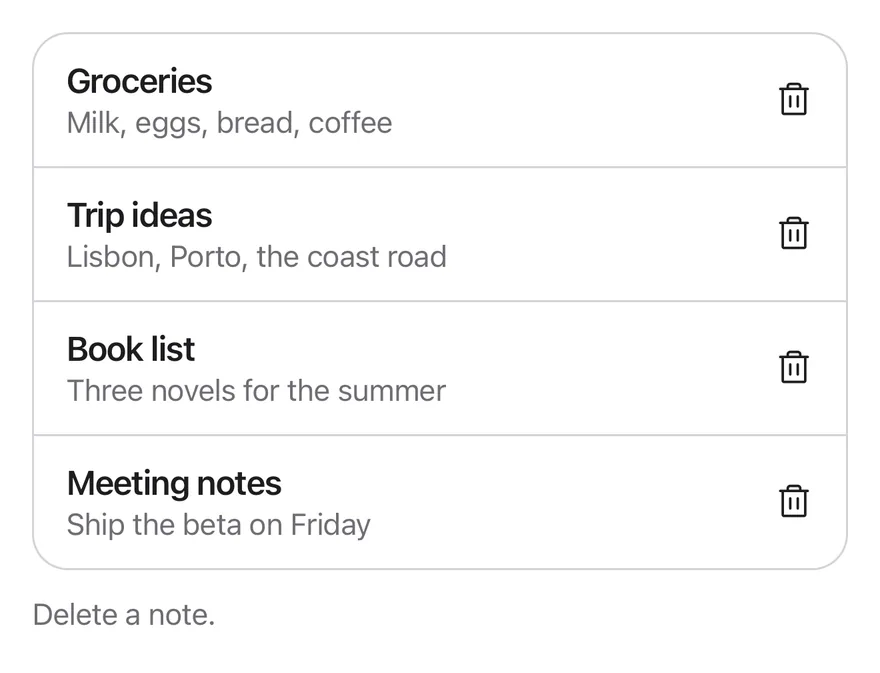
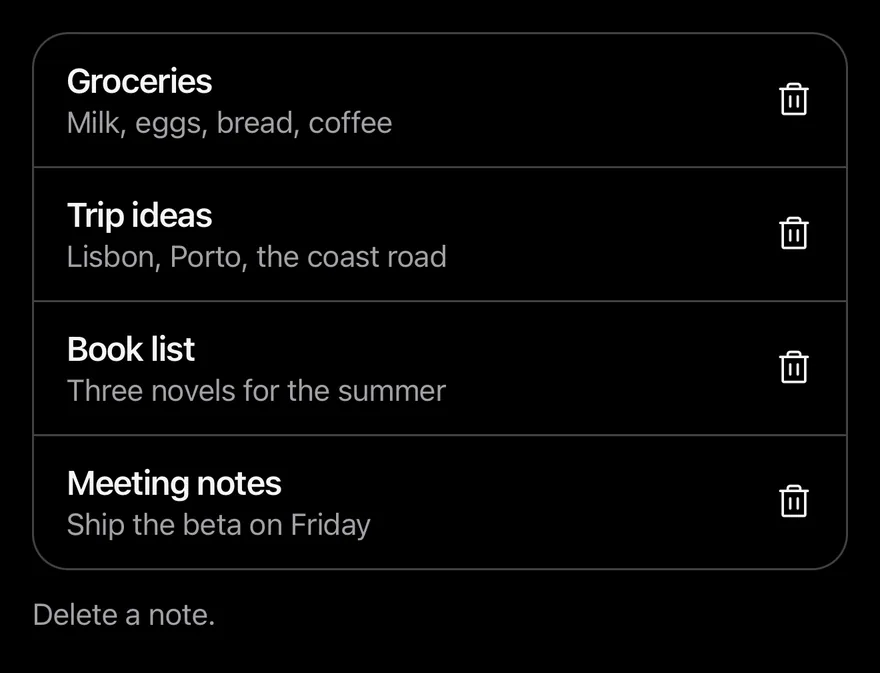
import { TrashIcon } from "phosphor-react-native"
import * as React from "react"
import { View } from "react-native"
import { UndoBarProvider, useUndoBar } from "@/components/interactions/undo-bar"
import { Button } from "@/components/ui/button"
import { Icon } from "@/components/ui/icon"
import { Text } from "@/components/ui/text"

const initialNotes = [
  { id: 1, title: "Groceries", preview: "Milk, eggs, bread, coffee" },
  { id: 2, title: "Trip ideas", preview: "Lisbon, Porto, the coast road" },
  { id: 3, title: "Book list", preview: "Three novels for the summer" },
  { id: 4, title: "Meeting notes", preview: "Ship the beta on Friday" },
]

type Note = (typeof initialNotes)[number]

function useNotes() {
  const [notes, setNotes] = React.useState(initialNotes)
  const [log, setLog] = React.useState("Delete a note.")
  const { show } = useUndoBar()

  const remove = (note: Note) => {
    const index = notes.findIndex((item) => item.id === note.id)
    setNotes((current) => current.filter((item) => item.id !== note.id))
    setLog(`Removed “${note.title}”`)
    show({
      title: `“${note.title}” deleted`,
      onUndo: () => {
        setNotes((current) => {
          const next = [...current]
          next.splice(Math.min(index, next.length), 0, note)
          return next
        })
        setLog(`Restored “${note.title}”`)
      },
      onCommit: () => setLog(`Deleted “${note.title}” permanently`),
    })
  }

  return { notes, remove, log }
}

function NoteText({ note }: { note: Note }) {
  return (
    <View className="min-w-0 flex-1 py-2">
      <Text numberOfLines={1} className="font-semibold">
        {note.title}
      </Text>
      <Text numberOfLines={1} className="text-sm text-label-secondary">
        {note.preview}
      </Text>
    </View>
  )
}

function NotesList({ deleteFirst = false }: { deleteFirst?: boolean }) {
  const { notes, remove, log } = useNotes()
  const removeRef = React.useRef(remove)
  const deletedRef = React.useRef(false)
  removeRef.current = remove

  React.useEffect(() => {
    if (!deleteFirst || deletedRef.current) return
    deletedRef.current = true
    removeRef.current(initialNotes[0])
  }, [deleteFirst])

  return (
    <View className="w-full gap-3">
      <View className="overflow-hidden rounded-2xl border border-separator">
        {notes.map((note, index) => (
          <View
            key={note.id}
            className={
              index > 0
                ? "flex-row items-center gap-3 border-t border-separator py-1 ps-4 pe-1"
                : "flex-row items-center gap-3 py-1 ps-4 pe-1"
            }
          >
            <NoteText note={note} />
            <Button
              variant="ghost"
              size="icon-lg"
              accessibilityLabel={`Delete ${note.title}`}
              onPress={() => remove(note)}
            >
              <Icon as={TrashIcon} className="size-5" />
            </Button>
          </View>
        ))}
      </View>
      <Text role="status" className="text-sm text-label-secondary">
        {log}
      </Text>
    </View>
  )
}

export function UndoBarExample() {
  return (
    <UndoBarProvider>
      <NotesList />
    </UndoBarProvider>
  )
}import EsuissUI
import PhosphorSwift
import SwiftUI
struct UndoBarExample: View {
var body: some View {
UndoBarStage(timeout: .seconds(5)) { UndoBarNotes() }
}
}
struct UndoBarNote: Identifiable, Equatable {
let id: Int
let title: String
let preview: String
}
let undoBarInitialNotes = [
UndoBarNote(id: 1, title: "Groceries", preview: "Milk, eggs, bread, coffee"),
UndoBarNote(id: 2, title: "Trip ideas", preview: "Lisbon, Porto, the coast road"),
UndoBarNote(id: 3, title: "Book list", preview: "Three novels for the summer"),
UndoBarNote(id: 4, title: "Meeting notes", preview: "Ship the beta on Friday"),
]
struct UndoBarStage<Content: View>: View {
let timeout: Duration
@ViewBuilder let content: () -> Content
@State private var manager = UndoBarManager()
var body: some View {
content()
.frame(maxHeight: .infinity, alignment: .top)
.containerRelativeFrame(.vertical) { height, _ in height - 32 }
.undoBar(manager, timeout: timeout)
}
}
struct UndoBarNoteText: View {
let note: UndoBarNote
var body: some View {
VStack(alignment: .leading, spacing: 0) {
Text(verbatim: note.title)
.textStyle(.base, weight: .semibold)
.foregroundStyle(Color.label)
.lineLimit(1)
Text(verbatim: note.preview)
.textStyle(.sm)
.foregroundStyle(Color.labelSecondary)
.lineLimit(1)
}
.padding(.vertical, 8)
.frame(maxWidth: .infinity, alignment: .leading)
}
}
struct UndoBarNotes: View {
var deleteFirst = false
var swipe = false
@State private var notes = undoBarInitialNotes
@State private var log = "Delete a note."
@State private var deleted = false
@Environment(\.undoBarManager) private var manager
var body: some View {
let shape = RoundedRectangle(cornerRadius: Radius.xl2, style: .continuous)
VStack(alignment: .leading, spacing: 12) {
VStack(spacing: 0) {
ForEach(Array(notes.enumerated()), id: \.element.id) { index, note in
row(note)
.overlay(alignment: .top) {
if index > 0 {
Color.separator.frame(height: 1)
}
}
}
}
.clipShape(shape)
.overlay { shape.strokeBorder(Color.separator) }
Text(verbatim: log)
.textStyle(.sm)
.foregroundStyle(Color.labelSecondary)
.accessibilityAddTraits(.updatesFrequently)
}
.onAppear {
guard deleteFirst, !deleted else { return }
deleted = true
remove(undoBarInitialNotes[0])
}
}
@ViewBuilder
func row(_ note: UndoBarNote) -> some View {
if swipe {
SwipeActions {
UndoBarNoteText(note: note)
.padding(.horizontal, 16)
.padding(.vertical, 4)
} trailing: {
SwipeAction("Delete", icon: Ph.trash.fill, variant: .destructive, fullSwipe: true) {
remove(note)
}
}
} else {
HStack(spacing: 12) {
UndoBarNoteText(note: note)
Button {
remove(note)
} label: {
Ph.trash.regular.frame(width: 20, height: 20)
}
.buttonStyle(.variant(.ghost, size: .iconLg))
.accessibilityLabel(Text(verbatim: "Delete \(note.title)"))
}
.padding(.leading, 16)
.padding(.trailing, 4)
.padding(.vertical, 4)
}
}
func remove(_ note: UndoBarNote) {
let index = notes.firstIndex(of: note) ?? 0
notes.removeAll { $0.id == note.id }
log = "Removed “\(note.title)”"
manager.show(
"“\(note.title)” deleted",
onUndo: {
notes.insert(note, at: min(index, notes.count))
log = "Restored “\(note.title)”"
},
onCommit: {
log = "Deleted “\(note.title)” permanently"
}
)
}
}import androidx.compose.foundation.background
import androidx.compose.foundation.border
import androidx.compose.foundation.layout.Arrangement
import androidx.compose.foundation.layout.Box
import androidx.compose.foundation.layout.Column
import androidx.compose.foundation.layout.Row
import androidx.compose.foundation.layout.fillMaxWidth
import androidx.compose.foundation.layout.height
import androidx.compose.foundation.layout.padding
import androidx.compose.foundation.shape.RoundedCornerShape
import androidx.compose.runtime.Composable
import androidx.compose.runtime.LaunchedEffect
import androidx.compose.runtime.getValue
import androidx.compose.runtime.key
import androidx.compose.runtime.mutableStateOf
import androidx.compose.runtime.saveable.rememberSaveable
import androidx.compose.runtime.setValue
import androidx.compose.ui.Alignment
import androidx.compose.ui.Modifier
import androidx.compose.ui.draw.clip
import androidx.compose.ui.semantics.LiveRegionMode
import androidx.compose.ui.semantics.liveRegion
import androidx.compose.ui.semantics.semantics
import androidx.compose.ui.text.font.FontWeight
import androidx.compose.ui.text.style.TextOverflow
import androidx.compose.ui.unit.dp
import com.adamglin.PhosphorIcons
import com.adamglin.phosphoricons.Regular
import com.adamglin.phosphoricons.fill.Trash
import com.adamglin.phosphoricons.regular.Trash
import com.esuiss.ui.components.Button
import com.esuiss.ui.components.ButtonSize
import com.esuiss.ui.components.ButtonVariant
import com.esuiss.ui.components.Icon
import com.esuiss.ui.components.Text
import com.esuiss.ui.interactions.UndoBarProvider
import com.esuiss.ui.interactions.UndoBarState
import com.esuiss.ui.interactions.rememberUndoBarState
import com.esuiss.ui.theme.EsuissTheme
import com.esuiss.ui.theme.Radius
import com.esuiss.ui.theme.Typography
@Composable
fun UndoBarExample() {
UndoBarDemo(timeout = 5000L) { state -> UndoBarNotesList(state) }
}
class UndoBarNote(val id: Int, val title: String, val preview: String)
val undoBarInitialNotes = listOf(
UndoBarNote(1, "Groceries", "Milk, eggs, bread, coffee"),
UndoBarNote(2, "Trip ideas", "Lisbon, Porto, the coast road"),
UndoBarNote(3, "Book list", "Three novels for the summer"),
UndoBarNote(4, "Meeting notes", "Ship the beta on Friday"),
)
class UndoBarNotes(
val notes: List<UndoBarNote>,
val log: String,
val remove: (UndoBarNote) -> Unit,
)
@Composable
fun UndoBarDemo(timeout: Long, content: @Composable (UndoBarState) -> Unit) {
val state = rememberUndoBarState()
UndoBarProvider(state, timeoutMillis = timeout) {
content(state)
}
}
@Composable
fun rememberUndoBarNotes(state: UndoBarState): UndoBarNotes {
var ids by rememberSaveable { mutableStateOf(undoBarInitialNotes.map { it.id }) }
var log by rememberSaveable { mutableStateOf("Delete a note.") }
val notes = ids.mapNotNull { id -> undoBarInitialNotes.firstOrNull { it.id == id } }
return UndoBarNotes(notes, log) { note ->
val index = ids.indexOf(note.id)
ids = ids - note.id
log = "Removed “${note.title}”"
state.show(
title = "“${note.title}” deleted",
onUndo = {
ids = ids.toMutableList().apply { add(minOf(index, size), note.id) }
log = "Restored “${note.title}”"
},
onCommit = { log = "Deleted “${note.title}” permanently" },
)
}
}
@Composable
fun UndoBarNoteText(note: UndoBarNote, modifier: Modifier = Modifier) {
Column(modifier.padding(vertical = 8.dp)) {
Text(
note.title,
style = Typography.base.copy(fontWeight = FontWeight.SemiBold),
maxLines = 1,
overflow = TextOverflow.Ellipsis,
)
Text(
note.preview,
style = Typography.sm.copy(color = EsuissTheme.colors.labelSecondary),
maxLines = 1,
overflow = TextOverflow.Ellipsis,
)
}
}
@Composable
fun UndoBarFrame(notes: UndoBarNotes, row: @Composable (UndoBarNote) -> Unit) {
val colors = EsuissTheme.colors
val shape = RoundedCornerShape(Radius.xl2)
Column(Modifier.fillMaxWidth(), verticalArrangement = Arrangement.spacedBy(12.dp)) {
Column(
Modifier
.fillMaxWidth()
.clip(shape)
.border(1.dp, colors.separator, shape),
) {
notes.notes.forEachIndexed { index, note ->
key(note.id) {
if (index > 0) Box(Modifier.fillMaxWidth().height(1.dp).background(colors.separator))
row(note)
}
}
}
Text(
notes.log,
modifier = Modifier.semantics { liveRegion = LiveRegionMode.Polite },
style = Typography.sm.copy(color = colors.labelSecondary),
)
}
}
@Composable
fun UndoBarNotesList(state: UndoBarState, deleteFirst: Boolean = false) {
val notes = rememberUndoBarNotes(state)
var deleted by rememberSaveable { mutableStateOf(false) }
LaunchedEffect(Unit) {
if (!deleteFirst || deleted) return@LaunchedEffect
deleted = true
notes.remove(undoBarInitialNotes.first())
}
UndoBarFrame(notes) { note ->
Row(
modifier = Modifier.fillMaxWidth().padding(start = 16.dp, end = 4.dp, top = 4.dp, bottom = 4.dp),
horizontalArrangement = Arrangement.spacedBy(12.dp),
verticalAlignment = Alignment.CenterVertically,
) {
UndoBarNoteText(note, Modifier.weight(1f))
Button(onClick = { notes.remove(note) }, variant = ButtonVariant.Ghost, size = ButtonSize.IconLg) {
Icon(PhosphorIcons.Regular.Trash, contentDescription = "Delete ${note.title}", size = 20.dp)
}
}
}
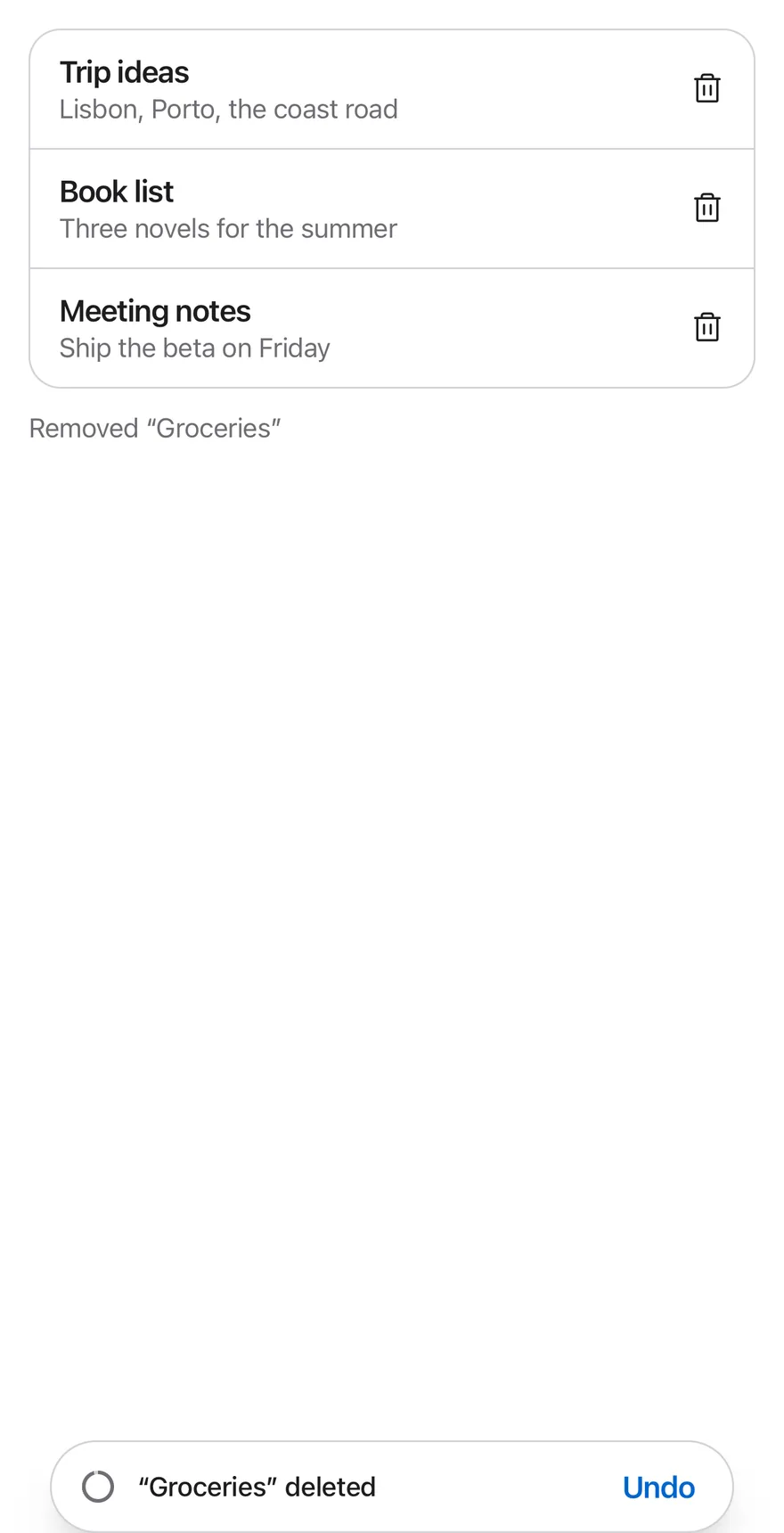
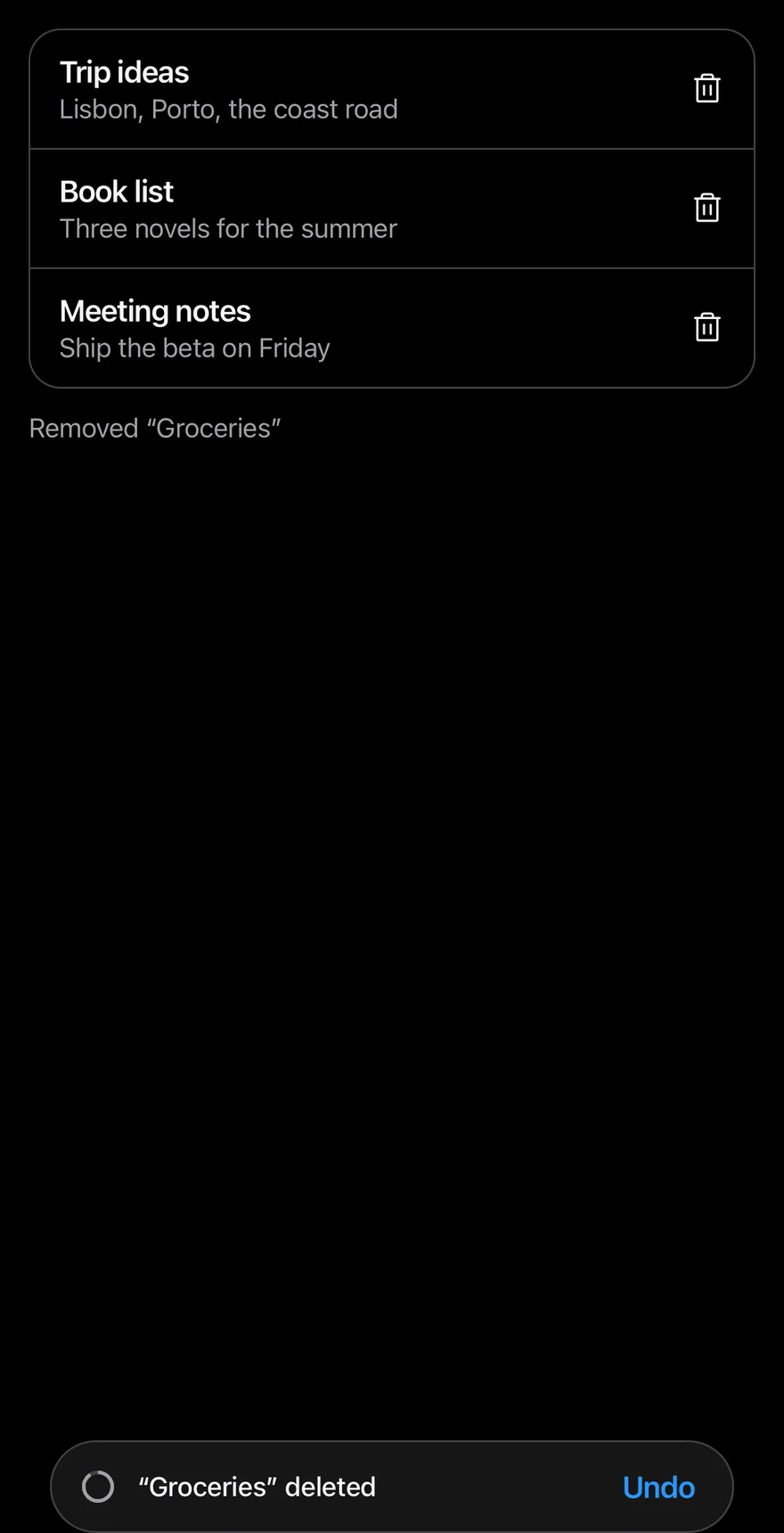
}UndoBarProvider shows a pill-shaped bar above the bottom safe area when show is called from useUndoBar. It holds a message, a countdown ring and an Undo button, and slides up into view.
If the user presses Undo, onUndo runs. If the countdown runs out, onCommit runs. Only one bar shows at a time: calling show again commits the previous action first. The countdown pauses while the app is in the background and resumes with the time left. Use it after deleting, archiving or moving items.
Installation
$ pnpm dlx @esuiss/uim@latest add undo-bar$ pnpm dlx @esuiss/uim@latest add undo-bar --platform swift$ pnpm dlx @esuiss/uim@latest add undo-bar --platform kotlinThe CLI also adds what it builds on: Button, Text.
Manual
- Install the dependencies:
npx expo install cn react-native-reanimated react-native-safe-area-context react-native-worklets-
Add the pieces it builds on: Button, Text, and the primitives
components/primitives/portal.tsx. -
Copy the source into
components/interactions/undo-bar.tsx:
import { cn } from "cn"
import * as React from "react"
import {
  AccessibilityInfo,
  AppState,
  I18nManager,
  useWindowDimensions,
  View,
} from "react-native"
import {
  cancelAnimation,
  Easing,
  Keyframe,
  ReduceMotion,
  type SharedValue,
useAnimatedStyle,- Update the import paths to match your project.
- Install the dependencies:
npx expo install cn react-native-reanimated react-native-safe-area-context react-native-worklets-
Add the pieces it builds on: Button, Text, and the primitives
components/primitives/portal.tsx. -
Copy the source into
components/interactions/undo-bar.tsx:
import { cn } from "cn"
import * as React from "react"
import {
  AccessibilityInfo,
  AppState,
  I18nManager,
  useWindowDimensions,
  View,
} from "react-native"
import {
  cancelAnimation,
  Easing,
  Keyframe,
  ReduceMotion,
  type SharedValue,
useAnimatedStyle,- Update the import paths to match your project.
- Install the dependencies:
npx expo install react-native-reanimated react-native-safe-area-context react-native-worklets-
Add the pieces it builds on: Button, Text, and the primitives
components/primitives/portal.tsx. -
Copy the source into
components/interactions/undo-bar.tsx:
import * as React from "react"
import {
  AccessibilityInfo,
  AppState,
  I18nManager,
  type StyleProp,
  StyleSheet,
  useWindowDimensions,
  View,
  type ViewStyle,
} from "react-native"
import {
  cancelAnimation,
  Easing,
  Keyframe,
ReduceMotion,- Update the import paths to match your project.
-
Target iOS 17 or later.
-
Add the Swift package to your app:
.package(url: "https://github.com/phosphor-icons/swift", from: "2.1.0")- Copy the theme files every view uses:
import SwiftUI
import UIKit

struct RGBA: Sendable {
  let red: CGFloat
  let green: CGFloat
  let blue: CGFloat
  let alpha: CGFloat

  init(_ hex: UInt32, _ alpha: CGFloat = 1) {
    red = CGFloat((hex >> 16) & 0xFF) / 255
    green = CGFloat((hex >> 8) & 0xFF) / 255
    blue = CGFloat(hex & 0xFF) / 255
    self.alpha = alpha
}import SwiftUI
extension Color {
public static let surface = Color.adaptive(light: .init(0xFFFFFF), dark: .init(0x000000))
public static let surfaceSecondary = Color.adaptive(light: .init(0xF5F5F7), dark: .init(0x161617))
public static let surfaceTertiary = Color.adaptive(light: .init(0xE8E8ED), dark: .init(0x2C2C2E))
public static let surfaceRaised = Color.adaptive(light: .init(0xFFFFFF), dark: .init(0x1D1D1F))
public static let label = Color.adaptive(light: .init(0x1D1D1F), dark: .init(0xF5F5F7))
public static let labelSecondary = Color.adaptive(light: .init(0x6E6E73), dark: .init(0xA1A1A6))
public static let labelTertiary = Color.adaptive(light: .init(0x86868B), dark: .init(0x86868B))
public static let labelQuaternary = Color.adaptive(light: .init(0xD2D2D7), dark: .init(0x424245))
public static let control = Color.adaptive(light: .init(0x000000, 0.04), dark: .init(0xFFFFFF, 0.1))
public static let controlPressed = Color.adaptive(light: .init(0x000000, 0.12), dark: .init(0xFFFFFF, 0.22))
public static let controlSelected = Color.adaptive(light: .init(0x1D1D1F), dark: .init(0xF5F5F7))
public static let controlDisabled = Color.adaptive(light: .init(0x000000, 0.03), dark: .init(0xFFFFFF, 0.05))
public static let onControlSelected = Color.adaptive(light: .init(0xFFFFFF), dark: .init(0x000000))- Copy the source and every file it uses:
import Observation
import SwiftUI

public struct UndoBarEntry: Identifiable, Sendable {
  public let id: UUID
  public let title: LocalizedStringResource
  public let actionLabel: LocalizedStringResource?
  let onUndo: @MainActor @Sendable () -> Void
  let onCommit: (@MainActor @Sendable () -> Void)?
}

@Observable
public final class UndoBarManager: @unchecked Sendable {
  public static let shared = UndoBarManager()

public private(set) var entry: UndoBarEntry?import SwiftUI
public struct VariantButtonStyle: ButtonStyle {
public enum Variant: CaseIterable, Sendable {
case `default`, outline, secondary, tinted, ghost, plain, destructive, link
}
public enum Size: CaseIterable, Sendable {
case `default`, xs, sm, lg, xl, icon, iconXs, iconSm, iconLg, iconXl
var height: CGFloat {
switch self {
case .xs, .iconXs: 24
case .sm, .iconSm: 32
case .default, .icon: 36
case .lg, .iconLg: 44import SwiftUI
extension EnvironmentValues {
@Entry var buttonGroup: Axis? = nil
@Entry var buttonGroupSize: CGSize = .zero
}
enum ButtonGroupSpace: Hashable {
case group
}
struct ButtonGroupFrame {
let bounds: Anchor<CGRect>
let outlined: Bool
}import PhosphorSwift
import SwiftUI
extension Shadow {
static let control = Shadow(color: .black.opacity(0.08), radius: 0.5, y: 0.5)
static let thumb = Shadow(color: .black.opacity(0.12), radius: 1.5, y: 1)
}
struct SelectionIndicator<Mark: View>: View {
let checked: Bool
let pressed: Bool
let cornerRadius: CGFloat
let mark: Mark
@Environment(\.isEnabled) private var isEnabled
@Environment(\.isInvalid) private var invalidimport SwiftUI
extension EnvironmentValues {
@Entry public var isInvalid = false
@Entry var fieldInset = false
@Entry var fieldGroupInset = false
@Entry var fieldSetInset = false
}
extension View {
public func invalid(_ isInvalid: Bool = true) -> some View {
environment(\.isInvalid, isInvalid)
}
}
public enum FieldOrientation: CaseIterable, Sendable {import SwiftUI
extension EnvironmentValues {
@Entry public var hapticsEnabled = true
}
extension View {
public func haptics(_ enabled: Bool) -> some View {
environment(\.hapticsEnabled, enabled)
}
func hapticFeedback<Trigger: Equatable>(_ feedback: SensoryFeedback, trigger: Trigger) -> some View {
modifier(HapticFeedbackModifier(feedback: feedback, trigger: trigger) { _, _ in true })
}
func hapticFeedback<Trigger: Equatable>(import SwiftUI
public struct Separator: View {
let orientation: Axis
public init(_ orientation: Axis = .horizontal) {
self.orientation = orientation
}
public var body: some View {
Rectangle()
.fill(Color.separator)
.frame(width: orientation == .vertical ? 1 : nil, height: orientation == .horizontal ? 1 : nil)
.frame(maxWidth: orientation == .horizontal ? .infinity : nil, maxHeight: orientation == .vertical ? .infinity : nil)
.accessibilityHidden(true)
}import SwiftUI
public enum TextVariant: CaseIterable, Sendable {
case `default`, h1, h2, h3, h4, p, blockquote, code, lead, large, small, muted
var style: TextStyle {
switch self {
case .h1: .xl3
case .h2: .xl2
case .h3: .xl
case .h4, .lead, .large: .lg
case .code, .small, .muted: .sm
default: .base
}
}import PhosphorSwift
import SwiftUI
struct SelectionModel<Value: Hashable> {
var editing = false
var selected: Set<Value> = []
var order: [Value] = []
mutating func toggle(_ value: Value) {
if selected.contains(value) {
selected.remove(value)
} else {
selected.insert(value)
}
}- Add the files to your app target.
- Set
minSdkto 24 or higher and add the dependencies:
implementation(platform("androidx.compose:compose-bom:2026.09.00"))
implementation("androidx.compose.foundation:foundation")
implementation("androidx.compose.ui:ui")- Copy the theme files every view uses:
package com.esuiss.ui.theme

import androidx.compose.foundation.isSystemInDarkTheme
import androidx.compose.runtime.Composable
import androidx.compose.runtime.CompositionLocalProvider
import androidx.compose.runtime.Immutable
import androidx.compose.runtime.staticCompositionLocalOf
import androidx.compose.ui.Modifier
import androidx.compose.ui.draw.dropShadow
import androidx.compose.ui.graphics.Color
import androidx.compose.ui.graphics.Shape
import androidx.compose.ui.graphics.shadow.Shadow as DropShadow
import androidx.compose.ui.text.TextStyle
import androidx.compose.ui.text.style.LineHeightStyle
import androidx.compose.ui.unit.Dp
import androidx.compose.ui.unit.DpOffsetpackage com.esuiss.ui.theme
import androidx.compose.runtime.Immutable
import androidx.compose.ui.graphics.Color
import androidx.compose.ui.unit.dp
@Immutable
data class Colors(
val surface: Color,
val surfaceSecondary: Color,
val surfaceTertiary: Color,
val surfaceRaised: Color,
val label: Color,
val labelSecondary: Color,
val labelTertiary: Color,
val labelQuaternary: Color,- Copy the source and every file it uses:
package com.esuiss.ui.interactions

import androidx.compose.animation.core.Animatable
import androidx.compose.animation.core.LinearEasing
import androidx.compose.animation.core.tween
import androidx.compose.foundation.Canvas
import androidx.compose.foundation.layout.Arrangement
import androidx.compose.foundation.layout.PaddingValues
import androidx.compose.foundation.layout.size
import androidx.compose.foundation.text.BasicText
import androidx.compose.runtime.Composable
import androidx.compose.runtime.Immutable
import androidx.compose.runtime.LaunchedEffect
import androidx.compose.runtime.Stable
import androidx.compose.runtime.getValue
import androidx.compose.runtime.mutableStateOfpackage com.esuiss.ui.components
import androidx.compose.foundation.background
import androidx.compose.foundation.border
import androidx.compose.foundation.clickable
import androidx.compose.foundation.interaction.MutableInteractionSource
import androidx.compose.foundation.interaction.collectIsPressedAsState
import androidx.compose.foundation.layout.Arrangement
import androidx.compose.foundation.layout.Row
import androidx.compose.foundation.layout.RowScope
import androidx.compose.foundation.layout.fillMaxWidth
import androidx.compose.foundation.layout.height
import androidx.compose.foundation.layout.padding
import androidx.compose.foundation.layout.size
import androidx.compose.foundation.shape.CircleShape
import androidx.compose.foundation.shape.RoundedCornerShapepackage com.esuiss.ui.components
import androidx.compose.foundation.background
import androidx.compose.foundation.gestures.Orientation
import androidx.compose.foundation.layout.Arrangement
import androidx.compose.foundation.layout.Box
import androidx.compose.foundation.layout.Row
import androidx.compose.foundation.layout.RowScope
import androidx.compose.foundation.layout.padding
import androidx.compose.foundation.shape.CircleShape
import androidx.compose.foundation.shape.CornerSize
import androidx.compose.foundation.shape.RoundedCornerShape
import androidx.compose.runtime.Composable
import androidx.compose.runtime.CompositionLocalProvider
import androidx.compose.runtime.DisposableEffect
import androidx.compose.runtime.Immutablepackage com.esuiss.ui.components
import androidx.compose.runtime.compositionLocalOf
import androidx.compose.ui.graphics.Color
import androidx.compose.ui.text.TextStyle
import androidx.compose.ui.unit.Dp
import androidx.compose.ui.unit.dp
val LocalContentStyle = compositionLocalOf { TextStyle.Default }
val LocalContentColor = compositionLocalOf { Color.Unspecified }
val LocalIconSize = compositionLocalOf { 20.dp }package com.esuiss.ui.components
import android.provider.Settings
import androidx.compose.animation.core.CubicBezierEasing
import androidx.compose.foundation.background
import androidx.compose.foundation.border
import androidx.compose.foundation.gestures.Orientation
import androidx.compose.foundation.text.selection.TextSelectionColors
import androidx.compose.runtime.Composable
import androidx.compose.runtime.mutableStateOf
import androidx.compose.runtime.remember
import androidx.compose.ui.Modifier
import androidx.compose.ui.draw.clip
import androidx.compose.ui.draw.drawWithContent
import androidx.compose.ui.geometry.Offset
import androidx.compose.ui.geometry.Sizepackage com.esuiss.ui.components
import androidx.compose.foundation.Image
import androidx.compose.foundation.layout.size
import androidx.compose.runtime.Composable
import androidx.compose.ui.Modifier
import androidx.compose.ui.graphics.Color
import androidx.compose.ui.graphics.ColorFilter
import androidx.compose.ui.graphics.takeOrElse
import androidx.compose.ui.graphics.vector.ImageVector
import androidx.compose.ui.unit.Dp
import com.esuiss.ui.theme.EsuissTheme
@Composable
fun Icon(
imageVector: ImageVector,package com.esuiss.ui.interactions
import androidx.compose.animation.AnimatedVisibility
import androidx.compose.animation.core.MutableTransitionState
import androidx.compose.animation.core.tween
import androidx.compose.animation.fadeIn
import androidx.compose.animation.fadeOut
import androidx.compose.animation.scaleIn
import androidx.compose.animation.scaleOut
import androidx.compose.animation.slideInVertically
import androidx.compose.animation.slideOutVertically
import androidx.compose.foundation.background
import androidx.compose.foundation.border
import androidx.compose.foundation.layout.Arrangement
import androidx.compose.foundation.layout.Box
import androidx.compose.foundation.layout.PaddingValues- Update the
com.esuiss.uipackage names to match your project.
Usage
import { UndoBarProvider } from "@/components/interactions/undo-bar"<UndoBarProvider>
<NotesList />
</UndoBarProvider>Wrap the screen or app in UndoBarProvider. After removing an item from the UI, call show({ title, onUndo, onCommit?, actionLabel? }): restore the item in onUndo, and do the permanent work, such as a server delete, in onCommit.
useUndoBar also returns undo, which runs the current undo, and dismiss, which commits and hides the bar.
Examples
Showing
The bar shown right after deleting a note, with a long timeout.
import { TrashIcon } from "phosphor-react-native"
import * as React from "react"
import { View } from "react-native"
import { UndoBarProvider, useUndoBar } from "@/components/interactions/undo-bar"
import { Button } from "@/components/ui/button"
import { Icon } from "@/components/ui/icon"
import { Text } from "@/components/ui/text"

const initialNotes = [
  { id: 1, title: "Groceries", preview: "Milk, eggs, bread, coffee" },
  { id: 2, title: "Trip ideas", preview: "Lisbon, Porto, the coast road" },
  { id: 3, title: "Book list", preview: "Three novels for the summer" },
  { id: 4, title: "Meeting notes", preview: "Ship the beta on Friday" },
]

type Note = (typeof initialNotes)[number]

function useNotes() {
  const [notes, setNotes] = React.useState(initialNotes)
  const [log, setLog] = React.useState("Delete a note.")
  const { show } = useUndoBar()

  const remove = (note: Note) => {
    const index = notes.findIndex((item) => item.id === note.id)
    setNotes((current) => current.filter((item) => item.id !== note.id))
    setLog(`Removed “${note.title}”`)
    show({
      title: `“${note.title}” deleted`,
      onUndo: () => {
        setNotes((current) => {
          const next = [...current]
          next.splice(Math.min(index, next.length), 0, note)
          return next
        })
        setLog(`Restored “${note.title}”`)
      },
      onCommit: () => setLog(`Deleted “${note.title}” permanently`),
    })
  }

  return { notes, remove, log }
}

function NoteText({ note }: { note: Note }) {
  return (
    <View className="min-w-0 flex-1 py-2">
      <Text numberOfLines={1} className="font-semibold">
        {note.title}
      </Text>
      <Text numberOfLines={1} className="text-sm text-label-secondary">
        {note.preview}
      </Text>
    </View>
  )
}

function NotesList({ deleteFirst = false }: { deleteFirst?: boolean }) {
  const { notes, remove, log } = useNotes()
  const removeRef = React.useRef(remove)
  const deletedRef = React.useRef(false)
  removeRef.current = remove

  React.useEffect(() => {
    if (!deleteFirst || deletedRef.current) return
    deletedRef.current = true
    removeRef.current(initialNotes[0])
  }, [deleteFirst])

  return (
    <View className="w-full gap-3">
      <View className="overflow-hidden rounded-2xl border border-separator">
        {notes.map((note, index) => (
          <View
            key={note.id}
            className={
              index > 0
                ? "flex-row items-center gap-3 border-t border-separator py-1 ps-4 pe-1"
                : "flex-row items-center gap-3 py-1 ps-4 pe-1"
            }
          >
            <NoteText note={note} />
            <Button
              variant="ghost"
              size="icon-lg"
              accessibilityLabel={`Delete ${note.title}`}
              onPress={() => remove(note)}
            >
              <Icon as={TrashIcon} className="size-5" />
            </Button>
          </View>
        ))}
      </View>
      <Text role="status" className="text-sm text-label-secondary">
        {log}
      </Text>
    </View>
  )
}

export function UndoBarShowingExample() {
  return (
    <UndoBarProvider timeout={60000}>
      <NotesList deleteFirst />
    </UndoBarProvider>
  )
}import EsuissUI
import PhosphorSwift
import SwiftUI
struct UndoBarShowingExample: View {
var body: some View {
UndoBarStage(timeout: .seconds(60)) { UndoBarNotes(deleteFirst: true) }
}
}
struct UndoBarNote: Identifiable, Equatable {
let id: Int
let title: String
let preview: String
}
let undoBarInitialNotes = [
UndoBarNote(id: 1, title: "Groceries", preview: "Milk, eggs, bread, coffee"),
UndoBarNote(id: 2, title: "Trip ideas", preview: "Lisbon, Porto, the coast road"),
UndoBarNote(id: 3, title: "Book list", preview: "Three novels for the summer"),
UndoBarNote(id: 4, title: "Meeting notes", preview: "Ship the beta on Friday"),
]
struct UndoBarStage<Content: View>: View {
let timeout: Duration
@ViewBuilder let content: () -> Content
@State private var manager = UndoBarManager()
var body: some View {
content()
.frame(maxHeight: .infinity, alignment: .top)
.containerRelativeFrame(.vertical) { height, _ in height - 32 }
.undoBar(manager, timeout: timeout)
}
}
struct UndoBarNoteText: View {
let note: UndoBarNote
var body: some View {
VStack(alignment: .leading, spacing: 0) {
Text(verbatim: note.title)
.textStyle(.base, weight: .semibold)
.foregroundStyle(Color.label)
.lineLimit(1)
Text(verbatim: note.preview)
.textStyle(.sm)
.foregroundStyle(Color.labelSecondary)
.lineLimit(1)
}
.padding(.vertical, 8)
.frame(maxWidth: .infinity, alignment: .leading)
}
}
struct UndoBarNotes: View {
var deleteFirst = false
var swipe = false
@State private var notes = undoBarInitialNotes
@State private var log = "Delete a note."
@State private var deleted = false
@Environment(\.undoBarManager) private var manager
var body: some View {
let shape = RoundedRectangle(cornerRadius: Radius.xl2, style: .continuous)
VStack(alignment: .leading, spacing: 12) {
VStack(spacing: 0) {
ForEach(Array(notes.enumerated()), id: \.element.id) { index, note in
row(note)
.overlay(alignment: .top) {
if index > 0 {
Color.separator.frame(height: 1)
}
}
}
}
.clipShape(shape)
.overlay { shape.strokeBorder(Color.separator) }
Text(verbatim: log)
.textStyle(.sm)
.foregroundStyle(Color.labelSecondary)
.accessibilityAddTraits(.updatesFrequently)
}
.onAppear {
guard deleteFirst, !deleted else { return }
deleted = true
remove(undoBarInitialNotes[0])
}
}
@ViewBuilder
func row(_ note: UndoBarNote) -> some View {
if swipe {
SwipeActions {
UndoBarNoteText(note: note)
.padding(.horizontal, 16)
.padding(.vertical, 4)
} trailing: {
SwipeAction("Delete", icon: Ph.trash.fill, variant: .destructive, fullSwipe: true) {
remove(note)
}
}
} else {
HStack(spacing: 12) {
UndoBarNoteText(note: note)
Button {
remove(note)
} label: {
Ph.trash.regular.frame(width: 20, height: 20)
}
.buttonStyle(.variant(.ghost, size: .iconLg))
.accessibilityLabel(Text(verbatim: "Delete \(note.title)"))
}
.padding(.leading, 16)
.padding(.trailing, 4)
.padding(.vertical, 4)
}
}
func remove(_ note: UndoBarNote) {
let index = notes.firstIndex(of: note) ?? 0
notes.removeAll { $0.id == note.id }
log = "Removed “\(note.title)”"
manager.show(
"“\(note.title)” deleted",
onUndo: {
notes.insert(note, at: min(index, notes.count))
log = "Restored “\(note.title)”"
},
onCommit: {
log = "Deleted “\(note.title)” permanently"
}
)
}
}import androidx.compose.foundation.background
import androidx.compose.foundation.border
import androidx.compose.foundation.layout.Arrangement
import androidx.compose.foundation.layout.Box
import androidx.compose.foundation.layout.Column
import androidx.compose.foundation.layout.Row
import androidx.compose.foundation.layout.fillMaxWidth
import androidx.compose.foundation.layout.height
import androidx.compose.foundation.layout.padding
import androidx.compose.foundation.shape.RoundedCornerShape
import androidx.compose.runtime.Composable
import androidx.compose.runtime.LaunchedEffect
import androidx.compose.runtime.getValue
import androidx.compose.runtime.key
import androidx.compose.runtime.mutableStateOf
import androidx.compose.runtime.saveable.rememberSaveable
import androidx.compose.runtime.setValue
import androidx.compose.ui.Alignment
import androidx.compose.ui.Modifier
import androidx.compose.ui.draw.clip
import androidx.compose.ui.semantics.LiveRegionMode
import androidx.compose.ui.semantics.liveRegion
import androidx.compose.ui.semantics.semantics
import androidx.compose.ui.text.font.FontWeight
import androidx.compose.ui.text.style.TextOverflow
import androidx.compose.ui.unit.dp
import com.adamglin.PhosphorIcons
import com.adamglin.phosphoricons.Regular
import com.adamglin.phosphoricons.fill.Trash
import com.adamglin.phosphoricons.regular.Trash
import com.esuiss.ui.components.Button
import com.esuiss.ui.components.ButtonSize
import com.esuiss.ui.components.ButtonVariant
import com.esuiss.ui.components.Icon
import com.esuiss.ui.components.Text
import com.esuiss.ui.interactions.UndoBarProvider
import com.esuiss.ui.interactions.UndoBarState
import com.esuiss.ui.interactions.rememberUndoBarState
import com.esuiss.ui.theme.EsuissTheme
import com.esuiss.ui.theme.Radius
import com.esuiss.ui.theme.Typography
@Composable
fun UndoBarShowingExample() {
UndoBarDemo(timeout = 60000L) { state -> UndoBarNotesList(state, deleteFirst = true) }
}
class UndoBarNote(val id: Int, val title: String, val preview: String)
val undoBarInitialNotes = listOf(
UndoBarNote(1, "Groceries", "Milk, eggs, bread, coffee"),
UndoBarNote(2, "Trip ideas", "Lisbon, Porto, the coast road"),
UndoBarNote(3, "Book list", "Three novels for the summer"),
UndoBarNote(4, "Meeting notes", "Ship the beta on Friday"),
)
class UndoBarNotes(
val notes: List<UndoBarNote>,
val log: String,
val remove: (UndoBarNote) -> Unit,
)
@Composable
fun UndoBarDemo(timeout: Long, content: @Composable (UndoBarState) -> Unit) {
val state = rememberUndoBarState()
UndoBarProvider(state, timeoutMillis = timeout) {
content(state)
}
}
@Composable
fun rememberUndoBarNotes(state: UndoBarState): UndoBarNotes {
var ids by rememberSaveable { mutableStateOf(undoBarInitialNotes.map { it.id }) }
var log by rememberSaveable { mutableStateOf("Delete a note.") }
val notes = ids.mapNotNull { id -> undoBarInitialNotes.firstOrNull { it.id == id } }
return UndoBarNotes(notes, log) { note ->
val index = ids.indexOf(note.id)
ids = ids - note.id
log = "Removed “${note.title}”"
state.show(
title = "“${note.title}” deleted",
onUndo = {
ids = ids.toMutableList().apply { add(minOf(index, size), note.id) }
log = "Restored “${note.title}”"
},
onCommit = { log = "Deleted “${note.title}” permanently" },
)
}
}
@Composable
fun UndoBarNoteText(note: UndoBarNote, modifier: Modifier = Modifier) {
Column(modifier.padding(vertical = 8.dp)) {
Text(
note.title,
style = Typography.base.copy(fontWeight = FontWeight.SemiBold),
maxLines = 1,
overflow = TextOverflow.Ellipsis,
)
Text(
note.preview,
style = Typography.sm.copy(color = EsuissTheme.colors.labelSecondary),
maxLines = 1,
overflow = TextOverflow.Ellipsis,
)
}
}
@Composable
fun UndoBarFrame(notes: UndoBarNotes, row: @Composable (UndoBarNote) -> Unit) {
val colors = EsuissTheme.colors
val shape = RoundedCornerShape(Radius.xl2)
Column(Modifier.fillMaxWidth(), verticalArrangement = Arrangement.spacedBy(12.dp)) {
Column(
Modifier
.fillMaxWidth()
.clip(shape)
.border(1.dp, colors.separator, shape),
) {
notes.notes.forEachIndexed { index, note ->
key(note.id) {
if (index > 0) Box(Modifier.fillMaxWidth().height(1.dp).background(colors.separator))
row(note)
}
}
}
Text(
notes.log,
modifier = Modifier.semantics { liveRegion = LiveRegionMode.Polite },
style = Typography.sm.copy(color = colors.labelSecondary),
)
}
}
@Composable
fun UndoBarNotesList(state: UndoBarState, deleteFirst: Boolean = false) {
val notes = rememberUndoBarNotes(state)
var deleted by rememberSaveable { mutableStateOf(false) }
LaunchedEffect(Unit) {
if (!deleteFirst || deleted) return@LaunchedEffect
deleted = true
notes.remove(undoBarInitialNotes.first())
}
UndoBarFrame(notes) { note ->
Row(
modifier = Modifier.fillMaxWidth().padding(start = 16.dp, end = 4.dp, top = 4.dp, bottom = 4.dp),
horizontalArrangement = Arrangement.spacedBy(12.dp),
verticalAlignment = Alignment.CenterVertically,
) {
UndoBarNoteText(note, Modifier.weight(1f))
Button(onClick = { notes.remove(note) }, variant = ButtonVariant.Ghost, size = ButtonSize.IconLg) {
Icon(PhosphorIcons.Regular.Trash, contentDescription = "Delete ${note.title}", size = 20.dp)
}
}
}
}Longer timeout
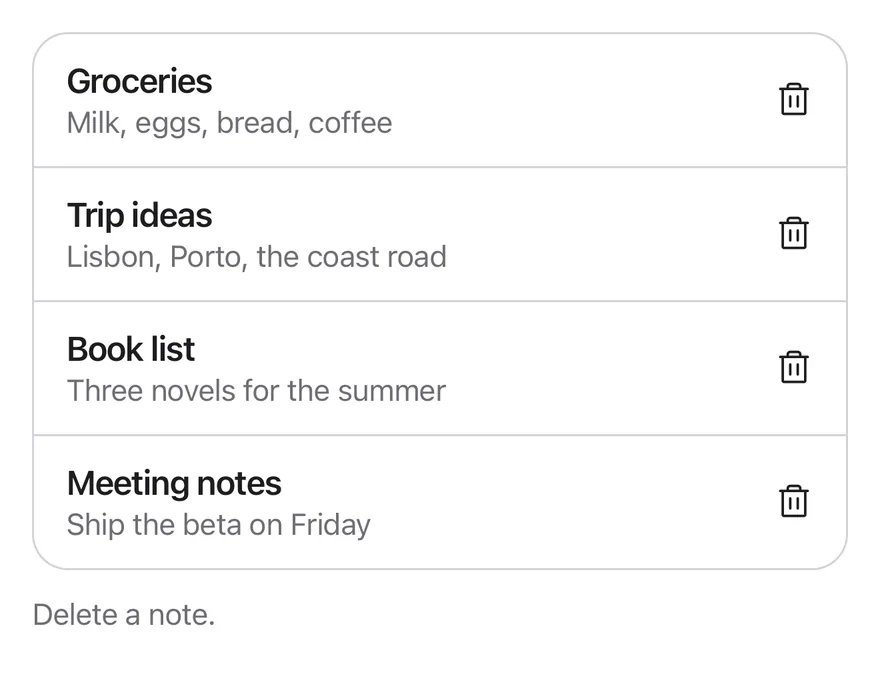
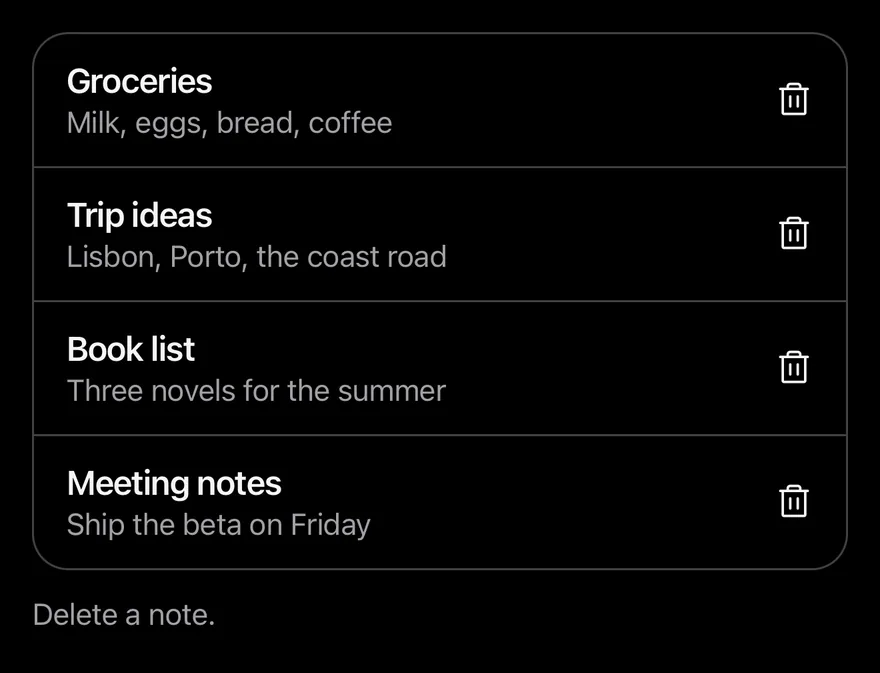
Uses a 10 second timeout.
import { TrashIcon } from "phosphor-react-native"
import * as React from "react"
import { View } from "react-native"
import { UndoBarProvider, useUndoBar } from "@/components/interactions/undo-bar"
import { Button } from "@/components/ui/button"
import { Icon } from "@/components/ui/icon"
import { Text } from "@/components/ui/text"

const initialNotes = [
  { id: 1, title: "Groceries", preview: "Milk, eggs, bread, coffee" },
  { id: 2, title: "Trip ideas", preview: "Lisbon, Porto, the coast road" },
  { id: 3, title: "Book list", preview: "Three novels for the summer" },
  { id: 4, title: "Meeting notes", preview: "Ship the beta on Friday" },
]

type Note = (typeof initialNotes)[number]

function useNotes() {
  const [notes, setNotes] = React.useState(initialNotes)
  const [log, setLog] = React.useState("Delete a note.")
  const { show } = useUndoBar()

  const remove = (note: Note) => {
    const index = notes.findIndex((item) => item.id === note.id)
    setNotes((current) => current.filter((item) => item.id !== note.id))
    setLog(`Removed “${note.title}”`)
    show({
      title: `“${note.title}” deleted`,
      onUndo: () => {
        setNotes((current) => {
          const next = [...current]
          next.splice(Math.min(index, next.length), 0, note)
          return next
        })
        setLog(`Restored “${note.title}”`)
      },
      onCommit: () => setLog(`Deleted “${note.title}” permanently`),
    })
  }

  return { notes, remove, log }
}

function NoteText({ note }: { note: Note }) {
  return (
    <View className="min-w-0 flex-1 py-2">
      <Text numberOfLines={1} className="font-semibold">
        {note.title}
      </Text>
      <Text numberOfLines={1} className="text-sm text-label-secondary">
        {note.preview}
      </Text>
    </View>
  )
}

function NotesList({ deleteFirst = false }: { deleteFirst?: boolean }) {
  const { notes, remove, log } = useNotes()
  const removeRef = React.useRef(remove)
  const deletedRef = React.useRef(false)
  removeRef.current = remove

  React.useEffect(() => {
    if (!deleteFirst || deletedRef.current) return
    deletedRef.current = true
    removeRef.current(initialNotes[0])
  }, [deleteFirst])

  return (
    <View className="w-full gap-3">
      <View className="overflow-hidden rounded-2xl border border-separator">
        {notes.map((note, index) => (
          <View
            key={note.id}
            className={
              index > 0
                ? "flex-row items-center gap-3 border-t border-separator py-1 ps-4 pe-1"
                : "flex-row items-center gap-3 py-1 ps-4 pe-1"
            }
          >
            <NoteText note={note} />
            <Button
              variant="ghost"
              size="icon-lg"
              accessibilityLabel={`Delete ${note.title}`}
              onPress={() => remove(note)}
            >
              <Icon as={TrashIcon} className="size-5" />
            </Button>
          </View>
        ))}
      </View>
      <Text role="status" className="text-sm text-label-secondary">
        {log}
      </Text>
    </View>
  )
}

export function UndoBarLongerTimeoutExample() {
  return (
    <UndoBarProvider timeout={10000}>
      <NotesList />
    </UndoBarProvider>
  )
}import EsuissUI
import PhosphorSwift
import SwiftUI
struct UndoBarLongerTimeoutExample: View {
var body: some View {
UndoBarStage(timeout: .seconds(10)) { UndoBarNotes() }
}
}
struct UndoBarNote: Identifiable, Equatable {
let id: Int
let title: String
let preview: String
}
let undoBarInitialNotes = [
UndoBarNote(id: 1, title: "Groceries", preview: "Milk, eggs, bread, coffee"),
UndoBarNote(id: 2, title: "Trip ideas", preview: "Lisbon, Porto, the coast road"),
UndoBarNote(id: 3, title: "Book list", preview: "Three novels for the summer"),
UndoBarNote(id: 4, title: "Meeting notes", preview: "Ship the beta on Friday"),
]
struct UndoBarStage<Content: View>: View {
let timeout: Duration
@ViewBuilder let content: () -> Content
@State private var manager = UndoBarManager()
var body: some View {
content()
.frame(maxHeight: .infinity, alignment: .top)
.containerRelativeFrame(.vertical) { height, _ in height - 32 }
.undoBar(manager, timeout: timeout)
}
}
struct UndoBarNoteText: View {
let note: UndoBarNote
var body: some View {
VStack(alignment: .leading, spacing: 0) {
Text(verbatim: note.title)
.textStyle(.base, weight: .semibold)
.foregroundStyle(Color.label)
.lineLimit(1)
Text(verbatim: note.preview)
.textStyle(.sm)
.foregroundStyle(Color.labelSecondary)
.lineLimit(1)
}
.padding(.vertical, 8)
.frame(maxWidth: .infinity, alignment: .leading)
}
}
struct UndoBarNotes: View {
var deleteFirst = false
var swipe = false
@State private var notes = undoBarInitialNotes
@State private var log = "Delete a note."
@State private var deleted = false
@Environment(\.undoBarManager) private var manager
var body: some View {
let shape = RoundedRectangle(cornerRadius: Radius.xl2, style: .continuous)
VStack(alignment: .leading, spacing: 12) {
VStack(spacing: 0) {
ForEach(Array(notes.enumerated()), id: \.element.id) { index, note in
row(note)
.overlay(alignment: .top) {
if index > 0 {
Color.separator.frame(height: 1)
}
}
}
}
.clipShape(shape)
.overlay { shape.strokeBorder(Color.separator) }
Text(verbatim: log)
.textStyle(.sm)
.foregroundStyle(Color.labelSecondary)
.accessibilityAddTraits(.updatesFrequently)
}
.onAppear {
guard deleteFirst, !deleted else { return }
deleted = true
remove(undoBarInitialNotes[0])
}
}
@ViewBuilder
func row(_ note: UndoBarNote) -> some View {
if swipe {
SwipeActions {
UndoBarNoteText(note: note)
.padding(.horizontal, 16)
.padding(.vertical, 4)
} trailing: {
SwipeAction("Delete", icon: Ph.trash.fill, variant: .destructive, fullSwipe: true) {
remove(note)
}
}
} else {
HStack(spacing: 12) {
UndoBarNoteText(note: note)
Button {
remove(note)
} label: {
Ph.trash.regular.frame(width: 20, height: 20)
}
.buttonStyle(.variant(.ghost, size: .iconLg))
.accessibilityLabel(Text(verbatim: "Delete \(note.title)"))
}
.padding(.leading, 16)
.padding(.trailing, 4)
.padding(.vertical, 4)
}
}
func remove(_ note: UndoBarNote) {
let index = notes.firstIndex(of: note) ?? 0
notes.removeAll { $0.id == note.id }
log = "Removed “\(note.title)”"
manager.show(
"“\(note.title)” deleted",
onUndo: {
notes.insert(note, at: min(index, notes.count))
log = "Restored “\(note.title)”"
},
onCommit: {
log = "Deleted “\(note.title)” permanently"
}
)
}
}import androidx.compose.foundation.background
import androidx.compose.foundation.border
import androidx.compose.foundation.layout.Arrangement
import androidx.compose.foundation.layout.Box
import androidx.compose.foundation.layout.Column
import androidx.compose.foundation.layout.Row
import androidx.compose.foundation.layout.fillMaxWidth
import androidx.compose.foundation.layout.height
import androidx.compose.foundation.layout.padding
import androidx.compose.foundation.shape.RoundedCornerShape
import androidx.compose.runtime.Composable
import androidx.compose.runtime.LaunchedEffect
import androidx.compose.runtime.getValue
import androidx.compose.runtime.key
import androidx.compose.runtime.mutableStateOf
import androidx.compose.runtime.saveable.rememberSaveable
import androidx.compose.runtime.setValue
import androidx.compose.ui.Alignment
import androidx.compose.ui.Modifier
import androidx.compose.ui.draw.clip
import androidx.compose.ui.semantics.LiveRegionMode
import androidx.compose.ui.semantics.liveRegion
import androidx.compose.ui.semantics.semantics
import androidx.compose.ui.text.font.FontWeight
import androidx.compose.ui.text.style.TextOverflow
import androidx.compose.ui.unit.dp
import com.adamglin.PhosphorIcons
import com.adamglin.phosphoricons.Regular
import com.adamglin.phosphoricons.fill.Trash
import com.adamglin.phosphoricons.regular.Trash
import com.esuiss.ui.components.Button
import com.esuiss.ui.components.ButtonSize
import com.esuiss.ui.components.ButtonVariant
import com.esuiss.ui.components.Icon
import com.esuiss.ui.components.Text
import com.esuiss.ui.interactions.UndoBarProvider
import com.esuiss.ui.interactions.UndoBarState
import com.esuiss.ui.interactions.rememberUndoBarState
import com.esuiss.ui.theme.EsuissTheme
import com.esuiss.ui.theme.Radius
import com.esuiss.ui.theme.Typography
@Composable
fun UndoBarLongerTimeoutExample() {
UndoBarDemo(timeout = 10000L) { state -> UndoBarNotesList(state) }
}
class UndoBarNote(val id: Int, val title: String, val preview: String)
val undoBarInitialNotes = listOf(
UndoBarNote(1, "Groceries", "Milk, eggs, bread, coffee"),
UndoBarNote(2, "Trip ideas", "Lisbon, Porto, the coast road"),
UndoBarNote(3, "Book list", "Three novels for the summer"),
UndoBarNote(4, "Meeting notes", "Ship the beta on Friday"),
)
class UndoBarNotes(
val notes: List<UndoBarNote>,
val log: String,
val remove: (UndoBarNote) -> Unit,
)
@Composable
fun UndoBarDemo(timeout: Long, content: @Composable (UndoBarState) -> Unit) {
val state = rememberUndoBarState()
UndoBarProvider(state, timeoutMillis = timeout) {
content(state)
}
}
@Composable
fun rememberUndoBarNotes(state: UndoBarState): UndoBarNotes {
var ids by rememberSaveable { mutableStateOf(undoBarInitialNotes.map { it.id }) }
var log by rememberSaveable { mutableStateOf("Delete a note.") }
val notes = ids.mapNotNull { id -> undoBarInitialNotes.firstOrNull { it.id == id } }
return UndoBarNotes(notes, log) { note ->
val index = ids.indexOf(note.id)
ids = ids - note.id
log = "Removed “${note.title}”"
state.show(
title = "“${note.title}” deleted",
onUndo = {
ids = ids.toMutableList().apply { add(minOf(index, size), note.id) }
log = "Restored “${note.title}”"
},
onCommit = { log = "Deleted “${note.title}” permanently" },
)
}
}
@Composable
fun UndoBarNoteText(note: UndoBarNote, modifier: Modifier = Modifier) {
Column(modifier.padding(vertical = 8.dp)) {
Text(
note.title,
style = Typography.base.copy(fontWeight = FontWeight.SemiBold),
maxLines = 1,
overflow = TextOverflow.Ellipsis,
)
Text(
note.preview,
style = Typography.sm.copy(color = EsuissTheme.colors.labelSecondary),
maxLines = 1,
overflow = TextOverflow.Ellipsis,
)
}
}
@Composable
fun UndoBarFrame(notes: UndoBarNotes, row: @Composable (UndoBarNote) -> Unit) {
val colors = EsuissTheme.colors
val shape = RoundedCornerShape(Radius.xl2)
Column(Modifier.fillMaxWidth(), verticalArrangement = Arrangement.spacedBy(12.dp)) {
Column(
Modifier
.fillMaxWidth()
.clip(shape)
.border(1.dp, colors.separator, shape),
) {
notes.notes.forEachIndexed { index, note ->
key(note.id) {
if (index > 0) Box(Modifier.fillMaxWidth().height(1.dp).background(colors.separator))
row(note)
}
}
}
Text(
notes.log,
modifier = Modifier.semantics { liveRegion = LiveRegionMode.Polite },
style = Typography.sm.copy(color = colors.labelSecondary),
)
}
}
@Composable
fun UndoBarNotesList(state: UndoBarState, deleteFirst: Boolean = false) {
val notes = rememberUndoBarNotes(state)
var deleted by rememberSaveable { mutableStateOf(false) }
LaunchedEffect(Unit) {
if (!deleteFirst || deleted) return@LaunchedEffect
deleted = true
notes.remove(undoBarInitialNotes.first())
}
UndoBarFrame(notes) { note ->
Row(
modifier = Modifier.fillMaxWidth().padding(start = 16.dp, end = 4.dp, top = 4.dp, bottom = 4.dp),
horizontalArrangement = Arrangement.spacedBy(12.dp),
verticalAlignment = Alignment.CenterVertically,
) {
UndoBarNoteText(note, Modifier.weight(1f))
Button(onClick = { notes.remove(note) }, variant = ButtonVariant.Ghost, size = ButtonSize.IconLg) {
Icon(PhosphorIcons.Regular.Trash, contentDescription = "Delete ${note.title}", size = 20.dp)
}
}
}
}With swipe actions
Shows the bar after a swipe-to-delete in a list with swipe actions.
import { TrashIcon } from "phosphor-react-native"
import * as React from "react"
import { View } from "react-native"
import { SwipeAction, SwipeActions, SwipeActionsActions, SwipeActionsContent } from "@/components/interactions/swipe-actions"
import { UndoBarProvider, useUndoBar } from "@/components/interactions/undo-bar"
import { Icon } from "@/components/ui/icon"
import { Text } from "@/components/ui/text"

const initialNotes = [
  { id: 1, title: "Groceries", preview: "Milk, eggs, bread, coffee" },
  { id: 2, title: "Trip ideas", preview: "Lisbon, Porto, the coast road" },
  { id: 3, title: "Book list", preview: "Three novels for the summer" },
  { id: 4, title: "Meeting notes", preview: "Ship the beta on Friday" },
]

type Note = (typeof initialNotes)[number]

function useNotes() {
  const [notes, setNotes] = React.useState(initialNotes)
  const [log, setLog] = React.useState("Delete a note.")
  const { show } = useUndoBar()

  const remove = (note: Note) => {
    const index = notes.findIndex((item) => item.id === note.id)
    setNotes((current) => current.filter((item) => item.id !== note.id))
    setLog(`Removed “${note.title}”`)
    show({
      title: `“${note.title}” deleted`,
      onUndo: () => {
        setNotes((current) => {
          const next = [...current]
          next.splice(Math.min(index, next.length), 0, note)
          return next
        })
        setLog(`Restored “${note.title}”`)
      },
      onCommit: () => setLog(`Deleted “${note.title}” permanently`),
    })
  }

  return { notes, remove, log }
}

function NoteText({ note }: { note: Note }) {
  return (
    <View className="min-w-0 flex-1 py-2">
      <Text numberOfLines={1} className="font-semibold">
        {note.title}
      </Text>
      <Text numberOfLines={1} className="text-sm text-label-secondary">
        {note.preview}
      </Text>
    </View>
  )
}

function SwipeNotesList() {
  const { notes, remove, log } = useNotes()
  return (
    <View className="w-full gap-3">
      <View className="overflow-hidden rounded-2xl border border-separator">
        {notes.map((note, index) => (
          <View
            key={note.id}
            className={index > 0 ? "border-t border-separator" : undefined}
          >
            <SwipeActions>
              <SwipeActionsContent className="bg-surface px-4 py-1">
                <NoteText note={note} />
              </SwipeActionsContent>
              <SwipeActionsActions side="trailing">
                <SwipeAction
                  variant="destructive"
                  fullSwipe
                  onPress={() => remove(note)}
                >
                  <Icon as={TrashIcon} weight="fill" />
                  <Text>Delete</Text>
                </SwipeAction>
              </SwipeActionsActions>
            </SwipeActions>
          </View>
        ))}
      </View>
      <Text role="status" className="text-sm text-label-secondary">
        {log}
      </Text>
    </View>
  )
}

export function UndoBarWithSwipeActionsExample() {
  return (
    <UndoBarProvider>
      <SwipeNotesList />
    </UndoBarProvider>
  )
}import EsuissUI
import PhosphorSwift
import SwiftUI
struct UndoBarWithSwipeActionsExample: View {
var body: some View {
UndoBarStage(timeout: .seconds(5)) { UndoBarNotes(swipe: true) }
}
}
struct UndoBarNote: Identifiable, Equatable {
let id: Int
let title: String
let preview: String
}
let undoBarInitialNotes = [
UndoBarNote(id: 1, title: "Groceries", preview: "Milk, eggs, bread, coffee"),
UndoBarNote(id: 2, title: "Trip ideas", preview: "Lisbon, Porto, the coast road"),
UndoBarNote(id: 3, title: "Book list", preview: "Three novels for the summer"),
UndoBarNote(id: 4, title: "Meeting notes", preview: "Ship the beta on Friday"),
]
struct UndoBarStage<Content: View>: View {
let timeout: Duration
@ViewBuilder let content: () -> Content
@State private var manager = UndoBarManager()
var body: some View {
content()
.frame(maxHeight: .infinity, alignment: .top)
.containerRelativeFrame(.vertical) { height, _ in height - 32 }
.undoBar(manager, timeout: timeout)
}
}
struct UndoBarNoteText: View {
let note: UndoBarNote
var body: some View {
VStack(alignment: .leading, spacing: 0) {
Text(verbatim: note.title)
.textStyle(.base, weight: .semibold)
.foregroundStyle(Color.label)
.lineLimit(1)
Text(verbatim: note.preview)
.textStyle(.sm)
.foregroundStyle(Color.labelSecondary)
.lineLimit(1)
}
.padding(.vertical, 8)
.frame(maxWidth: .infinity, alignment: .leading)
}
}
struct UndoBarNotes: View {
var deleteFirst = false
var swipe = false
@State private var notes = undoBarInitialNotes
@State private var log = "Delete a note."
@State private var deleted = false
@Environment(\.undoBarManager) private var manager
var body: some View {
let shape = RoundedRectangle(cornerRadius: Radius.xl2, style: .continuous)
VStack(alignment: .leading, spacing: 12) {
VStack(spacing: 0) {
ForEach(Array(notes.enumerated()), id: \.element.id) { index, note in
row(note)
.overlay(alignment: .top) {
if index > 0 {
Color.separator.frame(height: 1)
}
}
}
}
.clipShape(shape)
.overlay { shape.strokeBorder(Color.separator) }
Text(verbatim: log)
.textStyle(.sm)
.foregroundStyle(Color.labelSecondary)
.accessibilityAddTraits(.updatesFrequently)
}
.onAppear {
guard deleteFirst, !deleted else { return }
deleted = true
remove(undoBarInitialNotes[0])
}
}
@ViewBuilder
func row(_ note: UndoBarNote) -> some View {
if swipe {
SwipeActions {
UndoBarNoteText(note: note)
.padding(.horizontal, 16)
.padding(.vertical, 4)
} trailing: {
SwipeAction("Delete", icon: Ph.trash.fill, variant: .destructive, fullSwipe: true) {
remove(note)
}
}
} else {
HStack(spacing: 12) {
UndoBarNoteText(note: note)
Button {
remove(note)
} label: {
Ph.trash.regular.frame(width: 20, height: 20)
}
.buttonStyle(.variant(.ghost, size: .iconLg))
.accessibilityLabel(Text(verbatim: "Delete \(note.title)"))
}
.padding(.leading, 16)
.padding(.trailing, 4)
.padding(.vertical, 4)
}
}
func remove(_ note: UndoBarNote) {
let index = notes.firstIndex(of: note) ?? 0
notes.removeAll { $0.id == note.id }
log = "Removed “\(note.title)”"
manager.show(
"“\(note.title)” deleted",
onUndo: {
notes.insert(note, at: min(index, notes.count))
log = "Restored “\(note.title)”"
},
onCommit: {
log = "Deleted “\(note.title)” permanently"
}
)
}
}import androidx.compose.foundation.background
import androidx.compose.foundation.border
import androidx.compose.foundation.layout.Arrangement
import androidx.compose.foundation.layout.Box
import androidx.compose.foundation.layout.Column
import androidx.compose.foundation.layout.fillMaxWidth
import androidx.compose.foundation.layout.height
import androidx.compose.foundation.layout.padding
import androidx.compose.foundation.shape.RoundedCornerShape
import androidx.compose.runtime.Composable
import androidx.compose.runtime.getValue
import androidx.compose.runtime.key
import androidx.compose.runtime.mutableStateOf
import androidx.compose.runtime.saveable.rememberSaveable
import androidx.compose.runtime.setValue
import androidx.compose.ui.Modifier
import androidx.compose.ui.draw.clip
import androidx.compose.ui.semantics.LiveRegionMode
import androidx.compose.ui.semantics.liveRegion
import androidx.compose.ui.semantics.semantics
import androidx.compose.ui.text.font.FontWeight
import androidx.compose.ui.text.style.TextOverflow
import androidx.compose.ui.unit.dp
import com.adamglin.PhosphorIcons
import com.adamglin.phosphoricons.Fill
import com.adamglin.phosphoricons.fill.Trash
import com.adamglin.phosphoricons.regular.Trash
import com.esuiss.ui.components.Text
import com.esuiss.ui.interactions.SwipeAction
import com.esuiss.ui.interactions.SwipeActionVariant
import com.esuiss.ui.interactions.SwipeActions
import com.esuiss.ui.interactions.UndoBarProvider
import com.esuiss.ui.interactions.UndoBarState
import com.esuiss.ui.interactions.rememberUndoBarState
import com.esuiss.ui.theme.EsuissTheme
import com.esuiss.ui.theme.Radius
import com.esuiss.ui.theme.Typography
@Composable
fun UndoBarWithSwipeActionsExample() {
UndoBarDemo(timeout = 5000L) { state -> UndoBarSwipeNotesList(state) }
}
class UndoBarNote(val id: Int, val title: String, val preview: String)
val undoBarInitialNotes = listOf(
UndoBarNote(1, "Groceries", "Milk, eggs, bread, coffee"),
UndoBarNote(2, "Trip ideas", "Lisbon, Porto, the coast road"),
UndoBarNote(3, "Book list", "Three novels for the summer"),
UndoBarNote(4, "Meeting notes", "Ship the beta on Friday"),
)
class UndoBarNotes(
val notes: List<UndoBarNote>,
val log: String,
val remove: (UndoBarNote) -> Unit,
)
@Composable
fun UndoBarDemo(timeout: Long, content: @Composable (UndoBarState) -> Unit) {
val state = rememberUndoBarState()
UndoBarProvider(state, timeoutMillis = timeout) {
content(state)
}
}
@Composable
fun rememberUndoBarNotes(state: UndoBarState): UndoBarNotes {
var ids by rememberSaveable { mutableStateOf(undoBarInitialNotes.map { it.id }) }
var log by rememberSaveable { mutableStateOf("Delete a note.") }
val notes = ids.mapNotNull { id -> undoBarInitialNotes.firstOrNull { it.id == id } }
return UndoBarNotes(notes, log) { note ->
val index = ids.indexOf(note.id)
ids = ids - note.id
log = "Removed “${note.title}”"
state.show(
title = "“${note.title}” deleted",
onUndo = {
ids = ids.toMutableList().apply { add(minOf(index, size), note.id) }
log = "Restored “${note.title}”"
},
onCommit = { log = "Deleted “${note.title}” permanently" },
)
}
}
@Composable
fun UndoBarNoteText(note: UndoBarNote, modifier: Modifier = Modifier) {
Column(modifier.padding(vertical = 8.dp)) {
Text(
note.title,
style = Typography.base.copy(fontWeight = FontWeight.SemiBold),
maxLines = 1,
overflow = TextOverflow.Ellipsis,
)
Text(
note.preview,
style = Typography.sm.copy(color = EsuissTheme.colors.labelSecondary),
maxLines = 1,
overflow = TextOverflow.Ellipsis,
)
}
}
@Composable
fun UndoBarFrame(notes: UndoBarNotes, row: @Composable (UndoBarNote) -> Unit) {
val colors = EsuissTheme.colors
val shape = RoundedCornerShape(Radius.xl2)
Column(Modifier.fillMaxWidth(), verticalArrangement = Arrangement.spacedBy(12.dp)) {
Column(
Modifier
.fillMaxWidth()
.clip(shape)
.border(1.dp, colors.separator, shape),
) {
notes.notes.forEachIndexed { index, note ->
key(note.id) {
if (index > 0) Box(Modifier.fillMaxWidth().height(1.dp).background(colors.separator))
row(note)
}
}
}
Text(
notes.log,
modifier = Modifier.semantics { liveRegion = LiveRegionMode.Polite },
style = Typography.sm.copy(color = colors.labelSecondary),
)
}
}
@Composable
fun UndoBarSwipeNotesList(state: UndoBarState) {
val notes = rememberUndoBarNotes(state)
UndoBarFrame(notes) { note ->
SwipeActions(
trailing = listOf(
SwipeAction(
"Delete",
{ notes.remove(note) },
icon = PhosphorIcons.Fill.Trash,
variant = SwipeActionVariant.Destructive,
fullSwipe = true,
),
),
background = EsuissTheme.colors.surface,
) {
UndoBarNoteText(note, Modifier.fillMaxWidth().padding(horizontal = 16.dp, vertical = 4.dp))
}
}
}API Reference
UndoBarProvider
Holds the current undo entry and renders the bar in a portal.
- About
- Countdown length in milliseconds. Defaults to
5000. - Type
number- Default
- 5000
- About
- Classes for the bar.
- Type
string- Default
- —
- About
- Name of a portal host to render into.
- Type
string- Default
- —
- Type
React.ReactNode- Default
- —
Accessibility
- A string title is announced when the bar appears.
- The bar has the
grouprole and is a polite live region. - The countdown ring is hidden from screen readers.
Notes
- The bar is up to 384 points wide and centered; it uses
bg-surface-raised, orbg-surface-secondaryin dark mode, with aborder-separatoroutline. - The ring drains linearly and runs counterclockwise in right-to-left layouts.
- Slide animations respect the system reduce motion setting; the countdown always runs.