suiss/uim · Interaction
Section Index
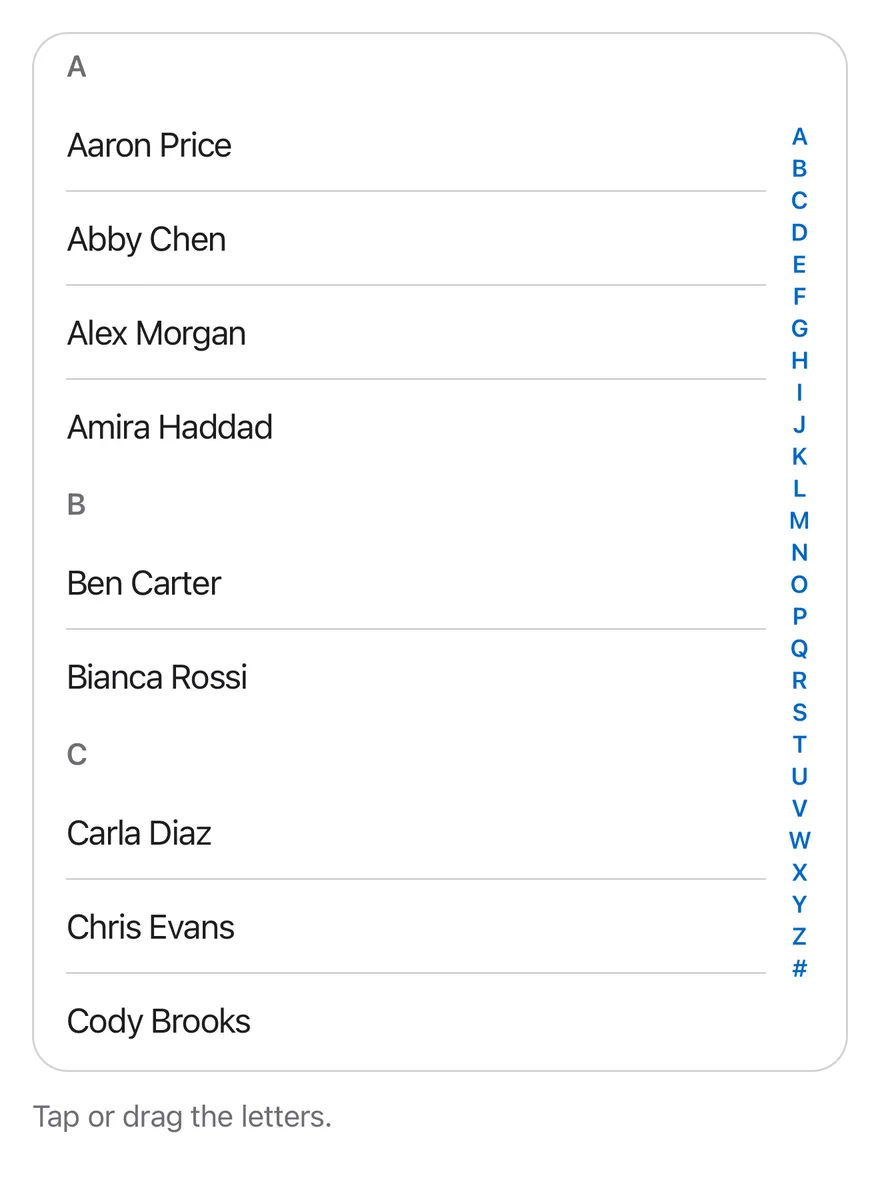
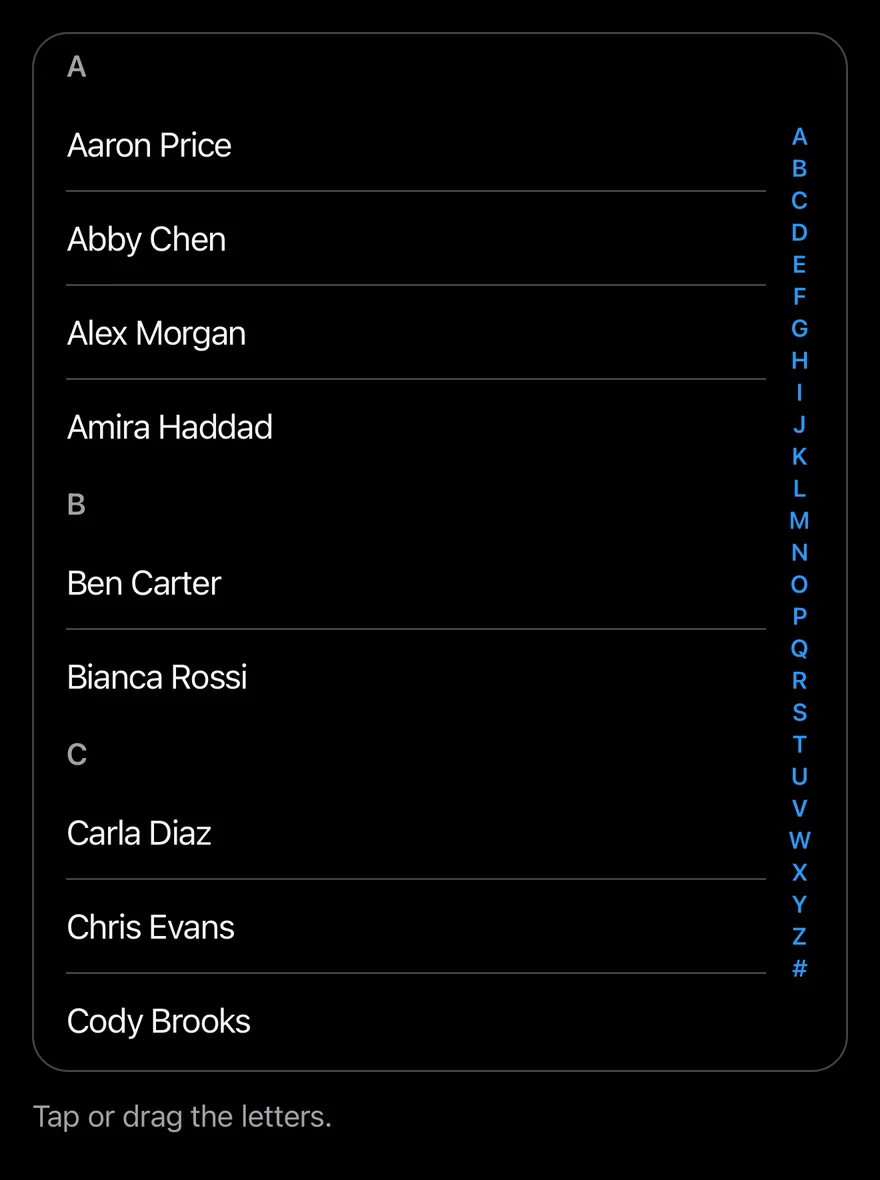
An A to Z bar on the side of a scrolling list that jumps to sections on tap or drag.
Section Index is an open-source mobile interaction from suiss/uim for React Native and Expo, with SwiftUI and Jetpack Compose versions built from the same design tokens. The @esuiss/uim CLI copies its source into your project, so you own the code.
import * as React from "react"
import { Pressable, View } from "react-native"
import { SectionIndex, SectionIndexBar, SectionIndexHeader, SectionIndexScrollView, SectionIndexSection } from "@/components/interactions/section-index"
import { Text } from "@/components/ui/text"

const UPPERCASE = /[A-Z]/

const names = [
  "Aaron Price",
  "Abby Chen",
  "Alex Morgan",
  "Amira Haddad",
  "Ben Carter",
  "Bianca Rossi",
  "Carla Diaz",
  "Chris Evans",
  "Cody Brooks",
  "Dana Scott",
  "Derek Hale",
  "Elena Petrova",
  "Ethan Wright",
  "Fatima Khan",
  "Felix Wagner",
  "Grace Kim",
  "Hana Sato",
  "Henry Ford",
  "Ivy Turner",
  "Jack Miller",
  "Jade Wilson",
  "Jonas Berg",
  "Kai Nakamura",
  "Laura Bell",
  "Leo Martin",
  "Lina Costa",
  "Maya Patel",
  "Mia Novak",
  "Noah Fischer",
  "Nora Lind",
  "Omar Aziz",
  "Paula Silva",
  "Quinn Avery",
  "Rosa Lopez",
  "Ryan Cole",
  "Sara Ahmed",
  "Sofia Greco",
  "Tom Baker",
  "Uma Rao",
  "Victor Hugo",
  "Will Jensen",
  "Yara Nasser",
  "Zoe Adams",
  "8 Ball Club",
]

function groupByLetter() {
  const groups = new Map<string, string[]>()
  for (const name of names) {
    const first = name.charAt(0).toUpperCase()
    const letter = UPPERCASE.test(first) ? first : "#"
    groups.set(letter, [...(groups.get(letter) ?? []), name])
  }
  return [...groups.entries()].sort(([a], [b]) => {
    if (a === "#") return 1
    if (b === "#") return -1
    return a.localeCompare(b)
  })
}

function ContactsExample({ className }: { className: string }) {
  const [log, setLog] = React.useState("Tap or drag the letters.")
  return (
    <View className="gap-3">
      <SectionIndex className={className}>
        <SectionIndexScrollView className="rounded-2xl border border-separator">
          {groupByLetter().map(([letter, group]) => (
            <SectionIndexSection key={letter} value={letter}>
              <SectionIndexHeader>{letter}</SectionIndexHeader>
              {group.map((name, index) => (
                <Pressable
                  key={name}
                  onPress={() => setLog(`Opened ${name}`)}
                  className={`ms-4 me-10 py-3 active:opacity-60 ${index > 0 ? "border-t border-separator" : ""}`}
                >
                  <Text>{name}</Text>
                </Pressable>
              ))}
            </SectionIndexSection>
          ))}
        </SectionIndexScrollView>
        <SectionIndexBar
          onValueChange={(letter) => setLog(`Jumped to ${letter}`)}
        />
      </SectionIndex>
      <Text variant="muted">{log}</Text>
    </View>
  )
}

export function SectionIndexExample() {
  return (
    <ContactsExample className="h-[520px]" />
  )
}import EsuissUI
import SwiftUI
struct SectionIndexExample: View {
var body: some View {
SectionIndexContacts(height: 520)
}
}
let sectionIndexNames = [
"Aaron Price", "Abby Chen", "Alex Morgan", "Amira Haddad", "Ben Carter", "Bianca Rossi",
"Carla Diaz", "Chris Evans", "Cody Brooks", "Dana Scott", "Derek Hale", "Elena Petrova",
"Ethan Wright", "Fatima Khan", "Felix Wagner", "Grace Kim", "Hana Sato", "Henry Ford",
"Ivy Turner", "Jack Miller", "Jade Wilson", "Jonas Berg", "Kai Nakamura", "Laura Bell",
"Leo Martin", "Lina Costa", "Maya Patel", "Mia Novak", "Noah Fischer", "Nora Lind",
"Omar Aziz", "Paula Silva", "Quinn Avery", "Rosa Lopez", "Ryan Cole", "Sara Ahmed",
"Sofia Greco", "Tom Baker", "Uma Rao", "Victor Hugo", "Will Jensen", "Yara Nasser",
"Zoe Adams", "8 Ball Club",
]
let sectionIndexGroups: [(String, [String])] = {
var groups: [String: [String]] = [:]
for name in sectionIndexNames {
let first = name.prefix(1).uppercased()
let letter = first.range(of: "^[A-Z]$", options: .regularExpression) != nil ? first : "#"
groups[letter, default: []].append(name)
}
return groups.sorted { lhs, rhs in
if lhs.key == "#" { return false }
if rhs.key == "#" { return true }
return lhs.key < rhs.key
}
.map { ($0.key, $0.value) }
}()
struct SectionIndexContacts: View {
let height: CGFloat
@State private var log: LocalizedStringKey = "Tap or drag the letters."
var body: some View {
let shape = RoundedRectangle(cornerRadius: Radius.xl2, style: .continuous)
VStack(alignment: .leading, spacing: 12) {
SectionIndex {
ScrollView {
LazyVStack(alignment: .leading, spacing: 0, pinnedViews: .sectionHeaders) {
ForEach(sectionIndexGroups, id: \.0) { entry in
SectionIndexSection(entry.0) {
ForEach(Array(entry.1.enumerated()), id: \.element) { index, name in
Button {
log = "Opened \(name)"
} label: {
Text(verbatim: name)
.textStyle(.base)
.foregroundStyle(Color.label)
.padding(.vertical, 12)
.frame(maxWidth: .infinity, alignment: .leading)
.contentShape(Rectangle())
}
.buttonStyle(SectionIndexRowStyle())
.overlay(alignment: .top) {
if index > 0 {
Color.separator.frame(height: 1)
}
}
.padding(.leading, 16)
.padding(.trailing, 40)
}
}
}
}
}
.clipShape(shape)
.overlay { shape.strokeBorder(Color.separator) }
SectionIndexBar { letter in
log = "Jumped to \(letter)"
}
}
.frame(height: height)
Text(log)
.textVariant(.muted)
}
}
}
struct SectionIndexRowStyle: ButtonStyle {
func makeBody(configuration: Configuration) -> some View {
configuration.label
.opacity(configuration.isPressed ? 0.6 : 1)
}
}import androidx.compose.foundation.background
import androidx.compose.foundation.border
import androidx.compose.foundation.clickable
import androidx.compose.foundation.interaction.MutableInteractionSource
import androidx.compose.foundation.interaction.collectIsPressedAsState
import androidx.compose.foundation.layout.Arrangement
import androidx.compose.foundation.layout.Box
import androidx.compose.foundation.layout.Column
import androidx.compose.foundation.layout.fillMaxWidth
import androidx.compose.foundation.layout.height
import androidx.compose.foundation.layout.padding
import androidx.compose.foundation.shape.RoundedCornerShape
import androidx.compose.runtime.Composable
import androidx.compose.runtime.getValue
import androidx.compose.runtime.mutableStateOf
import androidx.compose.runtime.remember
import androidx.compose.runtime.saveable.rememberSaveable
import androidx.compose.runtime.setValue
import androidx.compose.ui.Modifier
import androidx.compose.ui.draw.alpha
import androidx.compose.ui.draw.clip
import androidx.compose.ui.semantics.Role
import androidx.compose.ui.unit.Dp
import androidx.compose.ui.unit.dp
import com.esuiss.ui.components.Text
import com.esuiss.ui.components.TextVariant
import com.esuiss.ui.interactions.SectionIndex
import com.esuiss.ui.theme.EsuissTheme
import com.esuiss.ui.theme.Radius
@Composable
fun SectionIndexExample() {
SectionIndexContacts(height = 520.dp)
}
val sectionIndexNames = listOf(
"Aaron Price",
"Abby Chen",
"Alex Morgan",
"Amira Haddad",
"Ben Carter",
"Bianca Rossi",
"Carla Diaz",
"Chris Evans",
"Cody Brooks",
"Dana Scott",
"Derek Hale",
"Elena Petrova",
"Ethan Wright",
"Fatima Khan",
"Felix Wagner",
"Grace Kim",
"Hana Sato",
"Henry Ford",
"Ivy Turner",
"Jack Miller",
"Jade Wilson",
"Jonas Berg",
"Kai Nakamura",
"Laura Bell",
"Leo Martin",
"Lina Costa",
"Maya Patel",
"Mia Novak",
"Noah Fischer",
"Nora Lind",
"Omar Aziz",
"Paula Silva",
"Quinn Avery",
"Rosa Lopez",
"Ryan Cole",
"Sara Ahmed",
"Sofia Greco",
"Tom Baker",
"Uma Rao",
"Victor Hugo",
"Will Jensen",
"Yara Nasser",
"Zoe Adams",
"8 Ball Club",
)
val sectionIndexGroups: List<Pair<String, List<String>>> =
sectionIndexNames
.groupBy { name ->
val first = name.first().uppercaseChar()
if (first in 'A'..'Z') first.toString() else "#"
}
.toList()
.sortedWith(compareBy({ it.first == "#" }, { it.first }))
@Composable
fun SectionIndexContacts(height: Dp) {
val colors = EsuissTheme.colors
var log by rememberSaveable { mutableStateOf("Tap or drag the letters.") }
val shape = RoundedCornerShape(Radius.xl2)
Column(verticalArrangement = Arrangement.spacedBy(12.dp)) {
SectionIndex(
modifier = Modifier
.fillMaxWidth()
.height(height)
.clip(shape)
.border(1.dp, colors.separator, shape),
onValueChange = { letter -> log = "Jumped to $letter" },
) {
sectionIndexGroups.forEach { (letter, group) ->
SectionIndexSection(letter) {
items(group.size, key = { group[it] }) { index ->
SectionIndexRow(group[index], divided = index > 0) { log = "Opened ${group[index]}" }
}
}
}
}
Text(log, variant = TextVariant.Muted)
}
}
@Composable
fun SectionIndexRow(name: String, divided: Boolean, onClick: () -> Unit) {
val colors = EsuissTheme.colors
val interaction = remember { MutableInteractionSource() }
val pressed by interaction.collectIsPressedAsState()
Column(
Modifier
.fillMaxWidth()
.padding(start = 16.dp, end = 40.dp)
.clickable(interactionSource = interaction, indication = null, role = Role.Button, onClick = onClick),
) {
if (divided) Box(Modifier.fillMaxWidth().height(1.dp).background(colors.separator))
Text(name, modifier = Modifier.alpha(if (pressed) 0.6f else 1f).padding(vertical = 12.dp))
}
}SectionIndex pairs a scroll view of lettered sections with SectionIndexBar, a column of letters on the end edge. Tapping a letter scrolls to that section; dragging along the bar scrubs through sections and shows the current letter in a large bubble beside the finger.
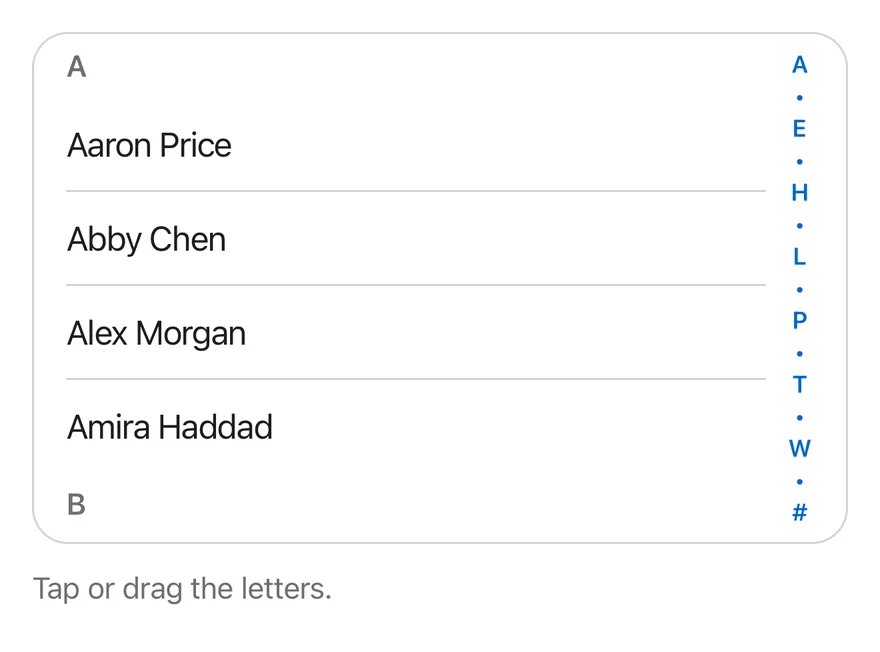
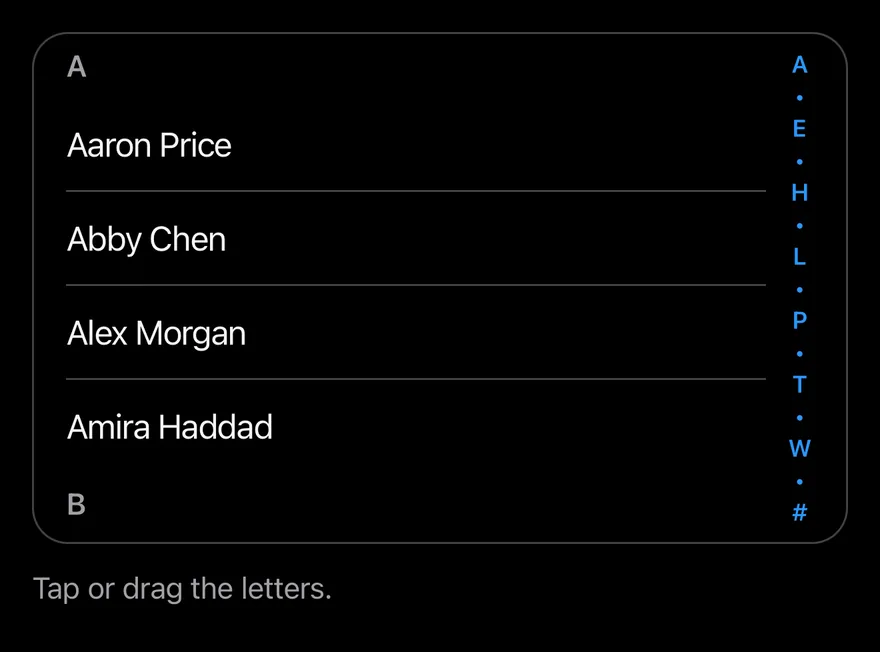
When the bar is too short for every letter, it shows a subset with • between them. Use it for long alphabetical lists such as contacts.
Installation
$ pnpm dlx @esuiss/uim@latest add section-index$ pnpm dlx @esuiss/uim@latest add section-index --platform swift$ pnpm dlx @esuiss/uim@latest add section-index --platform kotlinThe CLI also adds what it builds on: Text.
Manual
- Install the dependencies:
npx expo install cn react-native-reanimated react-native-worklets-
Add the pieces it builds on: Text, and the primitives
components/primitives/section-index.tsx,components/primitives/use-render.tsx. -
Copy the source into
components/interactions/section-index.tsx:
import { cn } from "cn"
import type * as React from "react"
import { View } from "react-native"
import { FadeOut, ReduceMotion, ZoomIn } from "react-native-reanimated"
import * as SectionIndexPrimitive from "@/components/primitives/section-index"
import { resolveClassName } from "@/components/primitives/use-render"
import { AnimatedView } from "@/components/ui/animated-view"
import { Text } from "@/components/ui/text"

function SectionIndex({
  className,
  ...props
}: React.ComponentProps<typeof SectionIndexPrimitive.Root>) {
  return (
    <SectionIndexPrimitive.Root
className={(state) => cn("relative", resolveClassName(className, state))}- Update the import paths to match your project.
- Install the dependencies:
npx expo install cn react-native-reanimated react-native-worklets-
Add the pieces it builds on: Text, and the primitives
components/primitives/section-index.tsx,components/primitives/use-render.tsx. -
Copy the source into
components/interactions/section-index.tsx:
import { cn } from "cn"
import type * as React from "react"
import { View } from "react-native"
import { FadeOut, ReduceMotion, ZoomIn } from "react-native-reanimated"
import * as SectionIndexPrimitive from "@/components/primitives/section-index"
import { resolveClassName } from "@/components/primitives/use-render"
import { AnimatedView } from "@/components/ui/animated-view"
import { Text } from "@/components/ui/text"

function SectionIndex({
  className,
  ...props
}: React.ComponentProps<typeof SectionIndexPrimitive.Root>) {
  return (
    <SectionIndexPrimitive.Root
className={(state) => cn("relative", resolveClassName(className, state))}- Update the import paths to match your project.
- Install the dependencies:
npx expo install react-native-reanimated react-native-worklets-
Add the pieces it builds on: Text, and the primitives
components/primitives/section-index.tsx,components/primitives/use-render.tsx. -
Copy the source into
components/interactions/section-index.tsx:
import type * as React from "react"
import { StyleSheet, View, type ViewStyle } from "react-native"
import { FadeOut, ReduceMotion, ZoomIn } from "react-native-reanimated"
import * as SectionIndexPrimitive from "@/components/primitives/section-index"
import { resolveStyle } from "@/components/primitives/use-render"
import { AnimatedView } from "@/components/ui/animated-view"
import { Text } from "@/components/ui/text"
import { fontSize, radius, shadow, useTheme } from "@/components/ui/theme"

const styles = StyleSheet.create({
  root: { position: "relative" },
  scroll: { flex: 1 },
  header: { paddingHorizontal: 16, paddingVertical: 6 },
  headerText: { ...fontSize.sm, fontWeight: "600" },
  barFrame: {
position: "absolute",- Update the import paths to match your project.
-
Target iOS 17 or later.
-
Add the Swift package to your app:
.package(url: "https://github.com/phosphor-icons/swift", from: "2.1.0")- Copy the theme files every view uses:
import SwiftUI
import UIKit

struct RGBA: Sendable {
  let red: CGFloat
  let green: CGFloat
  let blue: CGFloat
  let alpha: CGFloat

  init(_ hex: UInt32, _ alpha: CGFloat = 1) {
    red = CGFloat((hex >> 16) & 0xFF) / 255
    green = CGFloat((hex >> 8) & 0xFF) / 255
    blue = CGFloat(hex & 0xFF) / 255
    self.alpha = alpha
}import SwiftUI
extension Color {
public static let surface = Color.adaptive(light: .init(0xFFFFFF), dark: .init(0x000000))
public static let surfaceSecondary = Color.adaptive(light: .init(0xF5F5F7), dark: .init(0x161617))
public static let surfaceTertiary = Color.adaptive(light: .init(0xE8E8ED), dark: .init(0x2C2C2E))
public static let surfaceRaised = Color.adaptive(light: .init(0xFFFFFF), dark: .init(0x1D1D1F))
public static let label = Color.adaptive(light: .init(0x1D1D1F), dark: .init(0xF5F5F7))
public static let labelSecondary = Color.adaptive(light: .init(0x6E6E73), dark: .init(0xA1A1A6))
public static let labelTertiary = Color.adaptive(light: .init(0x86868B), dark: .init(0x86868B))
public static let labelQuaternary = Color.adaptive(light: .init(0xD2D2D7), dark: .init(0x424245))
public static let control = Color.adaptive(light: .init(0x000000, 0.04), dark: .init(0xFFFFFF, 0.1))
public static let controlPressed = Color.adaptive(light: .init(0x000000, 0.12), dark: .init(0xFFFFFF, 0.22))
public static let controlSelected = Color.adaptive(light: .init(0x1D1D1F), dark: .init(0xF5F5F7))
public static let controlDisabled = Color.adaptive(light: .init(0x000000, 0.03), dark: .init(0xFFFFFF, 0.05))
public static let onControlSelected = Color.adaptive(light: .init(0xFFFFFF), dark: .init(0x000000))- Copy the source and every file it uses:
import SwiftUI

struct SectionIndexItem: Equatable, Sendable {
  let key: String
  let label: String
}

enum SectionIndexMath {
  static let letters = "ABCDEFGHIJKLMNOPQRSTUVWXYZ".map(String.init) + ["#"]
  static let rowHeight: CGFloat = 16

  static func capacity(height: CGFloat) -> Int {
    max(0, Int(((height - rowHeight) / rowHeight).rounded(.down)))
  }

static func displayItems(_ letters: [String], capacity: Int) -> [SectionIndexItem] {import SwiftUI
public struct VariantButtonStyle: ButtonStyle {
public enum Variant: CaseIterable, Sendable {
case `default`, outline, secondary, tinted, ghost, plain, destructive, link
}
public enum Size: CaseIterable, Sendable {
case `default`, xs, sm, lg, xl, icon, iconXs, iconSm, iconLg, iconXl
var height: CGFloat {
switch self {
case .xs, .iconXs: 24
case .sm, .iconSm: 32
case .default, .icon: 36
case .lg, .iconLg: 44import SwiftUI
extension EnvironmentValues {
@Entry var buttonGroup: Axis? = nil
@Entry var buttonGroupSize: CGSize = .zero
}
enum ButtonGroupSpace: Hashable {
case group
}
struct ButtonGroupFrame {
let bounds: Anchor<CGRect>
let outlined: Bool
}import PhosphorSwift
import SwiftUI
extension Shadow {
static let control = Shadow(color: .black.opacity(0.08), radius: 0.5, y: 0.5)
static let thumb = Shadow(color: .black.opacity(0.12), radius: 1.5, y: 1)
}
struct SelectionIndicator<Mark: View>: View {
let checked: Bool
let pressed: Bool
let cornerRadius: CGFloat
let mark: Mark
@Environment(\.isEnabled) private var isEnabled
@Environment(\.isInvalid) private var invalidimport SwiftUI
extension EnvironmentValues {
@Entry public var isInvalid = false
@Entry var fieldInset = false
@Entry var fieldGroupInset = false
@Entry var fieldSetInset = false
}
extension View {
public func invalid(_ isInvalid: Bool = true) -> some View {
environment(\.isInvalid, isInvalid)
}
}
public enum FieldOrientation: CaseIterable, Sendable {import SwiftUI
extension EnvironmentValues {
@Entry public var hapticsEnabled = true
}
extension View {
public func haptics(_ enabled: Bool) -> some View {
environment(\.hapticsEnabled, enabled)
}
func hapticFeedback<Trigger: Equatable>(_ feedback: SensoryFeedback, trigger: Trigger) -> some View {
modifier(HapticFeedbackModifier(feedback: feedback, trigger: trigger) { _, _ in true })
}
func hapticFeedback<Trigger: Equatable>(import PhosphorSwift
import SwiftUI
extension EnvironmentValues {
@Entry var headerProgress: CGFloat?
@Entry var headerReport: ((CGFloat) -> Void)?
}
enum HeaderMath {
static func progress(minY: CGFloat, height: CGFloat) -> CGFloat {
guard height > 0 else { return 0 }
return min(max(-minY / height, 0), 1)
}
}
public struct Header<Title: View, Leading: View, Trailing: View>: View {import SwiftUI
import UIKit
public struct KeyboardScrollView<Content: View>: View {
let showsIndicators: Bool
let content: Content
public init(showsIndicators: Bool = true, @ViewBuilder content: () -> Content) {
self.showsIndicators = showsIndicators
self.content = content()
}
public var body: some View {
ScrollView(.vertical, showsIndicators: showsIndicators) {
content
.frame(maxWidth: .infinity, alignment: .topLeading)import SwiftUI
extension EnvironmentValues {
@Entry var screenBackground: Color = .surface
}
public struct Screen<Content: View>: View {
public enum Background: CaseIterable, Sendable {
case surface, surfaceSecondary
var color: Color {
switch self {
case .surface: .surface
case .surfaceSecondary: .surfaceSecondary
}
}import SwiftUI
public struct Separator: View {
let orientation: Axis
public init(_ orientation: Axis = .horizontal) {
self.orientation = orientation
}
public var body: some View {
Rectangle()
.fill(Color.separator)
.frame(width: orientation == .vertical ? 1 : nil, height: orientation == .horizontal ? 1 : nil)
.frame(maxWidth: orientation == .horizontal ? .infinity : nil, maxHeight: orientation == .vertical ? .infinity : nil)
.accessibilityHidden(true)
}import SwiftUI
public enum TextVariant: CaseIterable, Sendable {
case `default`, h1, h2, h3, h4, p, blockquote, code, lead, large, small, muted
var style: TextStyle {
switch self {
case .h1: .xl3
case .h2: .xl2
case .h3: .xl
case .h4, .lead, .large: .lg
case .code, .small, .muted: .sm
default: .base
}
}- Add the files to your app target.
- Set
minSdkto 24 or higher and add the dependencies:
implementation(platform("androidx.compose:compose-bom:2026.09.00"))
implementation("androidx.compose.foundation:foundation")
implementation("androidx.compose.ui:ui")- Copy the theme files every view uses:
package com.esuiss.ui.theme

import androidx.compose.foundation.isSystemInDarkTheme
import androidx.compose.runtime.Composable
import androidx.compose.runtime.CompositionLocalProvider
import androidx.compose.runtime.Immutable
import androidx.compose.runtime.staticCompositionLocalOf
import androidx.compose.ui.Modifier
import androidx.compose.ui.draw.dropShadow
import androidx.compose.ui.graphics.Color
import androidx.compose.ui.graphics.Shape
import androidx.compose.ui.graphics.shadow.Shadow as DropShadow
import androidx.compose.ui.text.TextStyle
import androidx.compose.ui.text.style.LineHeightStyle
import androidx.compose.ui.unit.Dp
import androidx.compose.ui.unit.DpOffsetpackage com.esuiss.ui.theme
import androidx.compose.runtime.Immutable
import androidx.compose.ui.graphics.Color
import androidx.compose.ui.unit.dp
@Immutable
data class Colors(
val surface: Color,
val surfaceSecondary: Color,
val surfaceTertiary: Color,
val surfaceRaised: Color,
val label: Color,
val labelSecondary: Color,
val labelTertiary: Color,
val labelQuaternary: Color,- Copy the source and every file it uses:
package com.esuiss.ui.interactions

import androidx.compose.animation.AnimatedVisibility
import androidx.compose.animation.core.tween
import androidx.compose.animation.fadeIn
import androidx.compose.animation.fadeOut
import androidx.compose.animation.scaleIn
import androidx.compose.animation.scaleOut
import androidx.compose.foundation.background
import androidx.compose.foundation.border
import androidx.compose.foundation.gestures.awaitEachGesture
import androidx.compose.foundation.gestures.awaitFirstDown
import androidx.compose.foundation.layout.Box
import androidx.compose.foundation.layout.BoxWithConstraints
import androidx.compose.foundation.layout.Column
import androidx.compose.foundation.layout.PaddingValuespackage com.esuiss.ui.components
import androidx.compose.runtime.Composable
import androidx.compose.runtime.CompositionLocalProvider
import androidx.compose.runtime.remember
import androidx.compose.runtime.staticCompositionLocalOf
import androidx.compose.ui.hapticfeedback.HapticFeedback
import androidx.compose.ui.hapticfeedback.HapticFeedbackType
import androidx.compose.ui.platform.LocalHapticFeedback
val LocalHapticsEnabled = staticCompositionLocalOf { true }
@Composable
fun ProvideHaptics(enabled: Boolean, content: @Composable () -> Unit) {
CompositionLocalProvider(LocalHapticsEnabled provides enabled, content = content)
}- Update the
com.esuiss.uipackage names to match your project.
Usage
import { SectionIndex, SectionIndexScrollView, SectionIndexSection, SectionIndexHeader, SectionIndexBar } from "@/components/interactions/section-index"<ContactsExample className="h-[520px]" />Put a SectionIndexScrollView and a SectionIndexBar inside SectionIndex. Wrap each group in a SectionIndexSection with its letter as value, and start it with a SectionIndexHeader.
The bar shows A to Z and # by default; pass letters to match your sections. onValueChange is called with the letter when the user jumps.
Examples
Compact
A short list where the bar collapses letters into dots.
import * as React from "react"
import { Pressable, View } from "react-native"
import { SectionIndex, SectionIndexBar, SectionIndexHeader, SectionIndexScrollView, SectionIndexSection } from "@/components/interactions/section-index"
import { Text } from "@/components/ui/text"

const UPPERCASE = /[A-Z]/

const names = [
  "Aaron Price",
  "Abby Chen",
  "Alex Morgan",
  "Amira Haddad",
  "Ben Carter",
  "Bianca Rossi",
  "Carla Diaz",
  "Chris Evans",
  "Cody Brooks",
  "Dana Scott",
  "Derek Hale",
  "Elena Petrova",
  "Ethan Wright",
  "Fatima Khan",
  "Felix Wagner",
  "Grace Kim",
  "Hana Sato",
  "Henry Ford",
  "Ivy Turner",
  "Jack Miller",
  "Jade Wilson",
  "Jonas Berg",
  "Kai Nakamura",
  "Laura Bell",
  "Leo Martin",
  "Lina Costa",
  "Maya Patel",
  "Mia Novak",
  "Noah Fischer",
  "Nora Lind",
  "Omar Aziz",
  "Paula Silva",
  "Quinn Avery",
  "Rosa Lopez",
  "Ryan Cole",
  "Sara Ahmed",
  "Sofia Greco",
  "Tom Baker",
  "Uma Rao",
  "Victor Hugo",
  "Will Jensen",
  "Yara Nasser",
  "Zoe Adams",
  "8 Ball Club",
]

function groupByLetter() {
  const groups = new Map<string, string[]>()
  for (const name of names) {
    const first = name.charAt(0).toUpperCase()
    const letter = UPPERCASE.test(first) ? first : "#"
    groups.set(letter, [...(groups.get(letter) ?? []), name])
  }
  return [...groups.entries()].sort(([a], [b]) => {
    if (a === "#") return 1
    if (b === "#") return -1
    return a.localeCompare(b)
  })
}

function ContactsExample({ className }: { className: string }) {
  const [log, setLog] = React.useState("Tap or drag the letters.")
  return (
    <View className="gap-3">
      <SectionIndex className={className}>
        <SectionIndexScrollView className="rounded-2xl border border-separator">
          {groupByLetter().map(([letter, group]) => (
            <SectionIndexSection key={letter} value={letter}>
              <SectionIndexHeader>{letter}</SectionIndexHeader>
              {group.map((name, index) => (
                <Pressable
                  key={name}
                  onPress={() => setLog(`Opened ${name}`)}
                  className={`ms-4 me-10 py-3 active:opacity-60 ${index > 0 ? "border-t border-separator" : ""}`}
                >
                  <Text>{name}</Text>
                </Pressable>
              ))}
            </SectionIndexSection>
          ))}
        </SectionIndexScrollView>
        <SectionIndexBar
          onValueChange={(letter) => setLog(`Jumped to ${letter}`)}
        />
      </SectionIndex>
      <Text variant="muted">{log}</Text>
    </View>
  )
}

export function SectionIndexCompactExample() {
  return (
    <ContactsExample className="h-64" />
  )
}import EsuissUI
import SwiftUI
struct SectionIndexCompactExample: View {
var body: some View {
SectionIndexContacts(height: 256)
}
}
let sectionIndexNames = [
"Aaron Price", "Abby Chen", "Alex Morgan", "Amira Haddad", "Ben Carter", "Bianca Rossi",
"Carla Diaz", "Chris Evans", "Cody Brooks", "Dana Scott", "Derek Hale", "Elena Petrova",
"Ethan Wright", "Fatima Khan", "Felix Wagner", "Grace Kim", "Hana Sato", "Henry Ford",
"Ivy Turner", "Jack Miller", "Jade Wilson", "Jonas Berg", "Kai Nakamura", "Laura Bell",
"Leo Martin", "Lina Costa", "Maya Patel", "Mia Novak", "Noah Fischer", "Nora Lind",
"Omar Aziz", "Paula Silva", "Quinn Avery", "Rosa Lopez", "Ryan Cole", "Sara Ahmed",
"Sofia Greco", "Tom Baker", "Uma Rao", "Victor Hugo", "Will Jensen", "Yara Nasser",
"Zoe Adams", "8 Ball Club",
]
let sectionIndexGroups: [(String, [String])] = {
var groups: [String: [String]] = [:]
for name in sectionIndexNames {
let first = name.prefix(1).uppercased()
let letter = first.range(of: "^[A-Z]$", options: .regularExpression) != nil ? first : "#"
groups[letter, default: []].append(name)
}
return groups.sorted { lhs, rhs in
if lhs.key == "#" { return false }
if rhs.key == "#" { return true }
return lhs.key < rhs.key
}
.map { ($0.key, $0.value) }
}()
struct SectionIndexContacts: View {
let height: CGFloat
@State private var log: LocalizedStringKey = "Tap or drag the letters."
var body: some View {
let shape = RoundedRectangle(cornerRadius: Radius.xl2, style: .continuous)
VStack(alignment: .leading, spacing: 12) {
SectionIndex {
ScrollView {
LazyVStack(alignment: .leading, spacing: 0, pinnedViews: .sectionHeaders) {
ForEach(sectionIndexGroups, id: \.0) { entry in
SectionIndexSection(entry.0) {
ForEach(Array(entry.1.enumerated()), id: \.element) { index, name in
Button {
log = "Opened \(name)"
} label: {
Text(verbatim: name)
.textStyle(.base)
.foregroundStyle(Color.label)
.padding(.vertical, 12)
.frame(maxWidth: .infinity, alignment: .leading)
.contentShape(Rectangle())
}
.buttonStyle(SectionIndexRowStyle())
.overlay(alignment: .top) {
if index > 0 {
Color.separator.frame(height: 1)
}
}
.padding(.leading, 16)
.padding(.trailing, 40)
}
}
}
}
}
.clipShape(shape)
.overlay { shape.strokeBorder(Color.separator) }
SectionIndexBar { letter in
log = "Jumped to \(letter)"
}
}
.frame(height: height)
Text(log)
.textVariant(.muted)
}
}
}
struct SectionIndexRowStyle: ButtonStyle {
func makeBody(configuration: Configuration) -> some View {
configuration.label
.opacity(configuration.isPressed ? 0.6 : 1)
}
}import androidx.compose.foundation.background
import androidx.compose.foundation.border
import androidx.compose.foundation.clickable
import androidx.compose.foundation.interaction.MutableInteractionSource
import androidx.compose.foundation.interaction.collectIsPressedAsState
import androidx.compose.foundation.layout.Arrangement
import androidx.compose.foundation.layout.Box
import androidx.compose.foundation.layout.Column
import androidx.compose.foundation.layout.fillMaxWidth
import androidx.compose.foundation.layout.height
import androidx.compose.foundation.layout.padding
import androidx.compose.foundation.shape.RoundedCornerShape
import androidx.compose.runtime.Composable
import androidx.compose.runtime.getValue
import androidx.compose.runtime.mutableStateOf
import androidx.compose.runtime.remember
import androidx.compose.runtime.saveable.rememberSaveable
import androidx.compose.runtime.setValue
import androidx.compose.ui.Modifier
import androidx.compose.ui.draw.alpha
import androidx.compose.ui.draw.clip
import androidx.compose.ui.semantics.Role
import androidx.compose.ui.unit.Dp
import androidx.compose.ui.unit.dp
import com.esuiss.ui.components.Text
import com.esuiss.ui.components.TextVariant
import com.esuiss.ui.interactions.SectionIndex
import com.esuiss.ui.theme.EsuissTheme
import com.esuiss.ui.theme.Radius
@Composable
fun SectionIndexCompactExample() {
SectionIndexContacts(height = 256.dp)
}
val sectionIndexNames = listOf(
"Aaron Price",
"Abby Chen",
"Alex Morgan",
"Amira Haddad",
"Ben Carter",
"Bianca Rossi",
"Carla Diaz",
"Chris Evans",
"Cody Brooks",
"Dana Scott",
"Derek Hale",
"Elena Petrova",
"Ethan Wright",
"Fatima Khan",
"Felix Wagner",
"Grace Kim",
"Hana Sato",
"Henry Ford",
"Ivy Turner",
"Jack Miller",
"Jade Wilson",
"Jonas Berg",
"Kai Nakamura",
"Laura Bell",
"Leo Martin",
"Lina Costa",
"Maya Patel",
"Mia Novak",
"Noah Fischer",
"Nora Lind",
"Omar Aziz",
"Paula Silva",
"Quinn Avery",
"Rosa Lopez",
"Ryan Cole",
"Sara Ahmed",
"Sofia Greco",
"Tom Baker",
"Uma Rao",
"Victor Hugo",
"Will Jensen",
"Yara Nasser",
"Zoe Adams",
"8 Ball Club",
)
val sectionIndexGroups: List<Pair<String, List<String>>> =
sectionIndexNames
.groupBy { name ->
val first = name.first().uppercaseChar()
if (first in 'A'..'Z') first.toString() else "#"
}
.toList()
.sortedWith(compareBy({ it.first == "#" }, { it.first }))
@Composable
fun SectionIndexContacts(height: Dp) {
val colors = EsuissTheme.colors
var log by rememberSaveable { mutableStateOf("Tap or drag the letters.") }
val shape = RoundedCornerShape(Radius.xl2)
Column(verticalArrangement = Arrangement.spacedBy(12.dp)) {
SectionIndex(
modifier = Modifier
.fillMaxWidth()
.height(height)
.clip(shape)
.border(1.dp, colors.separator, shape),
onValueChange = { letter -> log = "Jumped to $letter" },
) {
sectionIndexGroups.forEach { (letter, group) ->
SectionIndexSection(letter) {
items(group.size, key = { group[it] }) { index ->
SectionIndexRow(group[index], divided = index > 0) { log = "Opened ${group[index]}" }
}
}
}
}
Text(log, variant = TextVariant.Muted)
}
}
@Composable
fun SectionIndexRow(name: String, divided: Boolean, onClick: () -> Unit) {
val colors = EsuissTheme.colors
val interaction = remember { MutableInteractionSource() }
val pressed by interaction.collectIsPressedAsState()
Column(
Modifier
.fillMaxWidth()
.padding(start = 16.dp, end = 40.dp)
.clickable(interactionSource = interaction, indication = null, role = Role.Button, onClick = onClick),
) {
if (divided) Box(Modifier.fillMaxWidth().height(1.dp).background(colors.separator))
Text(name, modifier = Modifier.alpha(if (pressed) 0.6f else 1f).padding(vertical = 12.dp))
}
}API Reference
SectionIndex
The root that tracks section positions.
React.ComponentProps<typeof SectionIndexPrimitive.Root>SectionIndexScrollView
The scroll view that holds the sections.
React.ComponentProps<typeof SectionIndexPrimitive.ScrollView>SectionIndexSection
One section, registered by its value.
React.ComponentProps<typeof SectionIndexPrimitive.Section>SectionIndexHeader
A section heading; string children are styled.
React.ComponentProps<typeof View>SectionIndexBar
The letter bar with the drag bubble.
React.ComponentProps<typeof SectionIndexPrimitive.Bar>Accessibility
- The bar is
adjustable: swiping up or down with a screen reader moves to the previous or next section, and the current letter is announced as its value. SectionIndexHeaderhas theheadingrole.
Notes
- A selection haptic plays on each letter change from touch, if the app provides an adapter through
HapticsProvider. - Letters use
text-link; the bubble usesbg-surface-raised. - The bubble animation respects the system reduce motion setting.