suiss/uim · Interaction
Pull To Refresh
Adds pull to refresh to a scroll view or list, with a minimum spinner time and a light haptic.
Pull To Refresh is an open-source mobile interaction from suiss/uim for React Native and Expo, with SwiftUI and Jetpack Compose versions built from the same design tokens. The @esuiss/uim CLI copies its source into your project, so you own the code.
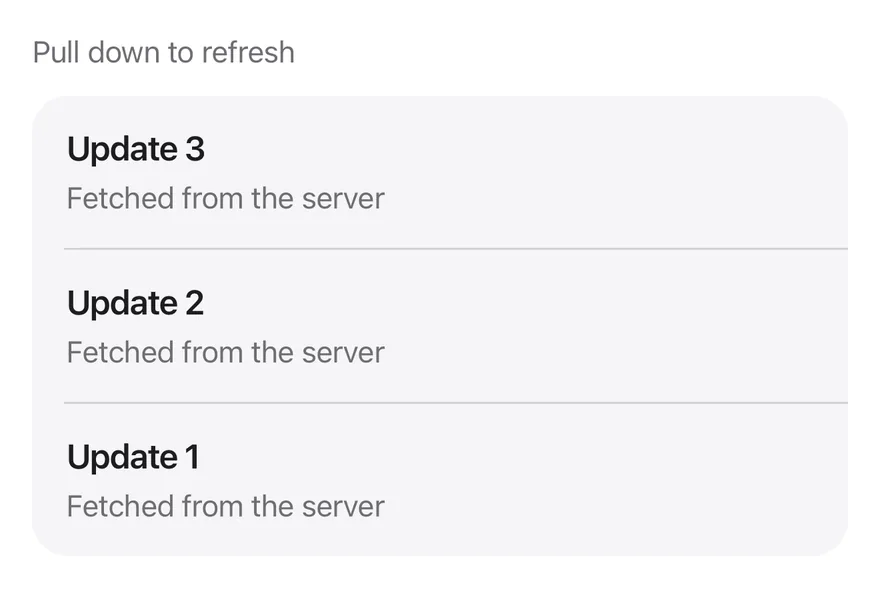
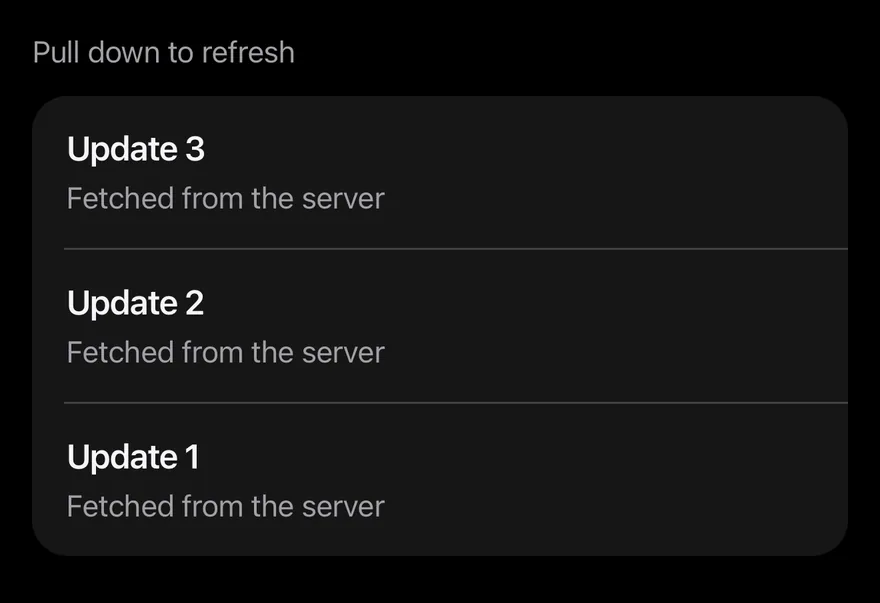
import * as React from "react"
import { View } from "react-native"
import { PullToRefresh } from "@/components/interactions/pull-to-refresh"
import { Item, ItemContent, ItemDescription, ItemGroup, ItemSeparator, ItemTitle } from "@/components/ui/item"
import { Text } from "@/components/ui/text"

const wait = (ms: number) => new Promise((resolve) => setTimeout(resolve, ms))

function Feed() {
  const [count, setCount] = React.useState(3)
  return (
    <PullToRefresh
      onRefresh={async () => {
        await wait(1200)
        setCount((current) => current + 1)
      }}
      contentContainerClassName="gap-3"
    >
      <Text className="text-sm text-label-secondary">Pull down to refresh</Text>
      <ItemGroup variant="inset">
        {Array.from({ length: count }, (_, index) => count - index).map(
          (update, index) => (
            <React.Fragment key={update}>
              {index > 0 ? <ItemSeparator /> : null}
              <Item>
                <ItemContent>
                  <ItemTitle>Update {update}</ItemTitle>
                  <ItemDescription>Fetched from the server</ItemDescription>
                </ItemContent>
              </Item>
            </React.Fragment>
          )
        )}
      </ItemGroup>
    </PullToRefresh>
  )
}

export function PullToRefreshExample() {
  return (
    <View className="flex-1">
      <Feed />
    </View>
  )
}import EsuissUI
import SwiftUI
struct PullToRefreshFeed: View {
@State private var count = 3
var body: some View {
PullToRefresh {
try? await Task.sleep(for: .milliseconds(1200))
count += 1
} content: {
VStack(alignment: .leading, spacing: 12) {
Text("Pull down to refresh")
.textStyle(.sm)
.foregroundStyle(Color.labelSecondary)
ItemGroup(.inset) {
ForEach(Array((1...count).reversed()), id: \.self) { update in
if update != count {
ItemSeparator()
}
Item {
ItemContent {
ItemTitle(verbatim: "Update \(update)")
ItemDescription("Fetched from the server")
}
}
}
}
}
}
}
}import androidx.compose.foundation.layout.Arrangement
import androidx.compose.foundation.layout.Column
import androidx.compose.foundation.layout.fillMaxSize
import androidx.compose.foundation.layout.fillMaxWidth
import androidx.compose.foundation.layout.height
import androidx.compose.foundation.rememberScrollState
import androidx.compose.foundation.verticalScroll
import androidx.compose.runtime.Composable
import androidx.compose.runtime.getValue
import androidx.compose.runtime.key
import androidx.compose.runtime.mutableIntStateOf
import androidx.compose.runtime.saveable.rememberSaveable
import androidx.compose.runtime.setValue
import androidx.compose.ui.Modifier
import androidx.compose.ui.unit.dp
import com.esuiss.ui.components.Item
import com.esuiss.ui.components.ItemContent
import com.esuiss.ui.components.ItemDescription
import com.esuiss.ui.components.ItemGroup
import com.esuiss.ui.components.ItemGroupVariant
import com.esuiss.ui.components.ItemSeparator
import com.esuiss.ui.components.ItemTitle
import com.esuiss.ui.components.Text
import com.esuiss.ui.interactions.PullToRefresh
import com.esuiss.ui.theme.EsuissTheme
import com.esuiss.ui.theme.Typography
import kotlinx.coroutines.delay
val pullToRefreshViewport = Modifier.fillMaxWidth().height(600.dp)
@Composable
fun PullToRefreshFeed() {
var count by rememberSaveable { mutableIntStateOf(3) }
PullToRefresh(
onRefresh = {
delay(1200)
count += 1
},
modifier = pullToRefreshViewport,
) {
Column(
modifier = Modifier.fillMaxSize().verticalScroll(rememberScrollState()),
verticalArrangement = Arrangement.spacedBy(12.dp),
) {
Text("Pull down to refresh", style = Typography.sm.copy(color = EsuissTheme.colors.labelSecondary))
ItemGroup(variant = ItemGroupVariant.Inset) {
(count downTo 1).forEachIndexed { index, update ->
key(update) {
if (index > 0) ItemSeparator()
Item {
ItemContent {
ItemTitle("Update $update")
ItemDescription("Fetched from the server")
}
}
}
}
}
}
}
}PullToRefresh is a ScrollView with a native RefreshControl. Pulling down past the top starts a refresh: a light impact haptic plays, the spinner shows, and onRefresh runs.
The spinner stays for at least 600 ms, even when onRefresh resolves sooner, so it does not flicker. It also hides if onRefresh throws or rejects. Use PullToRefreshControl to add the same behavior to a FlatList or SectionList.
Installation
$ pnpm dlx @esuiss/uim@latest add pull-to-refresh$ pnpm dlx @esuiss/uim@latest add pull-to-refresh --platform swift$ pnpm dlx @esuiss/uim@latest add pull-to-refresh --platform kotlinManual
- Install the dependencies:
npx expo install cn uniwind-
Add the pieces it builds on: the primitives
components/primitives/haptics.tsx. -
Copy the source into
components/interactions/pull-to-refresh.tsx:
import { cn } from "cn"
import * as React from "react"
import {
  type ColorValue,
  RefreshControl,
  type RefreshControlProps,
  ScrollView,
} from "react-native"
import { withUniwind } from "uniwind"
import { useHaptics } from "@/components/primitives/haptics"

const MIN_REFRESH = 600

type RefreshHandler = () => Promise<unknown> | unknown

function useRefresh(onRefresh: RefreshHandler) {- Update the import paths to match your project.
- Install the dependencies:
npx expo install cn nativewind-
Add the pieces it builds on: the primitives
components/primitives/haptics.tsx. -
Copy the source into
components/interactions/pull-to-refresh.tsx:
import { cn } from "cn"
import { cssInterop } from "nativewind"
import * as React from "react"
import {
  type ColorValue,
  RefreshControl,
  type RefreshControlProps,
  ScrollView,
} from "react-native"
import { useHaptics } from "@/components/primitives/haptics"

const MIN_REFRESH = 600

type RefreshHandler = () => Promise<unknown> | unknown

function useRefresh(onRefresh: RefreshHandler) {- Update the import paths to match your project.
-
Add the pieces it builds on: the primitives
components/primitives/haptics.tsx. -
Copy the source into
components/interactions/pull-to-refresh.tsx:
import * as React from "react"
import {
  RefreshControl,
  type RefreshControlProps,
  ScrollView,
} from "react-native"
import { useHaptics } from "@/components/primitives/haptics"
import { useTheme } from "@/components/ui/theme"

const MIN_REFRESH = 600

type RefreshHandler = () => Promise<unknown> | unknown

function useRefresh(onRefresh: RefreshHandler) {
  const [refreshing, setRefreshing] = React.useState(false)
const onRefreshRef = React.useRef(onRefresh)- Update the import paths to match your project.
-
Target iOS 17 or later.
-
Copy the theme files every view uses:
import SwiftUI
import UIKit

struct RGBA: Sendable {
  let red: CGFloat
  let green: CGFloat
  let blue: CGFloat
  let alpha: CGFloat

  init(_ hex: UInt32, _ alpha: CGFloat = 1) {
    red = CGFloat((hex >> 16) & 0xFF) / 255
    green = CGFloat((hex >> 8) & 0xFF) / 255
    blue = CGFloat(hex & 0xFF) / 255
    self.alpha = alpha
}import SwiftUI
extension Color {
public static let surface = Color.adaptive(light: .init(0xFFFFFF), dark: .init(0x000000))
public static let surfaceSecondary = Color.adaptive(light: .init(0xF5F5F7), dark: .init(0x161617))
public static let surfaceTertiary = Color.adaptive(light: .init(0xE8E8ED), dark: .init(0x2C2C2E))
public static let surfaceRaised = Color.adaptive(light: .init(0xFFFFFF), dark: .init(0x1D1D1F))
public static let label = Color.adaptive(light: .init(0x1D1D1F), dark: .init(0xF5F5F7))
public static let labelSecondary = Color.adaptive(light: .init(0x6E6E73), dark: .init(0xA1A1A6))
public static let labelTertiary = Color.adaptive(light: .init(0x86868B), dark: .init(0x86868B))
public static let labelQuaternary = Color.adaptive(light: .init(0xD2D2D7), dark: .init(0x424245))
public static let control = Color.adaptive(light: .init(0x000000, 0.04), dark: .init(0xFFFFFF, 0.1))
public static let controlPressed = Color.adaptive(light: .init(0x000000, 0.12), dark: .init(0xFFFFFF, 0.22))
public static let controlSelected = Color.adaptive(light: .init(0x1D1D1F), dark: .init(0xF5F5F7))
public static let controlDisabled = Color.adaptive(light: .init(0x000000, 0.03), dark: .init(0xFFFFFF, 0.05))
public static let onControlSelected = Color.adaptive(light: .init(0xFFFFFF), dark: .init(0x000000))- Copy the source and every file it uses:
import SwiftUI

public struct PullToRefresh<Content: View>: View {
  let onRefresh: @MainActor @Sendable () async -> Void
  let content: Content

  @State private var refreshing = false

  public init(
    onRefresh: @escaping @MainActor @Sendable () async -> Void,
    @ViewBuilder content: () -> Content
  ) {
    self.onRefresh = onRefresh
    self.content = content()
}import SwiftUI
extension EnvironmentValues {
@Entry public var hapticsEnabled = true
}
extension View {
public func haptics(_ enabled: Bool) -> some View {
environment(\.hapticsEnabled, enabled)
}
func hapticFeedback<Trigger: Equatable>(_ feedback: SensoryFeedback, trigger: Trigger) -> some View {
modifier(HapticFeedbackModifier(feedback: feedback, trigger: trigger) { _, _ in true })
}
func hapticFeedback<Trigger: Equatable>(- Add the files to your app target.
- Set
minSdkto 24 or higher and add the dependencies:
implementation(platform("androidx.compose:compose-bom:2026.09.00"))
implementation("androidx.compose.foundation:foundation")
implementation("androidx.compose.ui:ui")- Copy the theme files every view uses:
package com.esuiss.ui.theme

import androidx.compose.foundation.isSystemInDarkTheme
import androidx.compose.runtime.Composable
import androidx.compose.runtime.CompositionLocalProvider
import androidx.compose.runtime.Immutable
import androidx.compose.runtime.staticCompositionLocalOf
import androidx.compose.ui.Modifier
import androidx.compose.ui.draw.dropShadow
import androidx.compose.ui.graphics.Color
import androidx.compose.ui.graphics.Shape
import androidx.compose.ui.graphics.shadow.Shadow as DropShadow
import androidx.compose.ui.text.TextStyle
import androidx.compose.ui.text.style.LineHeightStyle
import androidx.compose.ui.unit.Dp
import androidx.compose.ui.unit.DpOffsetpackage com.esuiss.ui.theme
import androidx.compose.runtime.Immutable
import androidx.compose.ui.graphics.Color
import androidx.compose.ui.unit.dp
@Immutable
data class Colors(
val surface: Color,
val surfaceSecondary: Color,
val surfaceTertiary: Color,
val surfaceRaised: Color,
val label: Color,
val labelSecondary: Color,
val labelTertiary: Color,
val labelQuaternary: Color,- Copy the source and every file it uses:
package com.esuiss.ui.interactions

import androidx.compose.animation.core.animate
import androidx.compose.animation.core.animateFloatAsState
import androidx.compose.animation.core.tween
import androidx.compose.foundation.Canvas
import androidx.compose.foundation.layout.Box
import androidx.compose.foundation.layout.fillMaxWidth
import androidx.compose.foundation.layout.offset
import androidx.compose.foundation.layout.size
import androidx.compose.runtime.Composable
import androidx.compose.runtime.LaunchedEffect
import androidx.compose.runtime.getValue
import androidx.compose.runtime.mutableFloatStateOf
import androidx.compose.runtime.mutableStateOf
import androidx.compose.runtime.rememberpackage com.esuiss.ui.components
import androidx.compose.runtime.compositionLocalOf
import androidx.compose.ui.graphics.Color
import androidx.compose.ui.text.TextStyle
import androidx.compose.ui.unit.Dp
import androidx.compose.ui.unit.dp
val LocalContentStyle = compositionLocalOf { TextStyle.Default }
val LocalContentColor = compositionLocalOf { Color.Unspecified }
val LocalIconSize = compositionLocalOf { 20.dp }package com.esuiss.ui.components
import android.provider.Settings
import androidx.compose.animation.core.CubicBezierEasing
import androidx.compose.foundation.background
import androidx.compose.foundation.border
import androidx.compose.foundation.gestures.Orientation
import androidx.compose.foundation.text.selection.TextSelectionColors
import androidx.compose.runtime.Composable
import androidx.compose.runtime.mutableStateOf
import androidx.compose.runtime.remember
import androidx.compose.ui.Modifier
import androidx.compose.ui.draw.clip
import androidx.compose.ui.draw.drawWithContent
import androidx.compose.ui.geometry.Offset
import androidx.compose.ui.geometry.Sizepackage com.esuiss.ui.components
import androidx.compose.runtime.Composable
import androidx.compose.runtime.CompositionLocalProvider
import androidx.compose.runtime.remember
import androidx.compose.runtime.staticCompositionLocalOf
import androidx.compose.ui.hapticfeedback.HapticFeedback
import androidx.compose.ui.hapticfeedback.HapticFeedbackType
import androidx.compose.ui.platform.LocalHapticFeedback
val LocalHapticsEnabled = staticCompositionLocalOf { true }
@Composable
fun ProvideHaptics(enabled: Boolean, content: @Composable () -> Unit) {
CompositionLocalProvider(LocalHapticsEnabled provides enabled, content = content)
}package com.esuiss.ui.components
import androidx.compose.animation.core.LinearEasing
import androidx.compose.animation.core.RepeatMode
import androidx.compose.animation.core.animateFloat
import androidx.compose.animation.core.infiniteRepeatable
import androidx.compose.animation.core.rememberInfiniteTransition
import androidx.compose.animation.core.tween
import androidx.compose.foundation.Canvas
import androidx.compose.foundation.layout.size
import androidx.compose.runtime.Composable
import androidx.compose.runtime.State
import androidx.compose.runtime.remember
import androidx.compose.runtime.mutableFloatStateOf
import androidx.compose.ui.Modifier
import androidx.compose.ui.geometry.CornerRadius- Update the
com.esuiss.uipackage names to match your project.
Usage
import { PullToRefreshControl, PullToRefresh } from "@/components/interactions/pull-to-refresh"<View className="flex-1">
<Feed />
</View>Pass an onRefresh that returns a promise, or nothing for synchronous work. All other ScrollView props pass through to PullToRefresh.
For lists, pass <PullToRefreshControl onRefresh={...} /> as the list's refreshControl. It manages its own refreshing state; pass refreshing to override it. Other RefreshControl props pass through.
Examples
With flat list
Uses PullToRefreshControl as the refreshControl of a FlatList.


import { FlatList } from "react-native"
import { PullToRefreshControl } from "@/components/interactions/pull-to-refresh"
import { Text } from "@/components/ui/text"

const wait = (ms: number) => new Promise((resolve) => setTimeout(resolve, ms))

export function PullToRefreshWithFlatListExample() {
  return (
    <FlatList
      data={["Inbox", "Drafts", "Sent", "Archive"]}
      keyExtractor={(item) => item}
      refreshControl={<PullToRefreshControl onRefresh={() => wait(1000)} />}
      renderItem={({ item }) => <Text className="py-3 text-base">{item}</Text>}
    />
  )
}import EsuissUI
import SwiftUI
struct PullToRefreshWithFlatListExample: View {
var body: some View {
ScrollView {
LazyVStack(alignment: .leading, spacing: 0) {
ForEach(["Inbox", "Drafts", "Sent", "Archive"], id: \.self) { item in
Text(verbatim: item)
.textStyle(.base)
.foregroundStyle(Color.label)
.padding(.vertical, 12)
.frame(maxWidth: .infinity, alignment: .leading)
}
}
}
.pullToRefresh {
try? await Task.sleep(for: .milliseconds(1000))
}
}
}import androidx.compose.foundation.layout.fillMaxSize
import androidx.compose.foundation.layout.fillMaxWidth
import androidx.compose.foundation.layout.height
import androidx.compose.foundation.layout.padding
import androidx.compose.foundation.lazy.LazyColumn
import androidx.compose.foundation.lazy.items
import androidx.compose.runtime.Composable
import androidx.compose.runtime.key
import androidx.compose.ui.Modifier
import androidx.compose.ui.unit.dp
import com.esuiss.ui.components.Text
import com.esuiss.ui.interactions.PullToRefresh
import com.esuiss.ui.theme.Typography
import kotlinx.coroutines.delay
val pullToRefreshViewport = Modifier.fillMaxWidth().height(600.dp)
@Composable
fun PullToRefreshFlatList() {
PullToRefresh(onRefresh = { delay(1000) }, modifier = pullToRefreshViewport) {
LazyColumn(Modifier.fillMaxSize()) {
items(listOf("Inbox", "Drafts", "Sent", "Archive"), key = { it }) { item ->
Text(item, modifier = Modifier.padding(vertical = 12.dp), style = Typography.base)
}
}
}
}API Reference
PullToRefreshControl
A RefreshControl for any list or scroll view.
RefreshControlProps- About
- Called when the user pulls to refresh; the spinner waits for the returned promise.
- Type
RefreshHandler- Default
- required
- About
- Overrides the internal refreshing state.
- Type
boolean- Default
- —
PullToRefresh
A ScrollView with built-in pull to refresh.
React.ComponentProps<typeof ScrollView>- About
- Called when the user pulls to refresh; the spinner waits for the returned promise.
- Type
RefreshHandler- Default
- required
Accessibility
PullToRefreshexposes abusystate while refreshing.PullToRefreshControlis labelledRefreshingwhile active.
Notes
- The haptic plays only if the app provides an adapter through
HapticsProvider. - The spinner uses the
label-secondarycolor, and on Android its background usessurface-raised, so both follow light and dark mode.